
Discussions
Modern discussion board and Q&A forum for SharePoint Online and Microsoft Teams, with threaded replies, best answers and classic board import.
Vitextra Discussions brings a modern discussion board and Q&A forum to SharePoint Online pages and Microsoft Teams. Teams start threaded topics or questions, mark the best answer, follow boards, and moderate posts — while every board, topic and reply stays in SharePoint lists on your own site and follows the site permissions.
Overview
Vitextra Discussions is the modern forum your SharePoint Online site was missing. Place the Discussions web part on any modern team or communication page — or open the same board as a Microsoft Teams tab — and people get threaded topics, questions with a best answer, categories, search and moderation without leaving the site.
Built on the SharePoint Framework, every board stores topics, replies, likes, subscriptions and assets in ordinary SharePoint lists on your site. Access follows site permissions (including guests and read-only visitors). Nothing is sent to an external service, and the web part does not require Microsoft Graph admin consent. A second web part, Discussions Activity, surfaces the latest topics across the boards of the site. The interface ships in English and Russian.
A Board That Belongs to the Site
Create a board from the web part in one step. Discussions provisions the site lists it needs (Discussions Boards, Discussions Topics, Discussions Posts, Discussions Subscriptions and the Discussions Assets library) and recognises them by fixed column ids, so lists may be renamed later.
Who can read the site can read the board; who can contribute can post; site owners with Manage Lists moderate. Retention, eDiscovery and sensitivity labels of the site apply like any other list — see KB10411. Where Discussions Stores Your Data: Lists, Columns and Privacy.
Discussion Boards and Q&A Forums
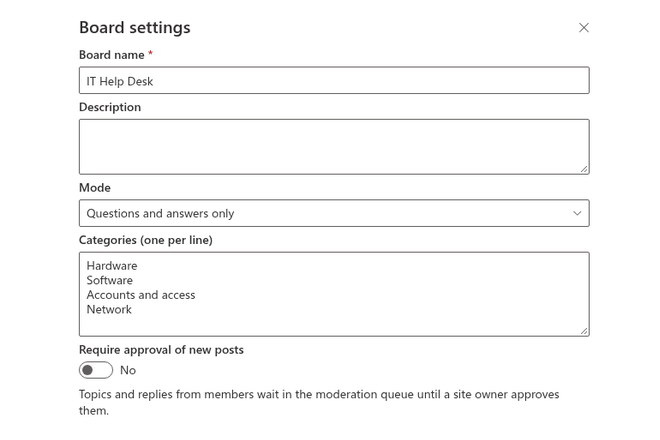
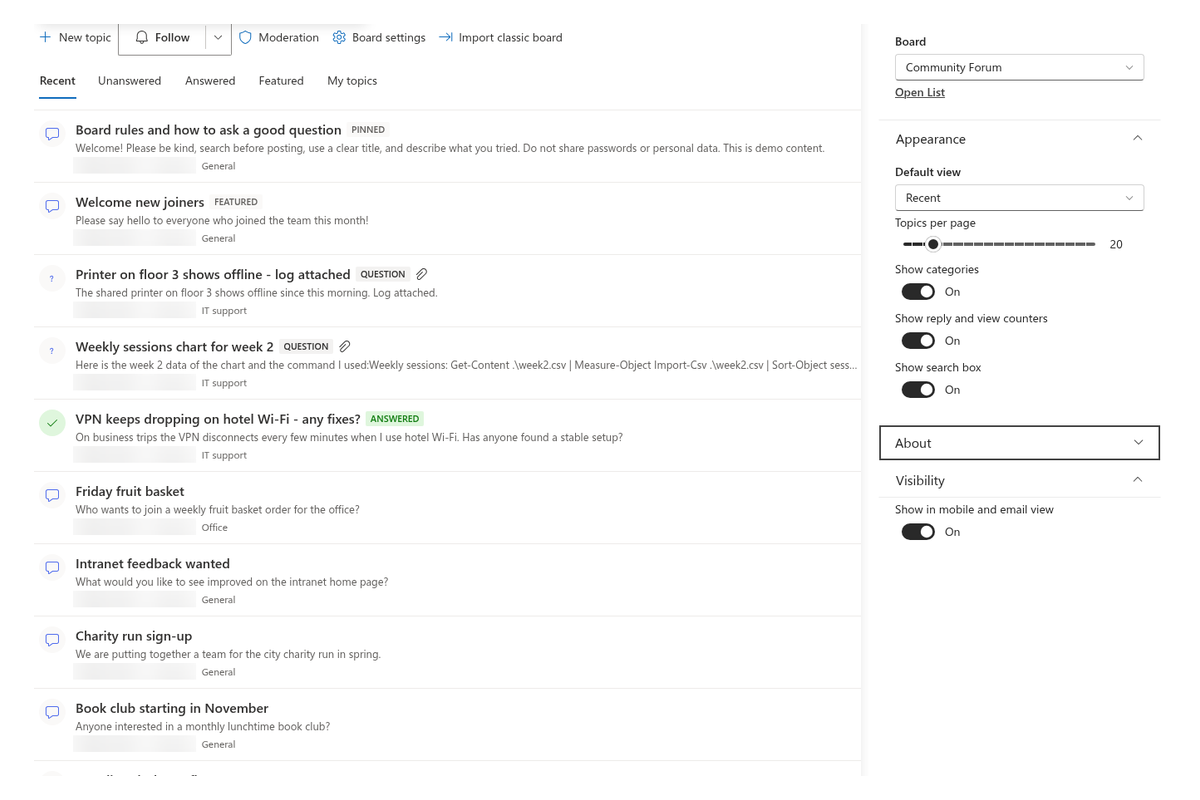
Each board has a mode: Discussions only, Questions and answers only, or Discussions and questions (authors choose the type when starting a topic). Optional categories organise the list, and you can require approval of new posts before they appear to everyone.
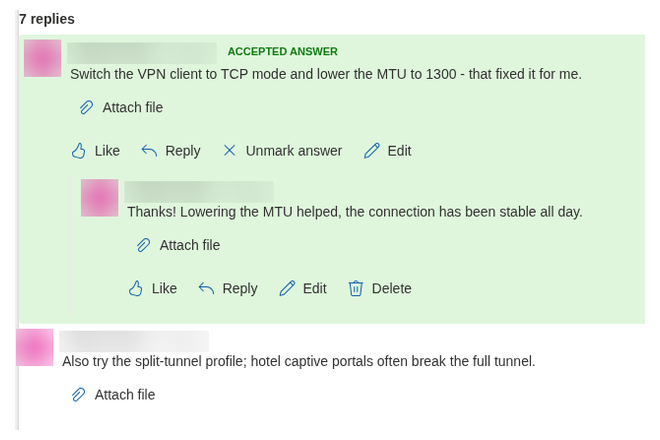
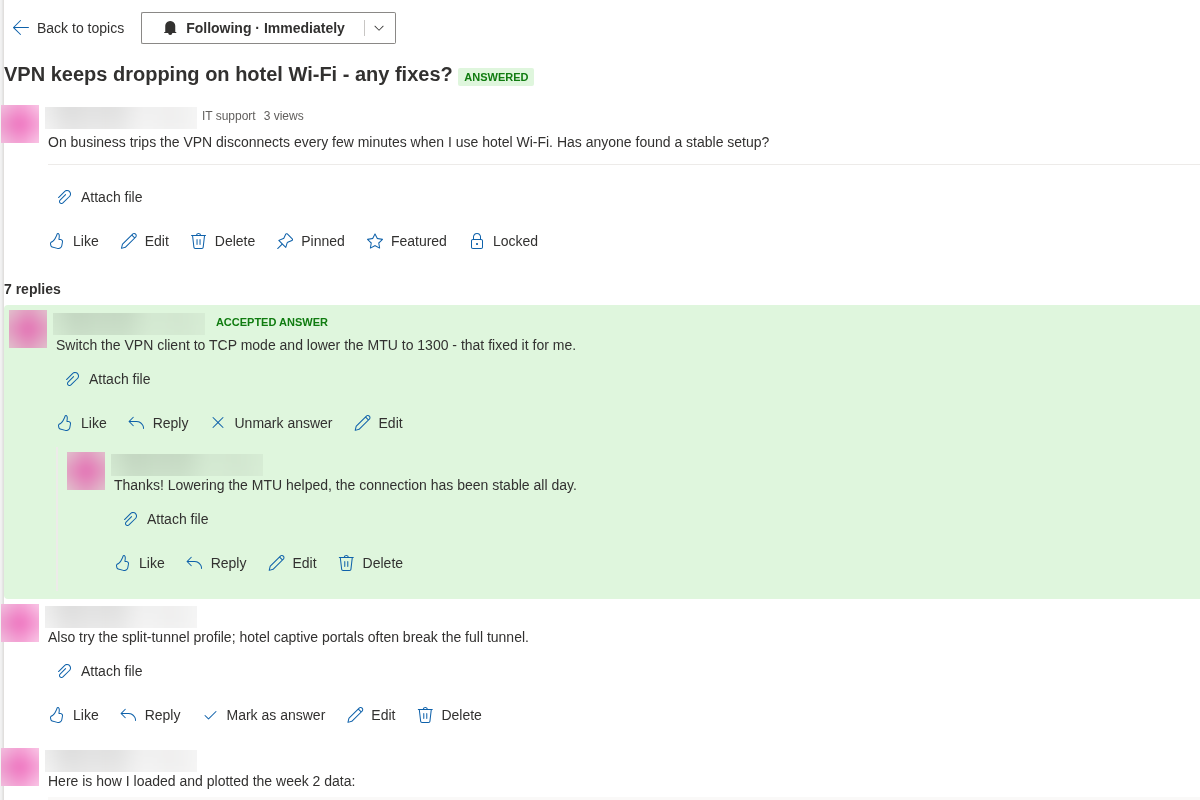
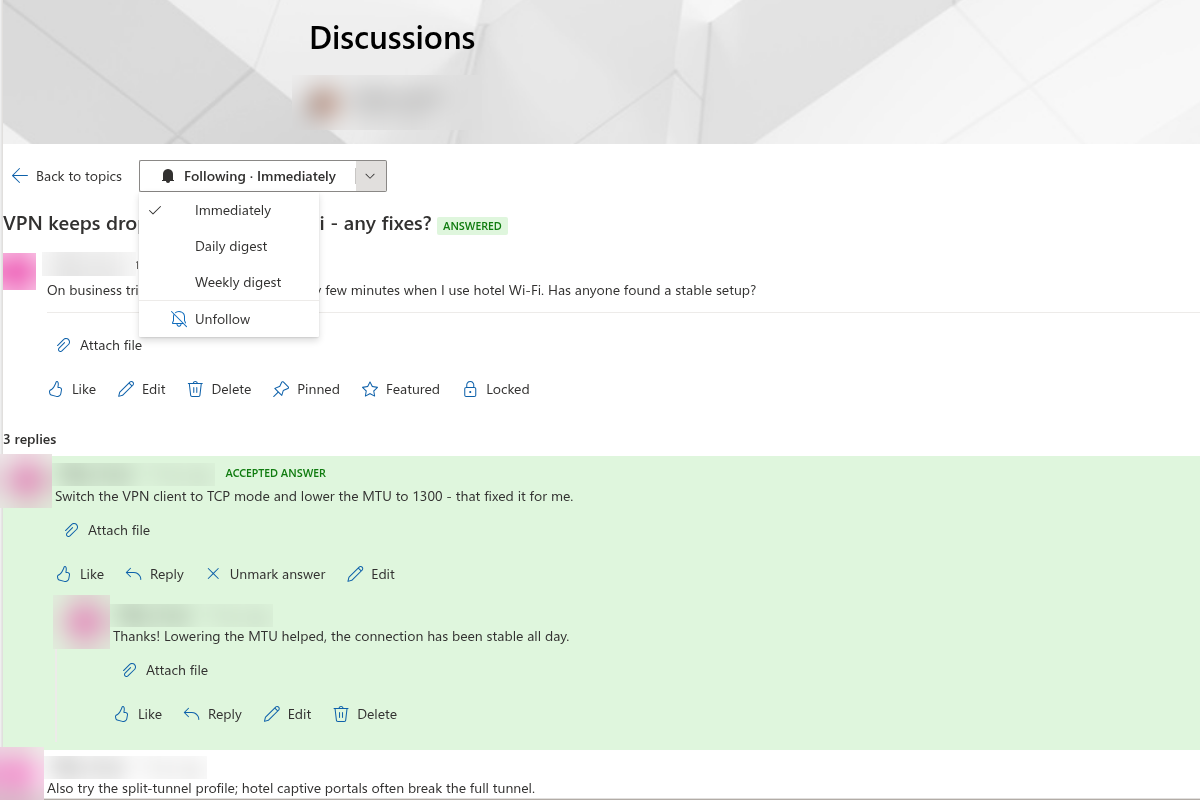
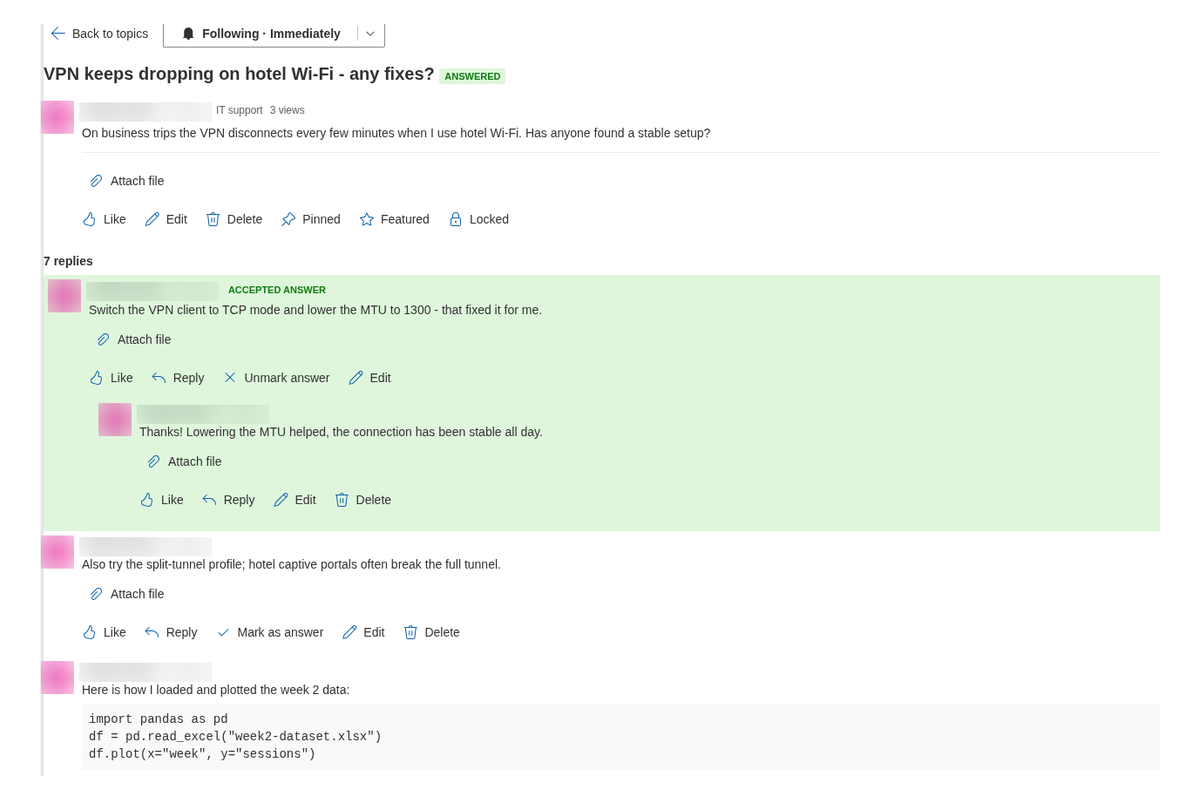
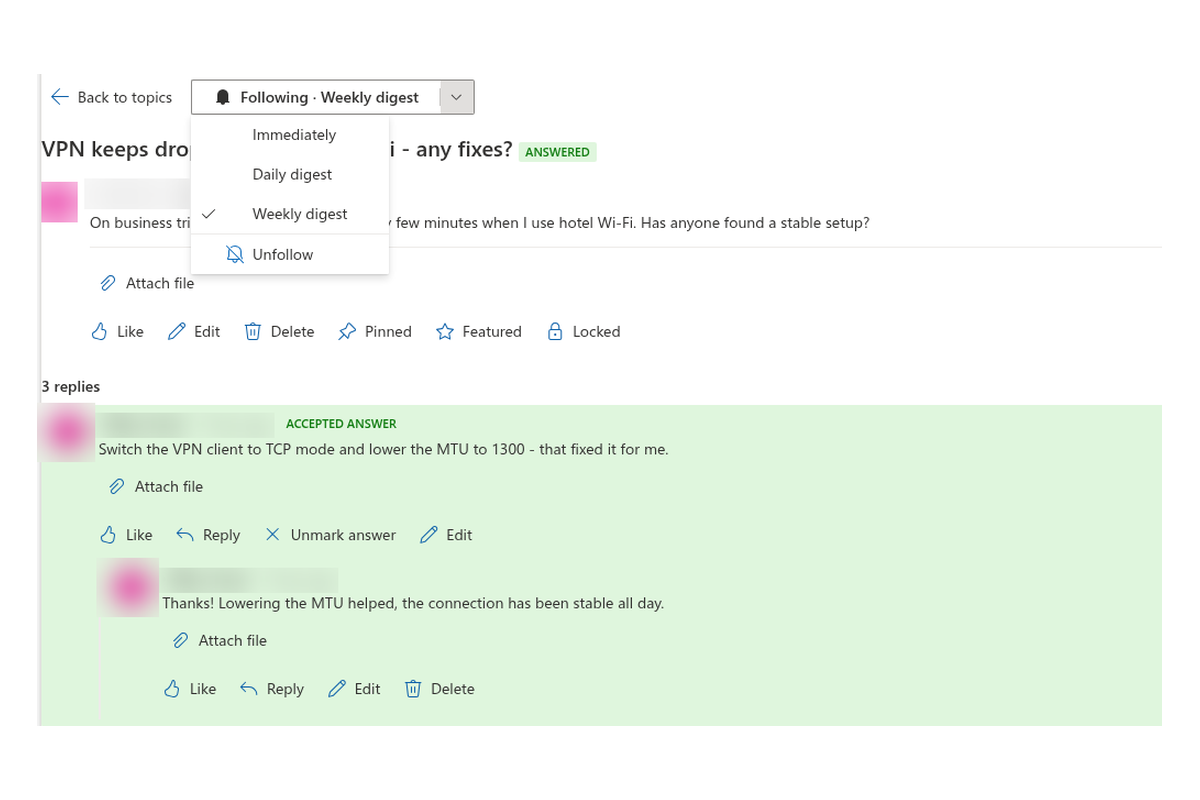
In a question topic, the author or a moderator clicks Mark as answer. The reply becomes the Accepted answer at the top, and the topic moves from Unanswered to Answered.
Threads, Not a Flat Chat
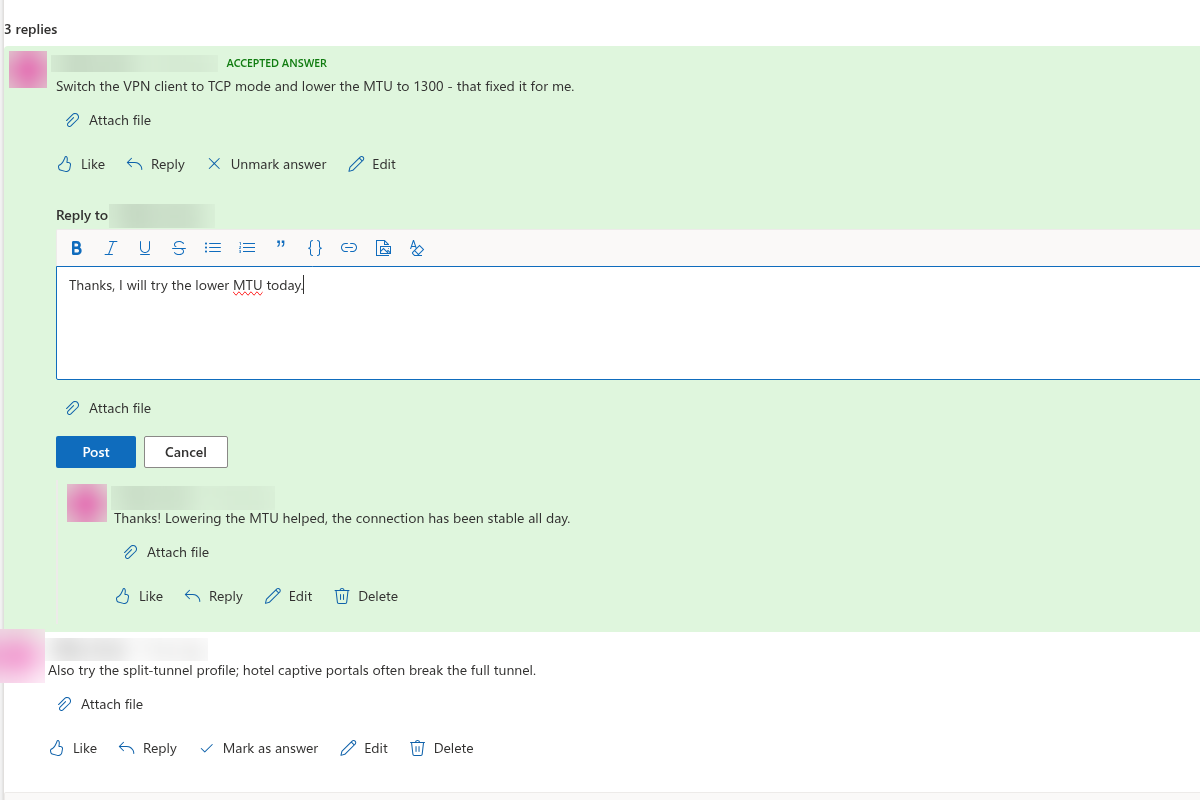
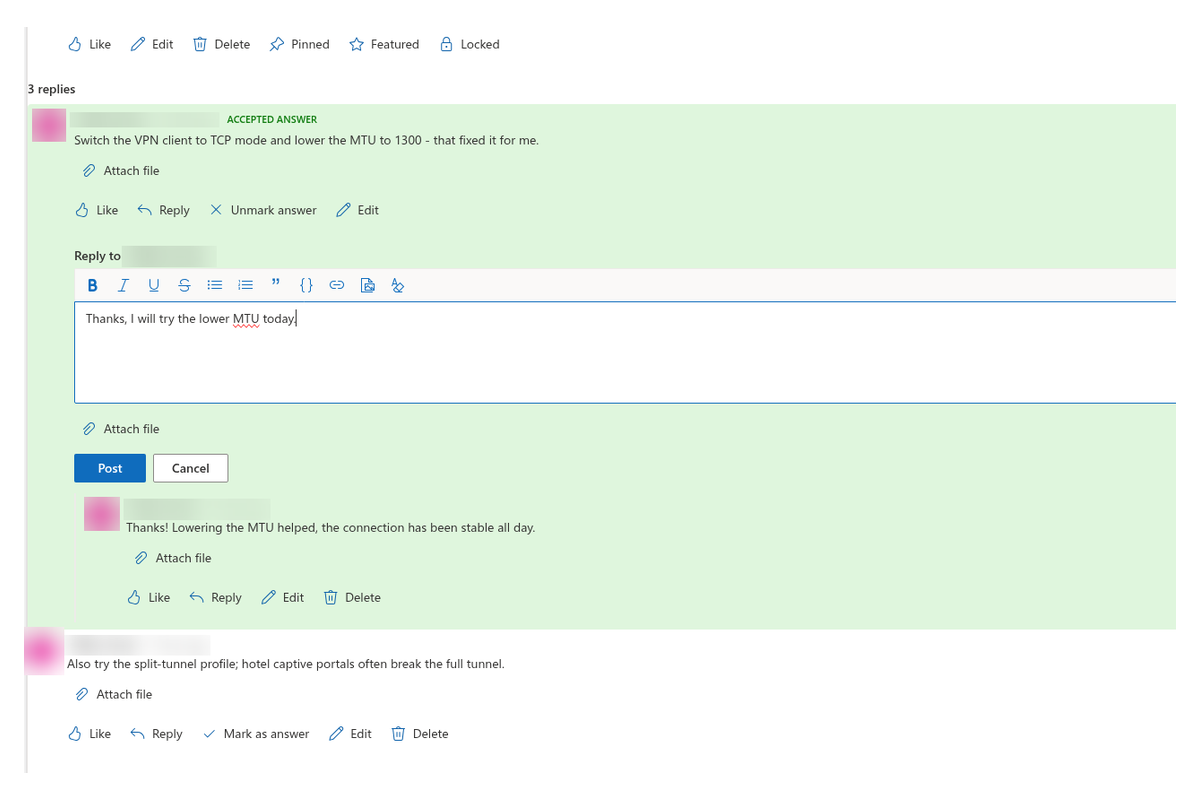
Replies nest without an artificial depth limit: answer the topic or reply to any reply. Readers follow the conversation as a tree, keep context, and still like, edit or report individual posts.
Authors can edit their own topics and replies while a topic is open; moderators can edit or delete when needed. Locked topics keep their answered state and block new replies.
Find Topics Fast
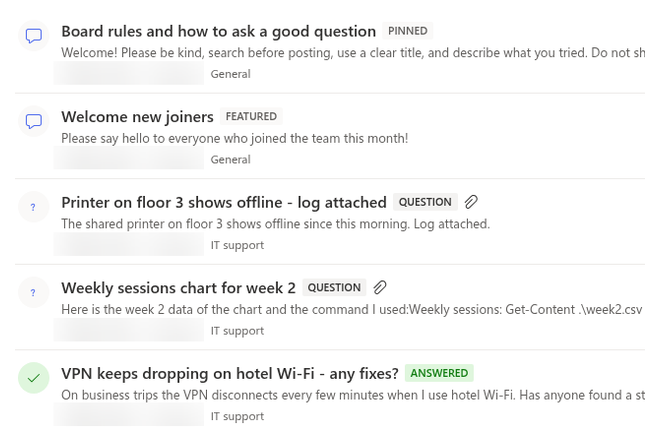
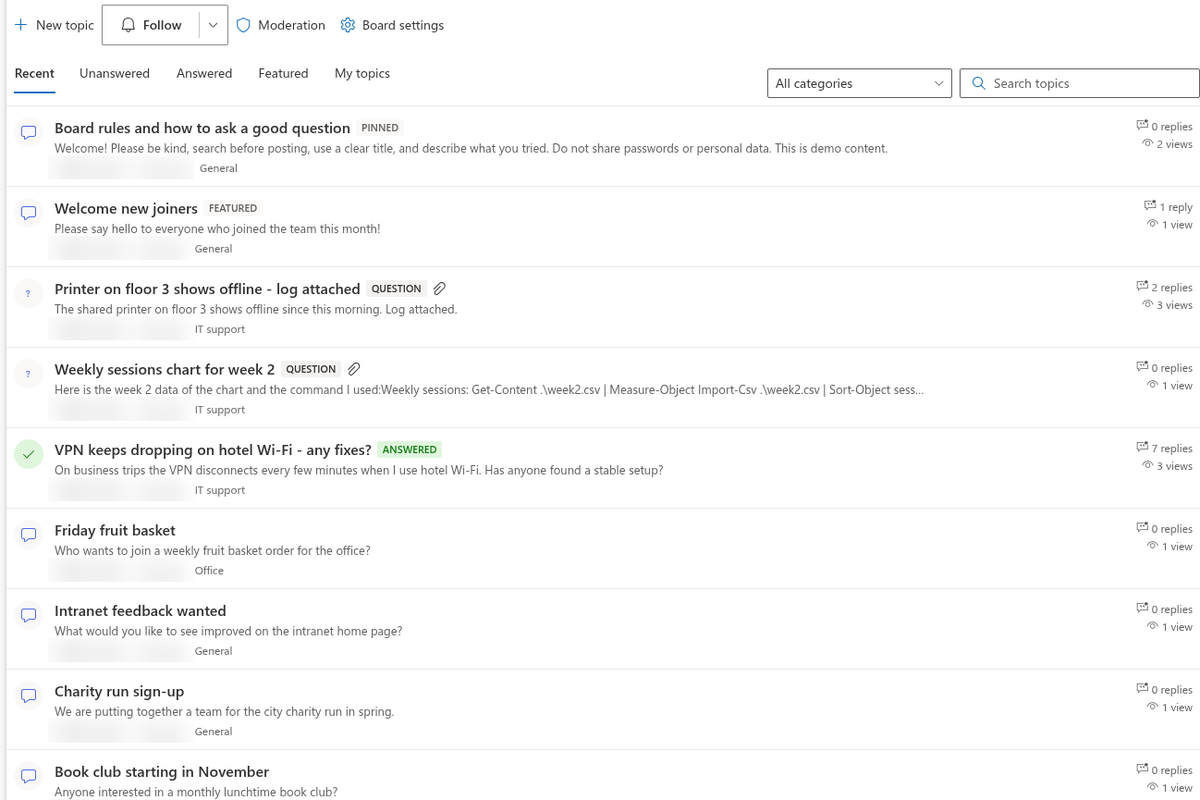
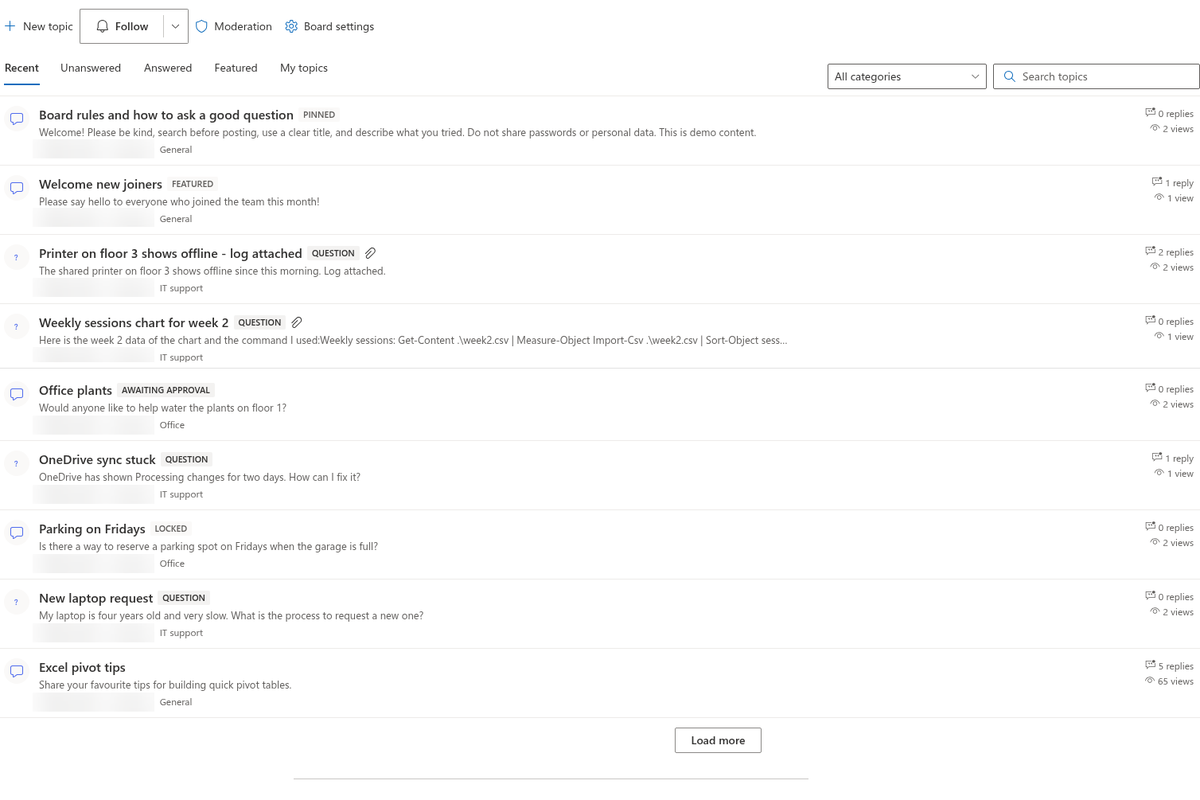
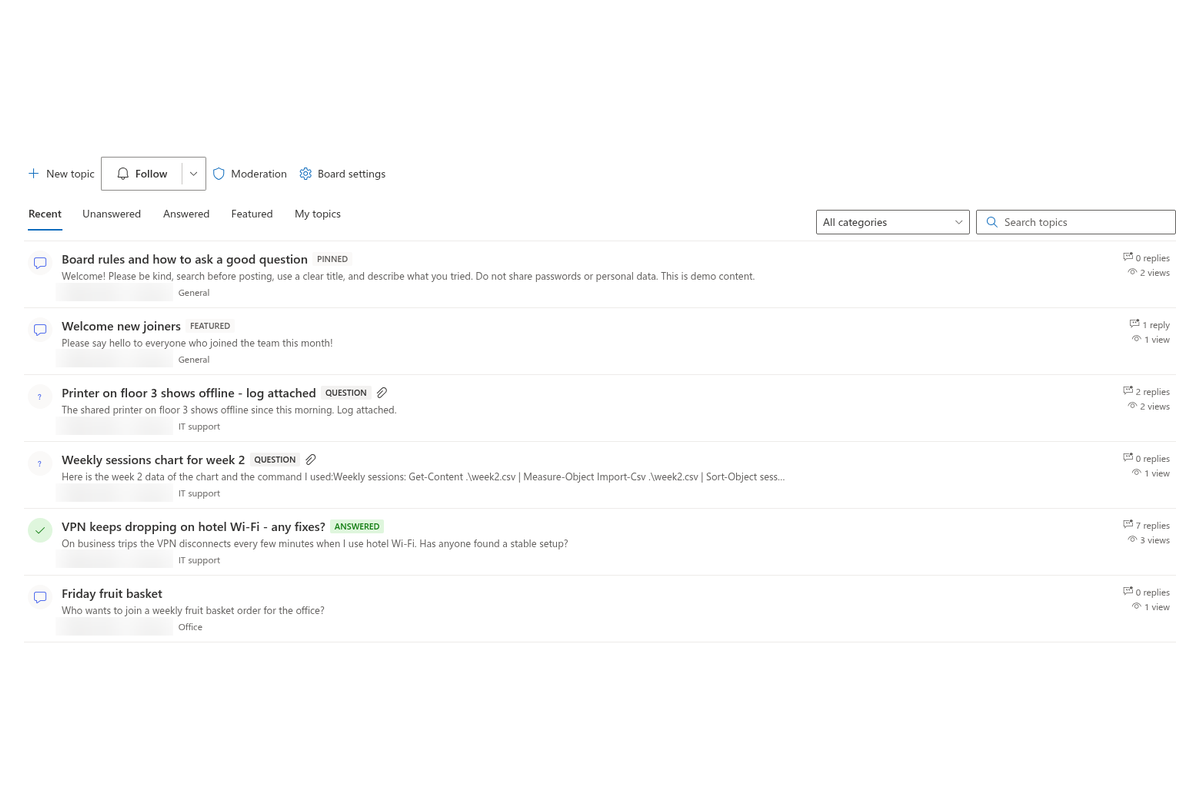
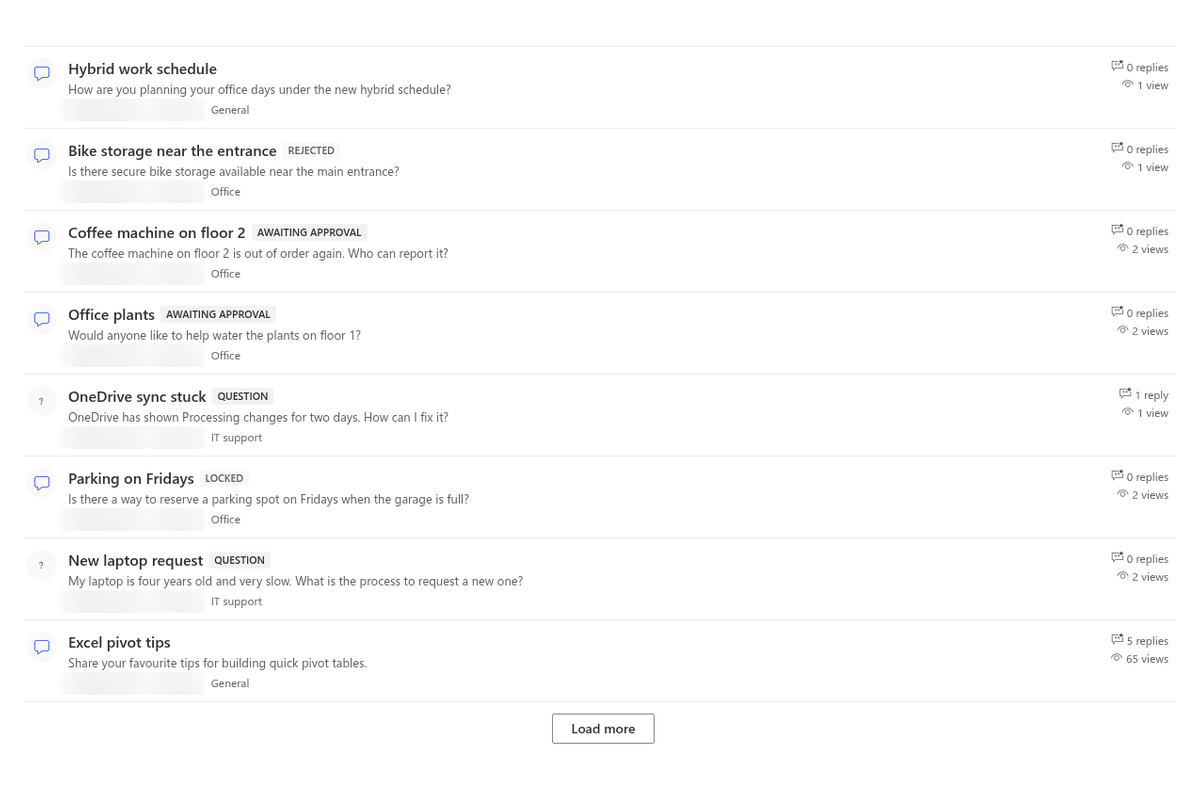
The topic list offers Recent, Unanswered, Answered, Featured and My topics. Pinned topics stay on top; other topics sort by last activity. Filter by category, search titles on the server, and load the next page with Load more (page size from 5 to 100).
Every open topic adds ?topic=ID to the page URL, so you can copy a deep link from the browser and share it in email, Teams or another page.
Rich Posts: Formatting, Images and Files
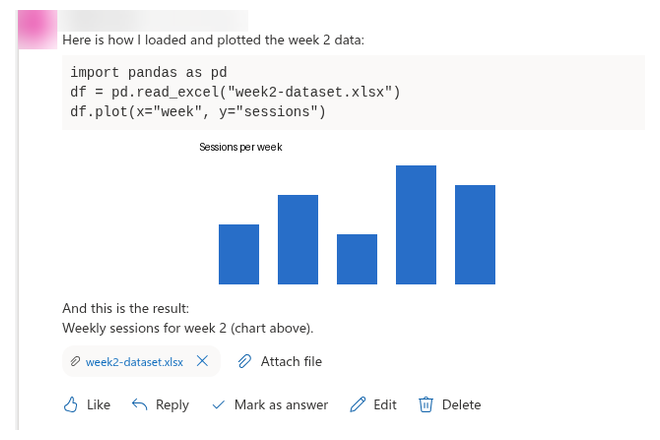
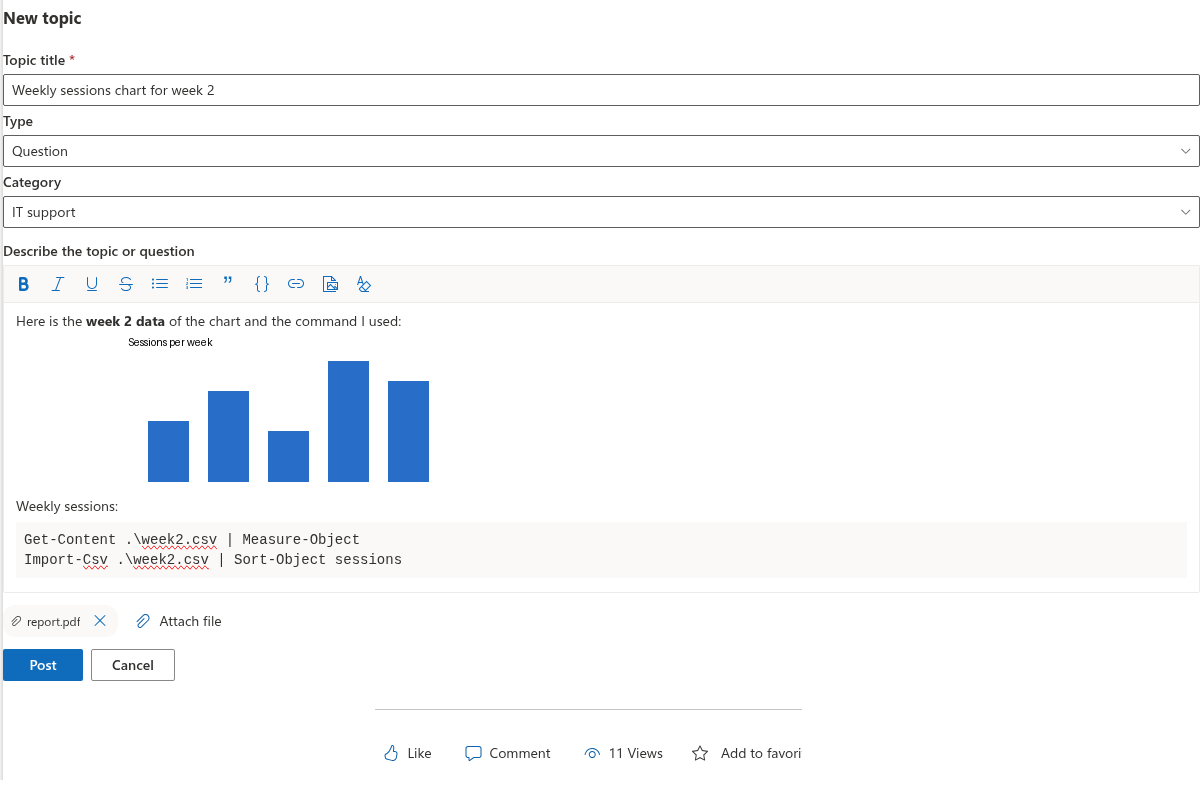
Write topics and replies in a rich text editor: bold, italic, lists, quotes, code blocks, links and inline images (paste, drop or insert; up to 10 MB per image, stored in Discussions Assets). HTML is sanitised with an allow-list before it is stored and before it is shown.
Attach files to a topic or a reply before posting or later. Owners and moderators can remove attachments when a file should no longer be shared.
@Mentions and Subscriptions
Type @ to mention a person who already has access to the site. Mentions are stored for notification processing without granting extra Graph mail permissions.
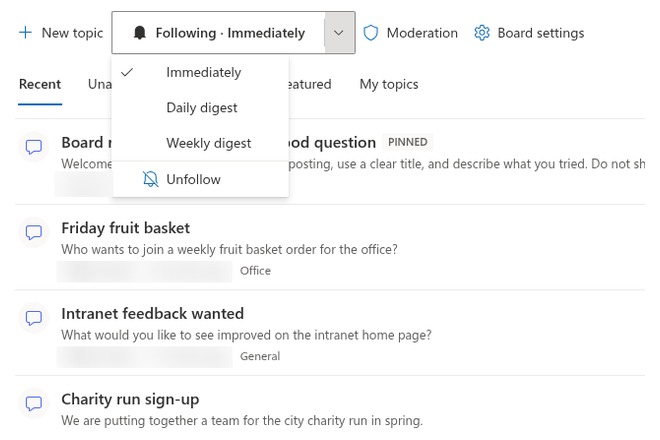
Use Follow on a board or a topic and choose Immediately, Daily digest or Weekly digest. Authors follow their own topics automatically. Delivery is handled by a Power Automate flow that reads the subscriptions list — details in KB10414. How Notifications Work in Discussions: Subscriptions, Mentions and Power Automate.
Moderation That Fits Site Owners
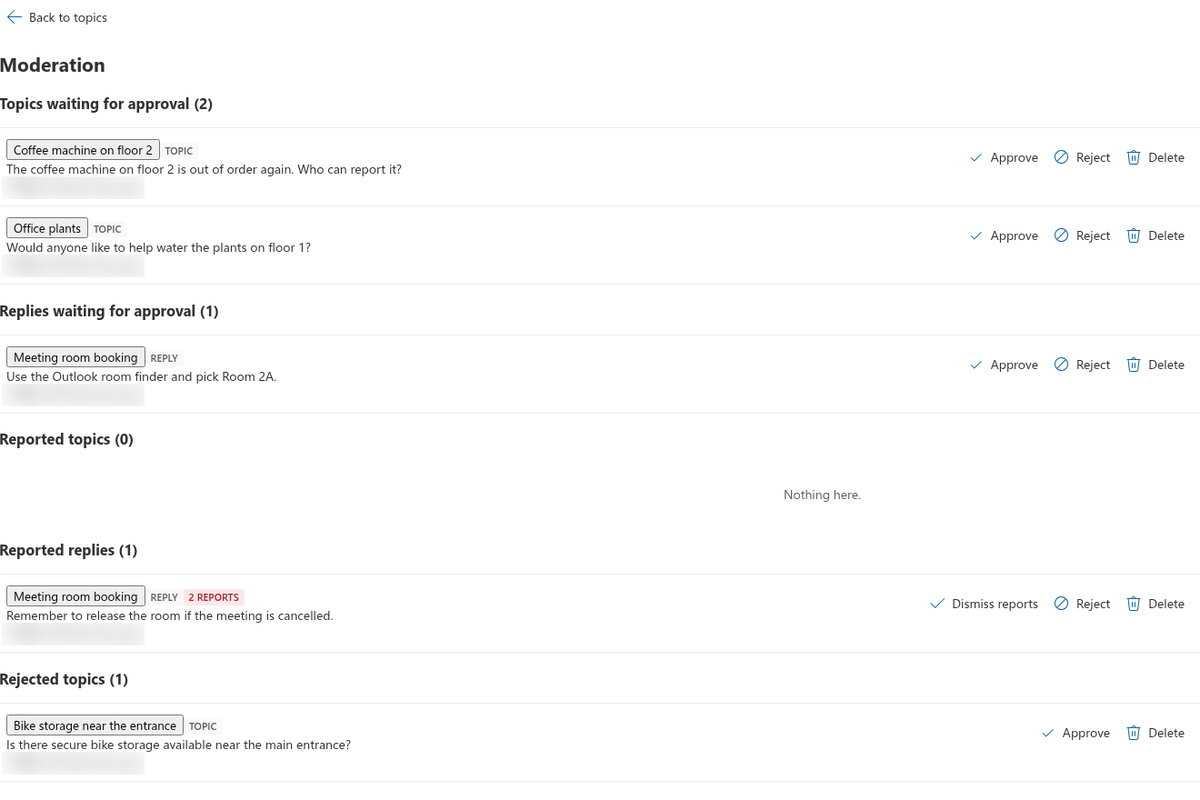
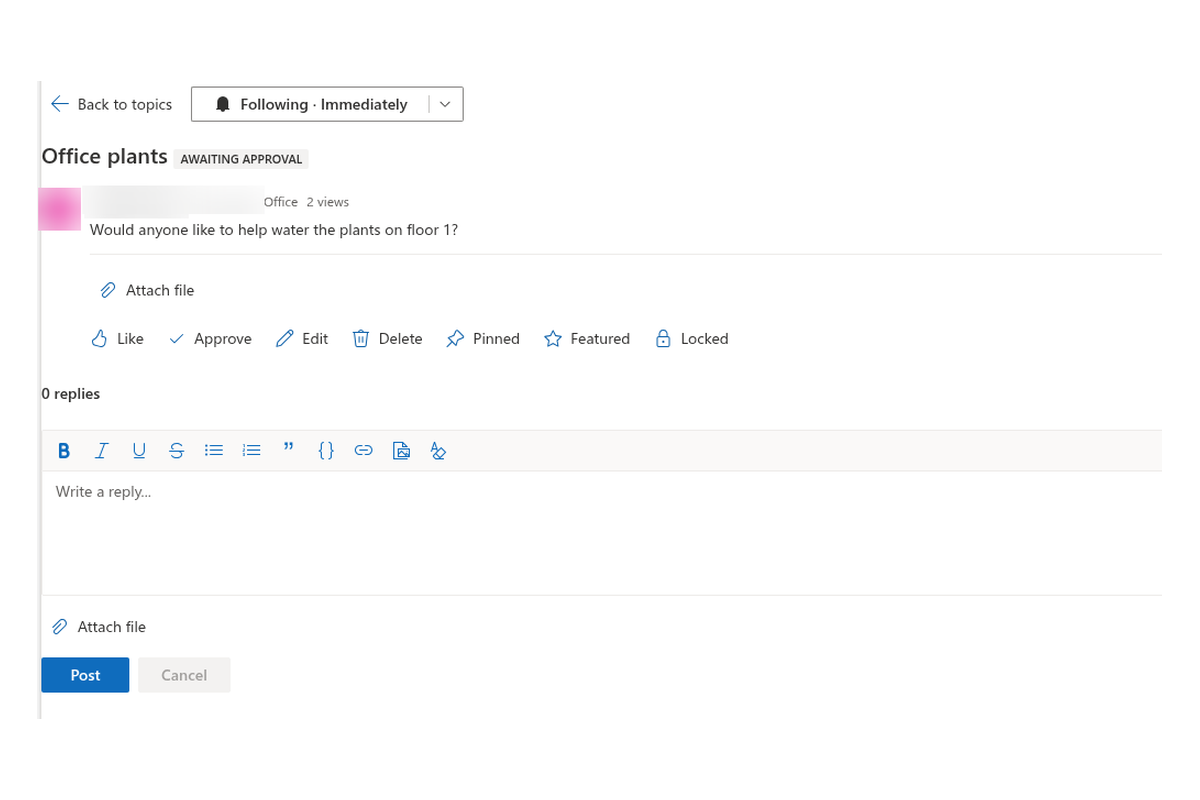
Users with Manage Lists open Moderation to approve or reject pending posts, dismiss reports, and delete abusive content. Members can report a post once. Moderators also pin, feature and lock topics, and change board title, description, mode, categories and approval from Board settings.
Pending items stay visible to their authors and to moderators; everyone else sees approved content only.
Latest Topics Anywhere on the Site
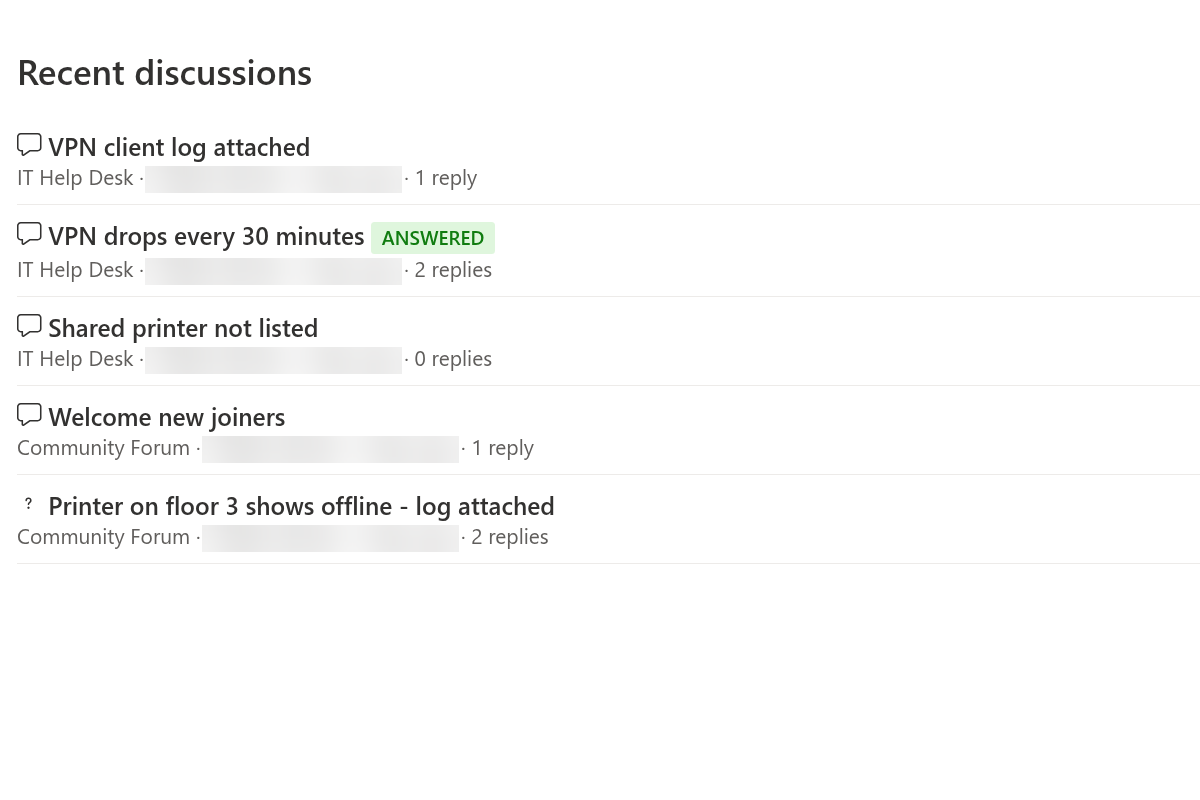
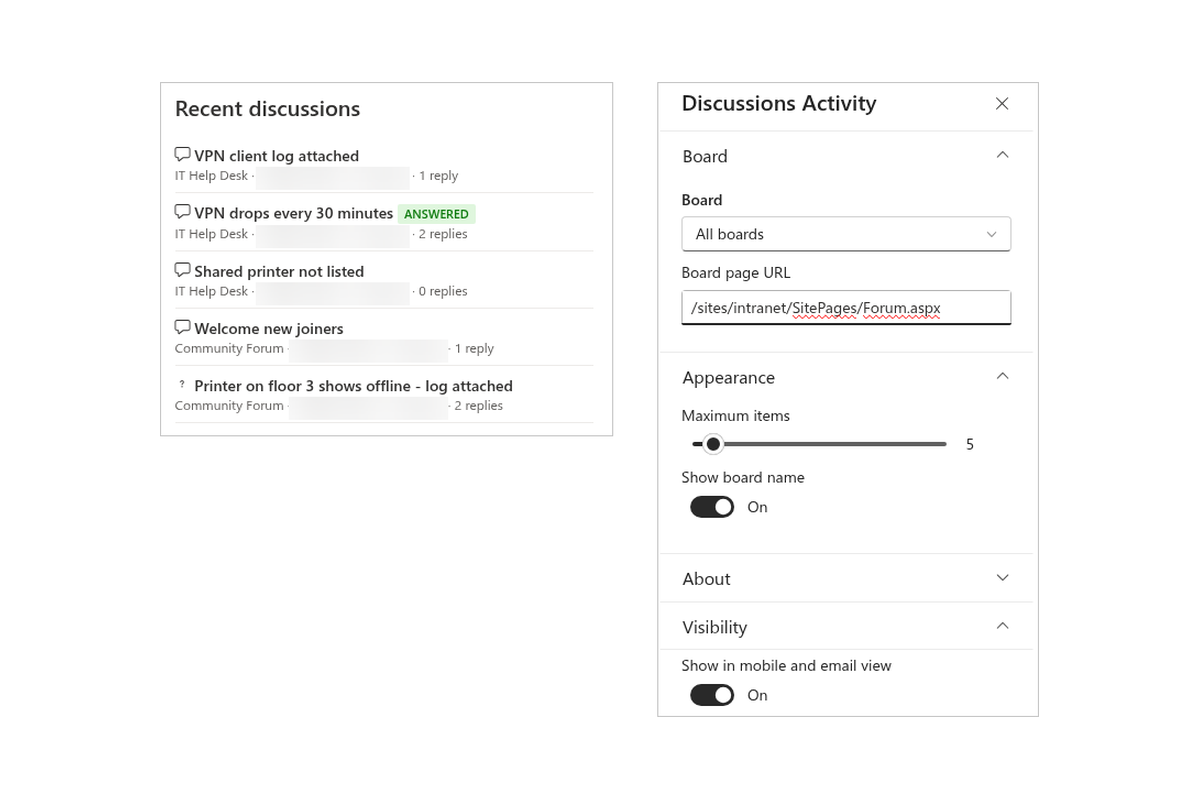
Add Discussions Activity to a homepage or hub page to show recent topics across all boards of the site (or one board), with links that open the topic on the board page. The same web part works as a Teams channel tab when you want a lightweight activity feed next to the full board.
Bring Classic Boards Forward
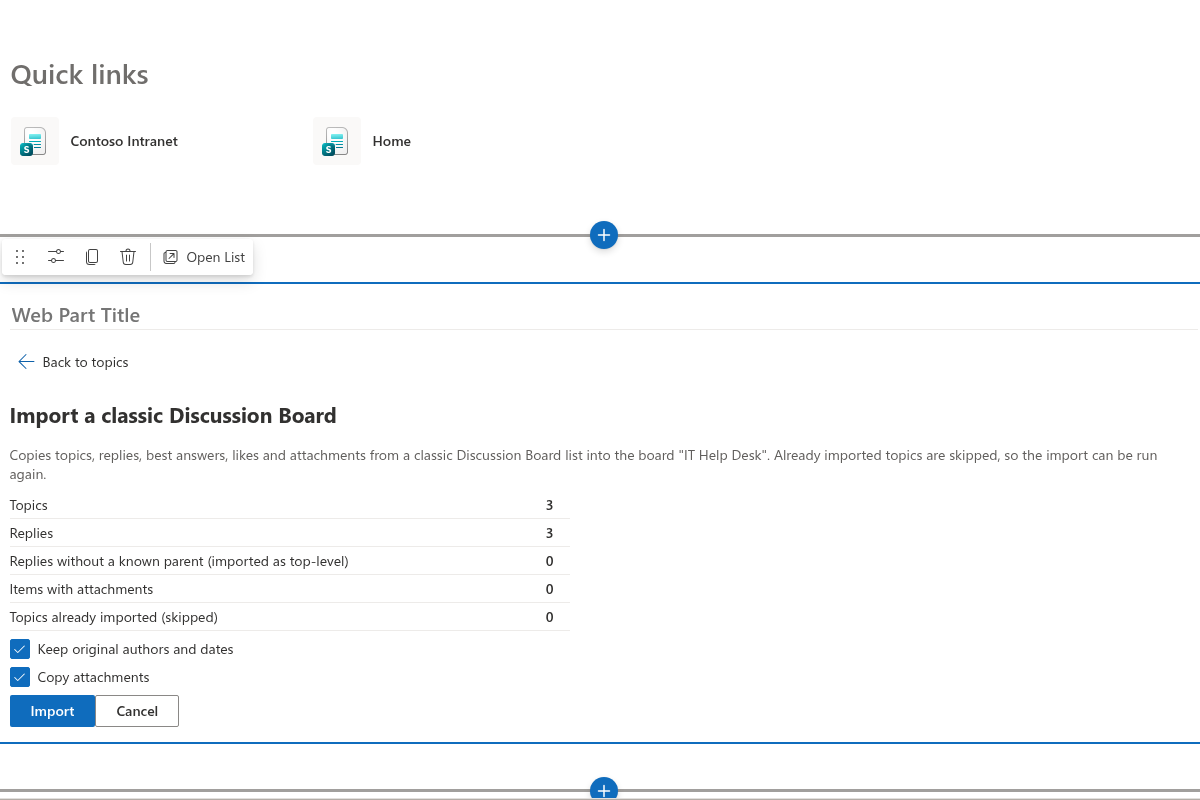
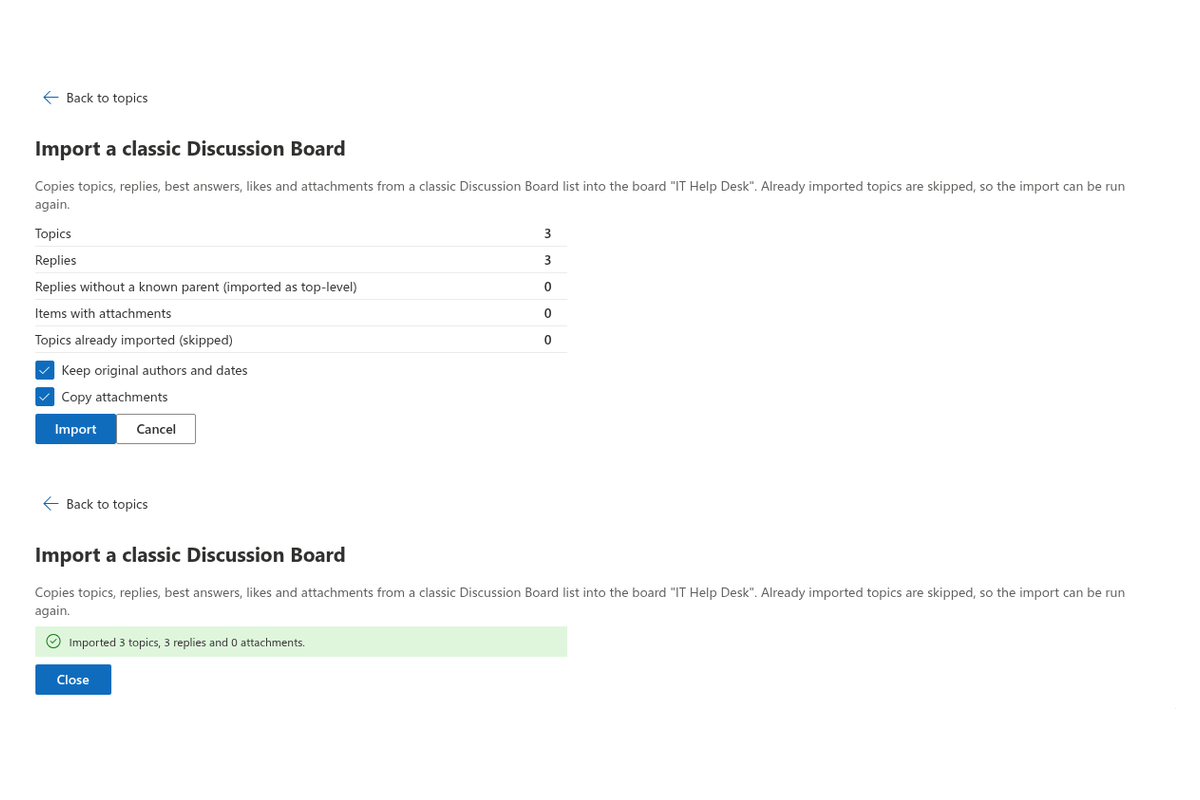
Site owners run Import classic board from the web part in edit mode, pick a classic Discussion Board on this or another site, review a dry-run summary, and import topics, replies, best answers, likes and attachments. The importer rebuilds reply hierarchy (orphans become top-level replies) and keeps legacy ids so you can re-run without duplicates.
Step-by-step guidance: KB10417. How to Import a Classic SharePoint Discussion Board into Discussions.
Secure by Design
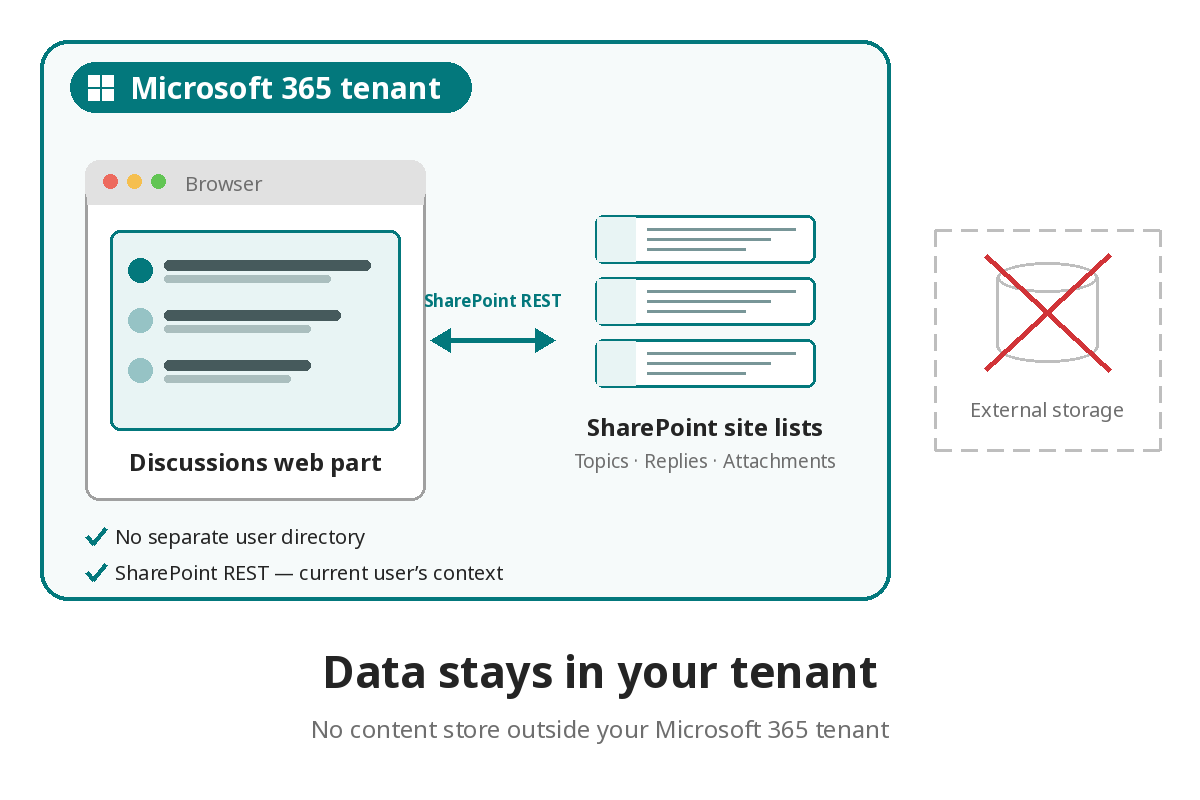
Discussions uses SharePoint REST in the current user’s context. There is no separate user directory and no content store outside your Microsoft 365 tenant. Visitors with read access can follow the forum; contributors post; owners moderate — the same model as the rest of the site.
Choosing between Discussions, the classic board, Viva Engage and Teams channels? Start with KB10394. Discussions vs. the Classic SharePoint Discussion Board vs. Viva Engage vs. Teams Channels: Which to Choose.
Knowledge Base
Read articles related to Discussions
Formatting Posts: The Rich Text Editor, Images and Code Blocks
How to format topics and replies in Vitextra Discussions: the toolbar buttons and keyboard shortcuts, links, quotes and code blocks, inserting images by button, paste or drag-and-drop (10 MB limit, stored in the Discussions Assets library), what happens to pasted content, and exactly which HTML tags and attributes the sanitizer keeps.
Using @Mentions in Discussions
How @mentions work in Vitextra Discussions: typing @ and picking a person, keyboard navigation in the suggestion list, how a mention looks in the post, who can be mentioned, where the mention is stored (the Mentions column) and how it turns into an email notification through the Power Automate flow.
Starting a Topic: Discussions and Questions
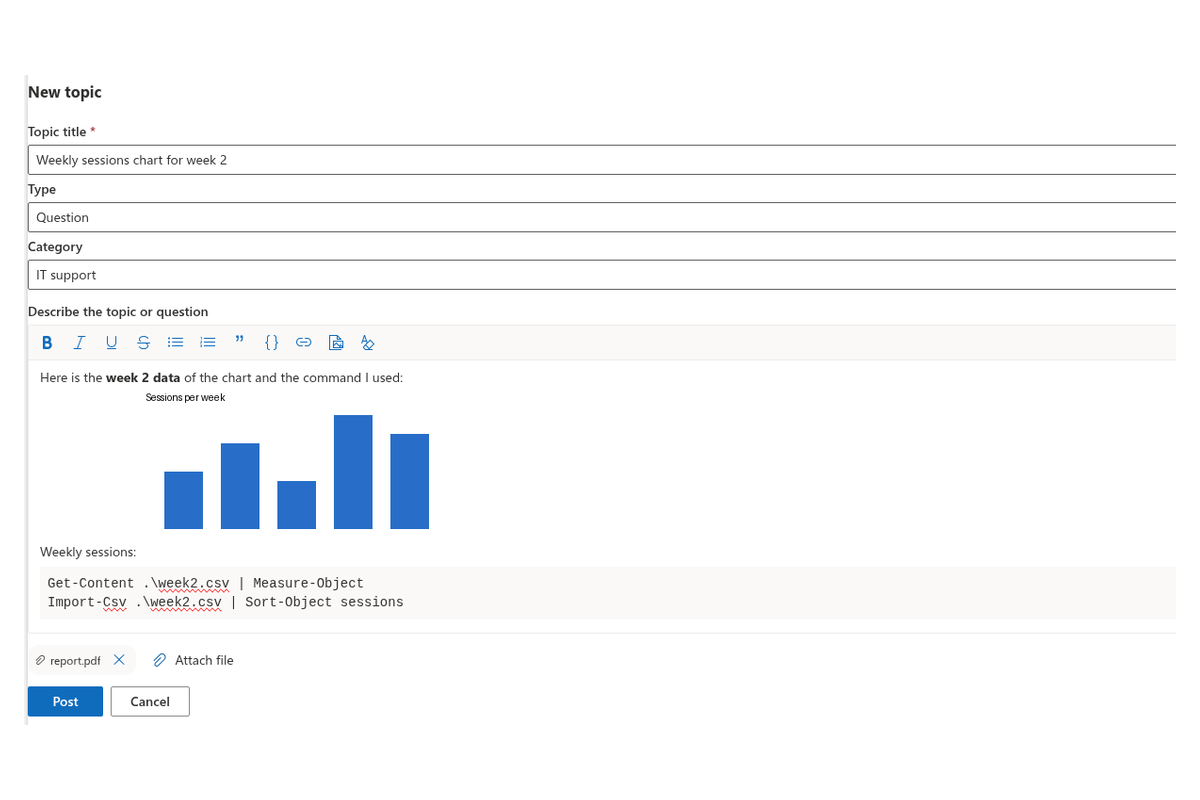
How to start a new topic on a Vitextra Discussions board in SharePoint Online or Microsoft Teams: the New topic form with title, type, category, rich text body and attachments; the difference between a discussion and a question; what happens after you click Post, including automatic following and boards that require moderator approval, and how to edit or delete your topic afterwards.
Views, Paging, Search and Counters: Display Settings of the Discussions Web Part
How to tune what readers see in the Vitextra Discussions web part: the Default view (Recent, Unanswered, Answered, Featured, My topics), the Topics per page slider and the Load more button, the title search box, the category filter, the reply and view counters and the web part title. Where each setting lives in the property pane, what it changes on the page, the defaults and recommended combinations for a Q&A forum, a community board and a small team board.
Replying in Threads: Reply, Edit and Delete
How replies work on a Vitextra Discussions board in SharePoint Online and Microsoft Teams: the threaded reply tree with nested replies, replying to the topic or to a specific reply, editing your own replies, why a reply with replies under it cannot be deleted, likes and reports, and what changes in locked topics and on boards that require approval.
Discussions: A Quick Guide for End Users
One-page guide for employees using the Vitextra Discussions board in SharePoint Online or Microsoft Teams: the topic list and its views (Recent, Unanswered, Answered, Featured, My topics), filtering by category and search, opening a topic, starting a new topic, replying, liking, following a board or a topic, and what your SharePoint permissions let you do.
Reviews
No reviews yet
Supported Languages
Platforms
Recent Changes
- v26.10.1 #
🚀 New Features
- Discussions web part — a discussion board on any modern SharePoint page or as a Microsoft Teams tab: topic list with Recent / Unanswered / Answered / Featured / My views, category filter, search and paging.
- Board setup and settings — create a board right from the web part; the site lists are created automatically and inherit the site permissions. Moderators change the title, description, mode, categories and approval requirement in the Board settings panel.
- Discussions and Q&A — discussion and question topics; the author or a moderator marks the best answer; answered and unanswered status.
- Threaded replies — unlimited nesting, likes on topics and replies.
- Rich text editor — formatting, lists, quotes, code blocks, links and inline images (insert, paste or drag and drop).
- Attachments — files on topics and replies, added before posting or later.
- @mentions — type
@and pick a person. - Subscriptions — follow a board or a topic with immediate, daily or weekly notifications; authors follow their own topics automatically. Notifications are delivered by a Power Automate flow.
- Edit and delete — authors and moderators edit the title, category and body of a topic and delete a topic together with its replies.
- Moderation — pin, feature and lock topics; optional approval of new posts; a moderation queue with pending, reported and rejected topics and replies. Members can report a post.
- Import from the classic Discussion Board — pick a classic board on this or another site, review a dry-run summary and import topics, replies with their hierarchy, best answers, likes, attachments, original authors and dates. The import can be re-run without creating duplicates.
- Discussions Activity web part — latest topics across all boards of the site.
- Topic links —
?topic=IDopens a topic directly. - View counter — a topic view is counted once per browser session.
- 45 languages — the interface, dates and counters are localized.
⚠️ Known Limitations
- The Power Automate flow template for notifications is not included yet.
- Tables and image resizing are not available in the editor.
- v26.11.1 #
🐞 Fixed Bugs
- Relative dates (“3 hours ago”) were shown in English in every language except Russian
- Topic previews showed character codes such as : instead of the characters themselves
- Reply and view counters used the wrong plural form in some languages (e.g., “1 réponses” in French)
- The @mention suggestion list showed only profile pictures, without names
- The Code block button wrapped only the first paragraph of a selection, or the entire editor content when the text had no paragraphs
- Importing from a classic discussion board showed warnings for Created/Modified and did not keep the original dates
- A topic link (?topic=ID) opened the topic in every Discussions web part on the page
- Lists and columns were named in the interface language of whoever created the first board instead of the site language
Available in bundles
Get this product together with others and save.
Engagement Pack
Intranet Communications Pack
Vitextra 365 All Access
Discover more apps
Suggested apps
Share
Send feedback
We would love to hear from you! Please take a moment to let us know about your experience.