
Employee Details
Display important information about each employee throughout the company so that everyone can easily find and access the information they need.
- Oct 2026
- v26.10.4
- Supported Languages
- 23
The Employee Details web part is a valuable tool for organizations seeking to enhance employee engagement and collaboration. It provides a platform for sharing and managing employee information in a more organized and efficient manner. This helps create a more connected and knowledgeable workplace, where employees can easily access and share relevant information.
- Microsoft Teams Integration
- Customizable View of User Profiles
- Choice of User Properties Available for Update
- Self-Service User Profile Updates
- Navigation Based on Manager-Subordinate Relationships
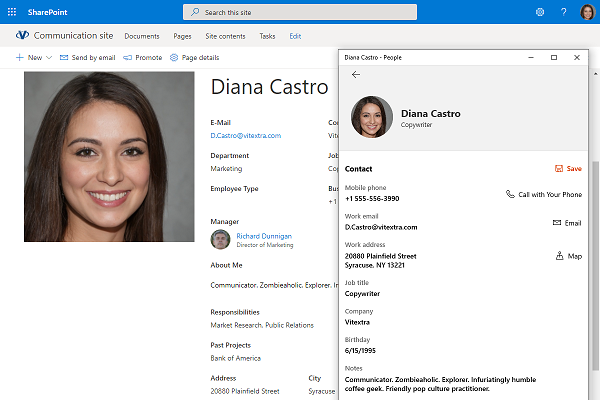
- Export of Employee Information to vCard (.vcf)
Overview
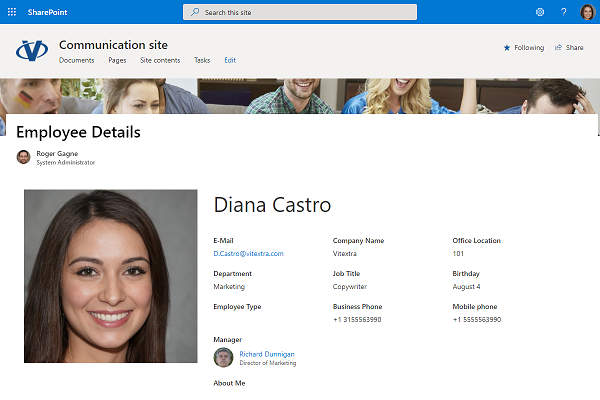
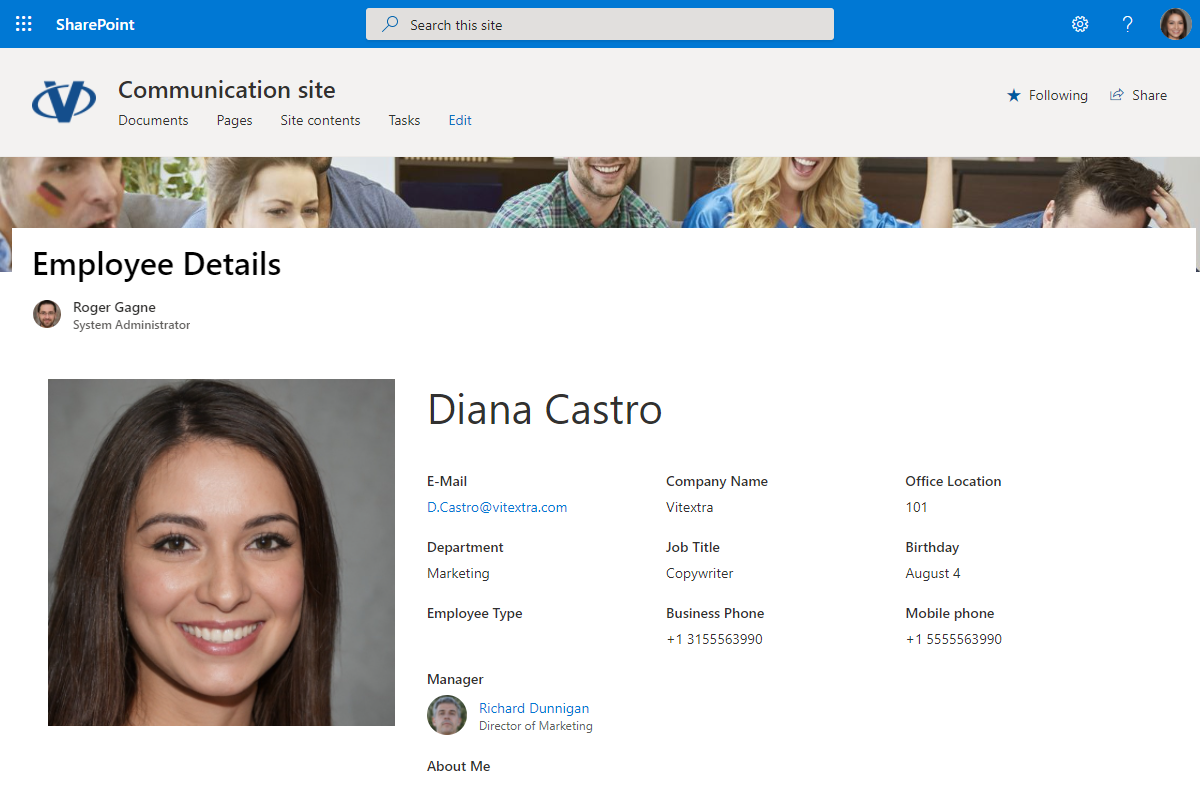
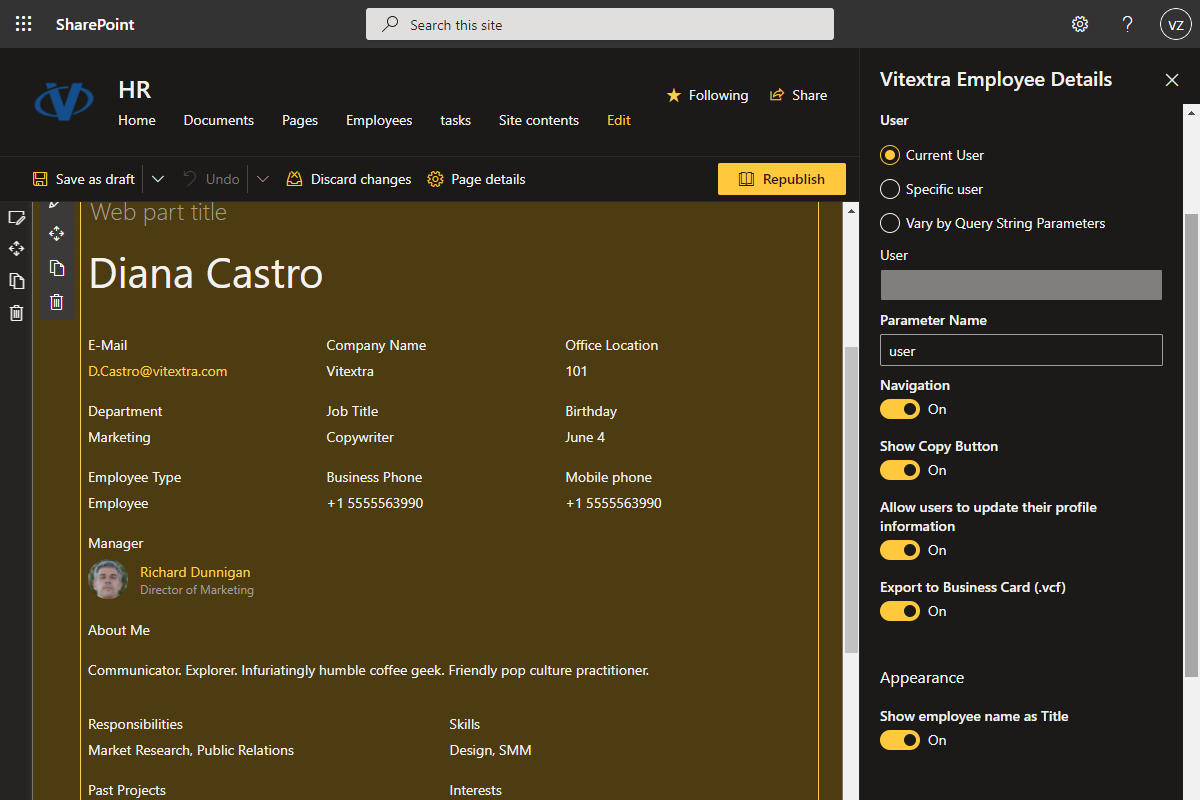
The Employee Details web part provides personalized employee profiles, allowing each individual to have their own dedicated page with detailed information about their professional background. The page displays comprehensive details, such as job title, department, contact information, office location, and personal interests and hobbies - and can even showcase accomplishments and awards.
The web part is equipped with visual and interactive features, allowing users to embed images, videos, documents, and links to social media accounts. It seamlessly integrates with SharePoint Online and Microsoft Teams, ensuring easy access and management of data. With a user-friendly interface, users can customize and update their profiles with drag-and-drop functionality. Additionally, the system offers robust security measures to protect sensitive data, as well as customizable privacy settings that allow users to control who can view their information.
Customizable View
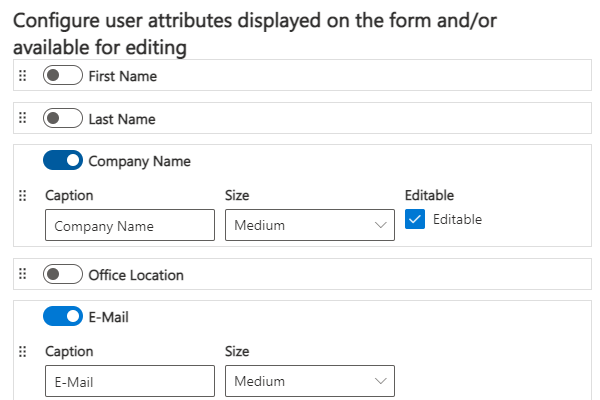
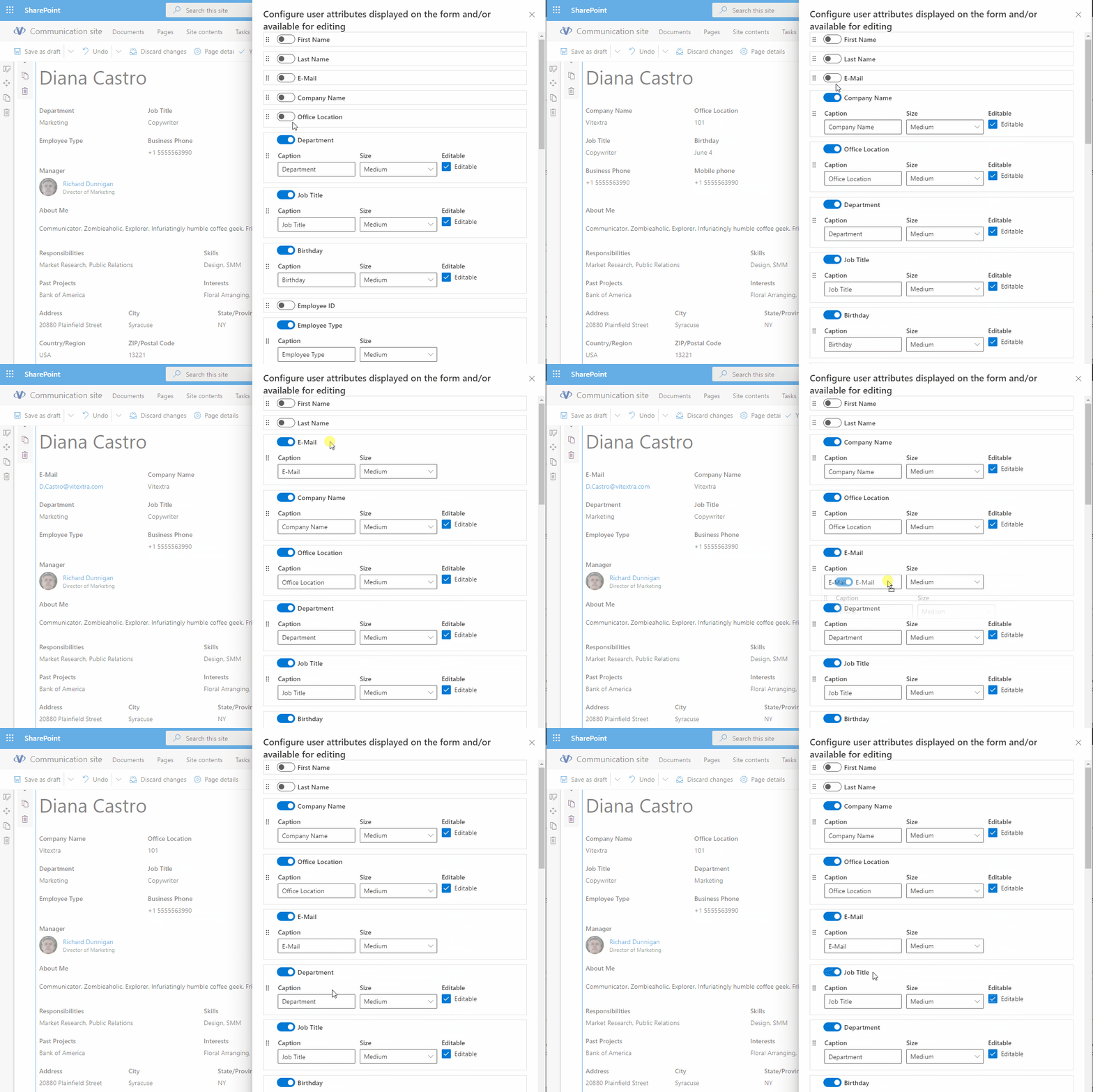
The Customizable View feature of the Employee Details web part allows users to customize the presentation of their profiles according to their specific needs and preferences.
The intuitive drag-and-drop interface allows users to easily rearrange and update content, ensuring that employee profiles remain up-to-date and reflect each employee's achievements and contributions. This feature offers a high degree of customization, helping organizations create engaging and informative profiles that promote a sense of recognition and belonging within the workplace.
Microsoft Teams Integration
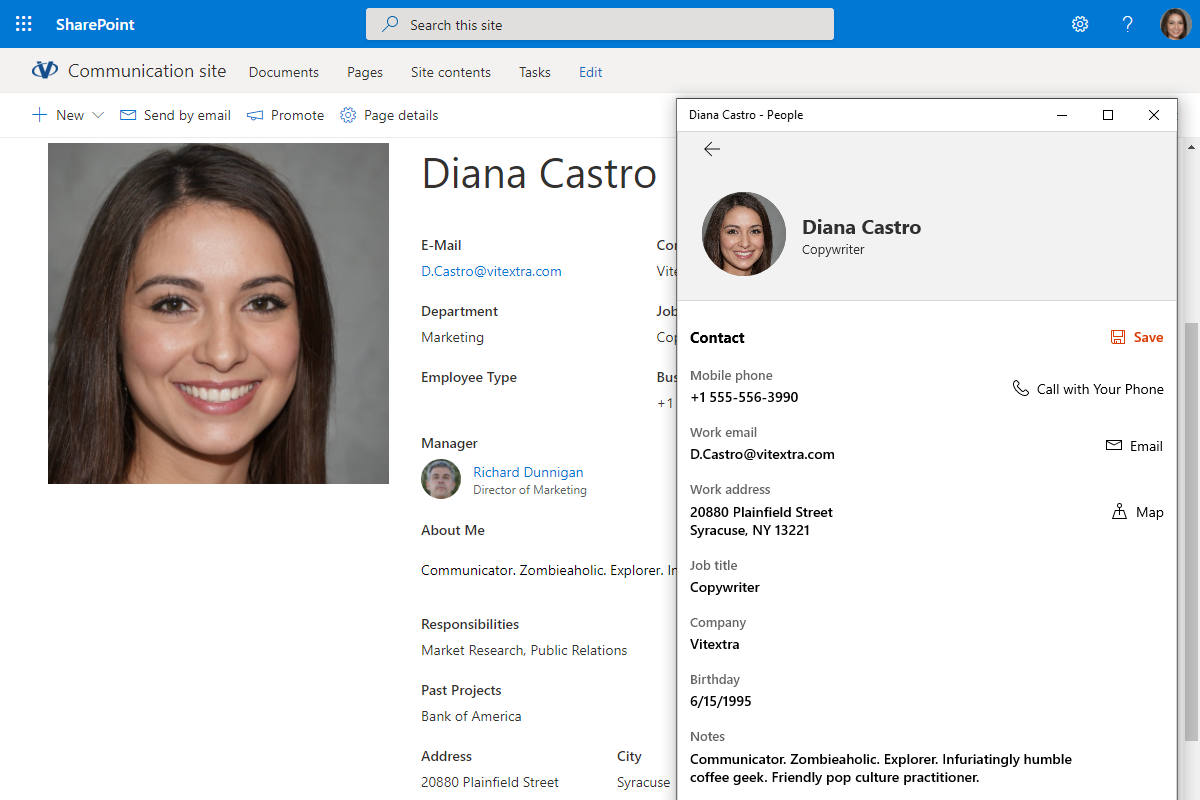
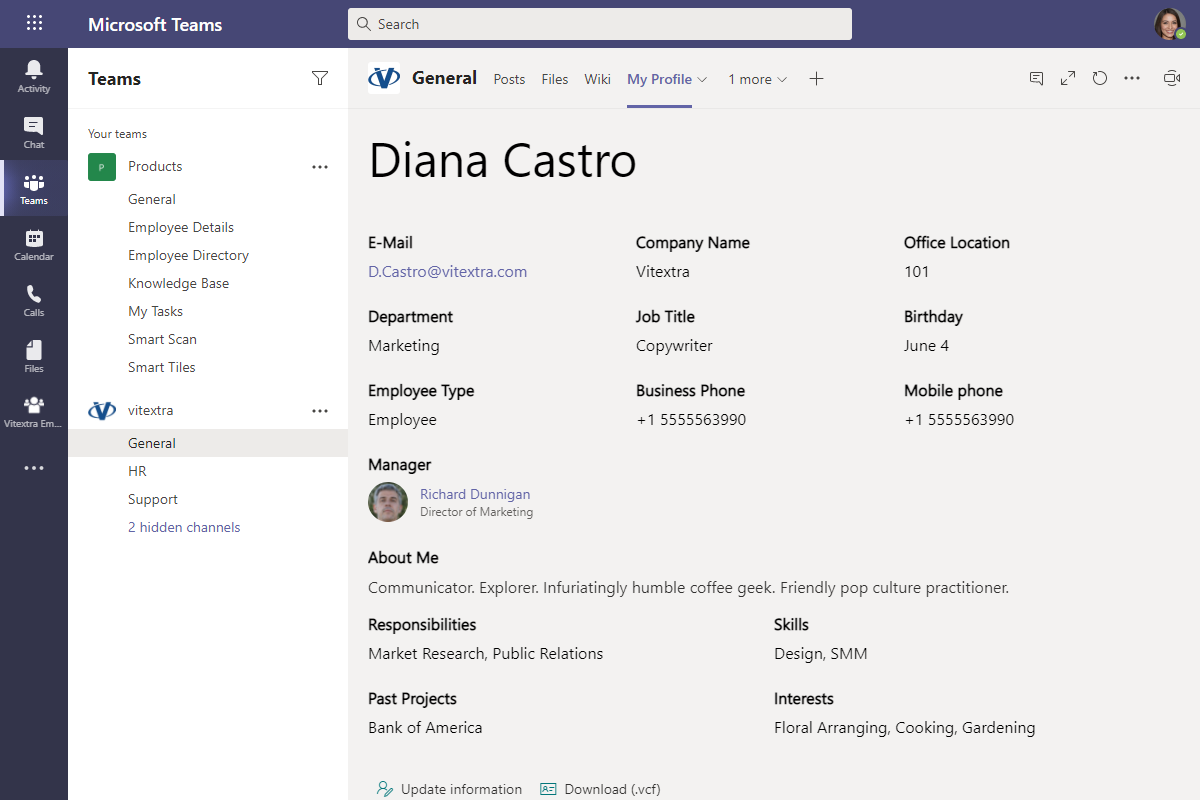
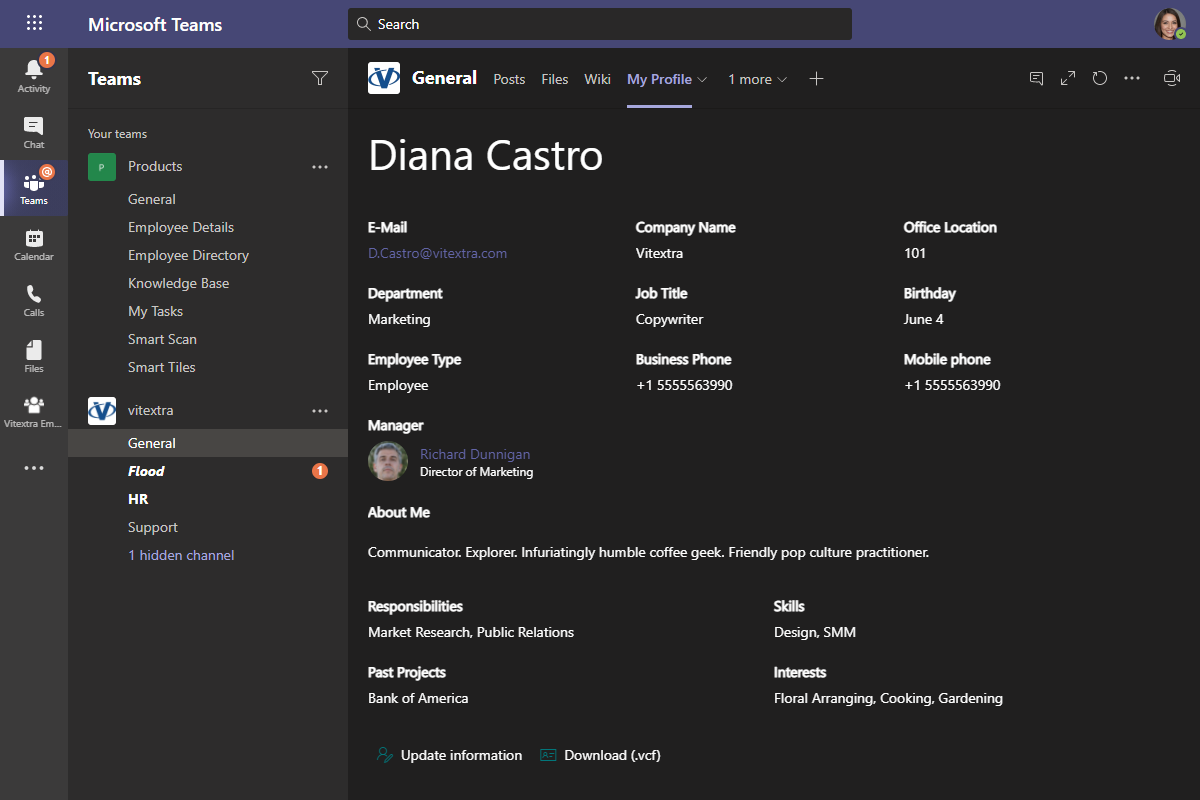
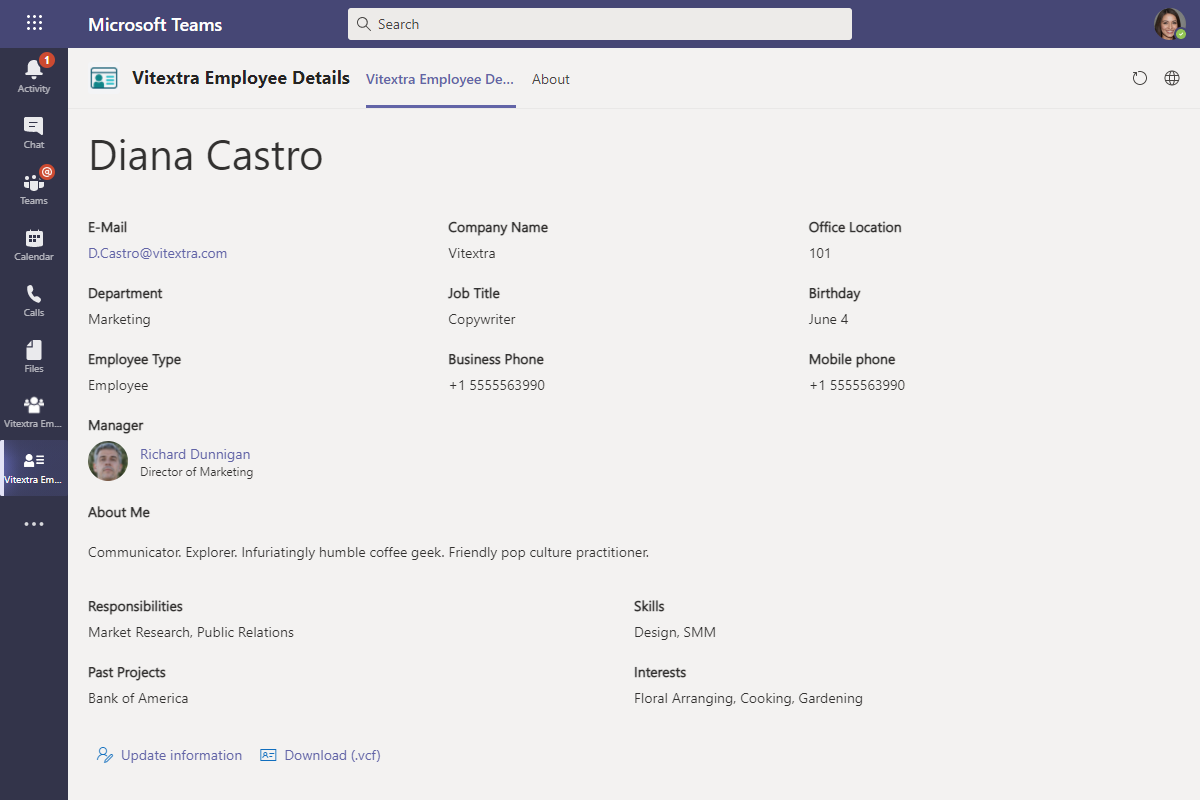
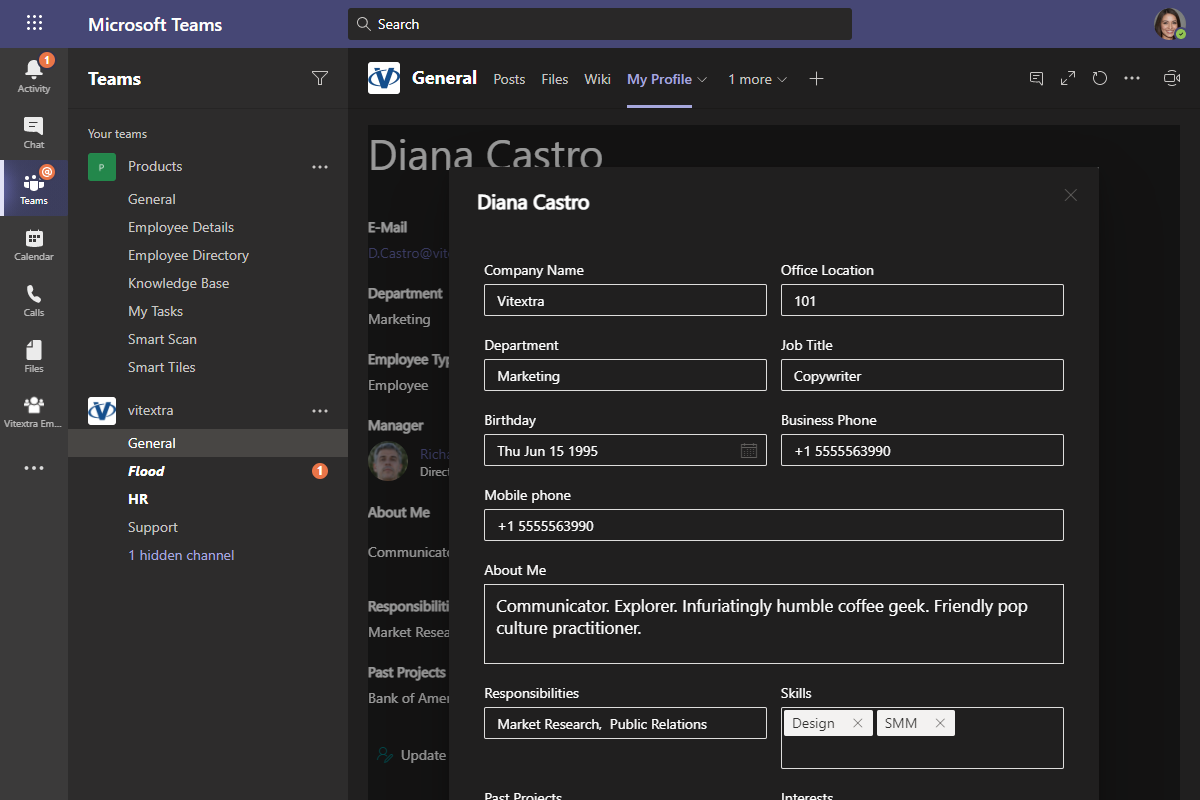
The Employee Details web part is fully integrated with Microsoft Teams - add it to a channel tab or use it as a personal app - providing seamless access and use within the platform. This integration allows employees to view detailed profiles directly from their Teams channels, facilitating collaboration and communication. Users can quickly access and update employee information without leaving the workspace, making it easier to stay connected with colleagues.
By integrating the web part into Teams, team members have easy access to relevant information during meetings and discussions. This helps create a more efficient and cohesive workflow, as everyone has access to the latest updates on their colleagues' details. And because the web part is fully responsive, profiles are just as easy to read on mobile devices and tablets as they are at a desk.
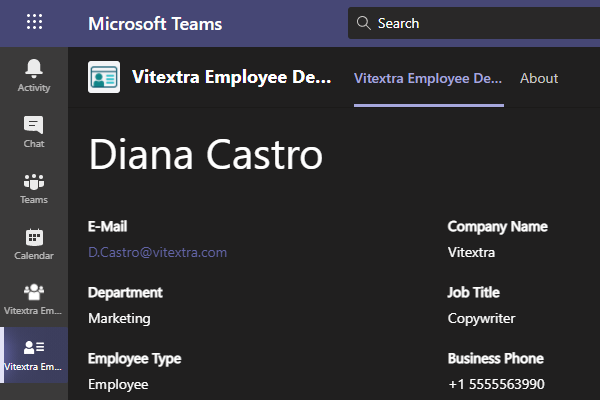
Export to vCard
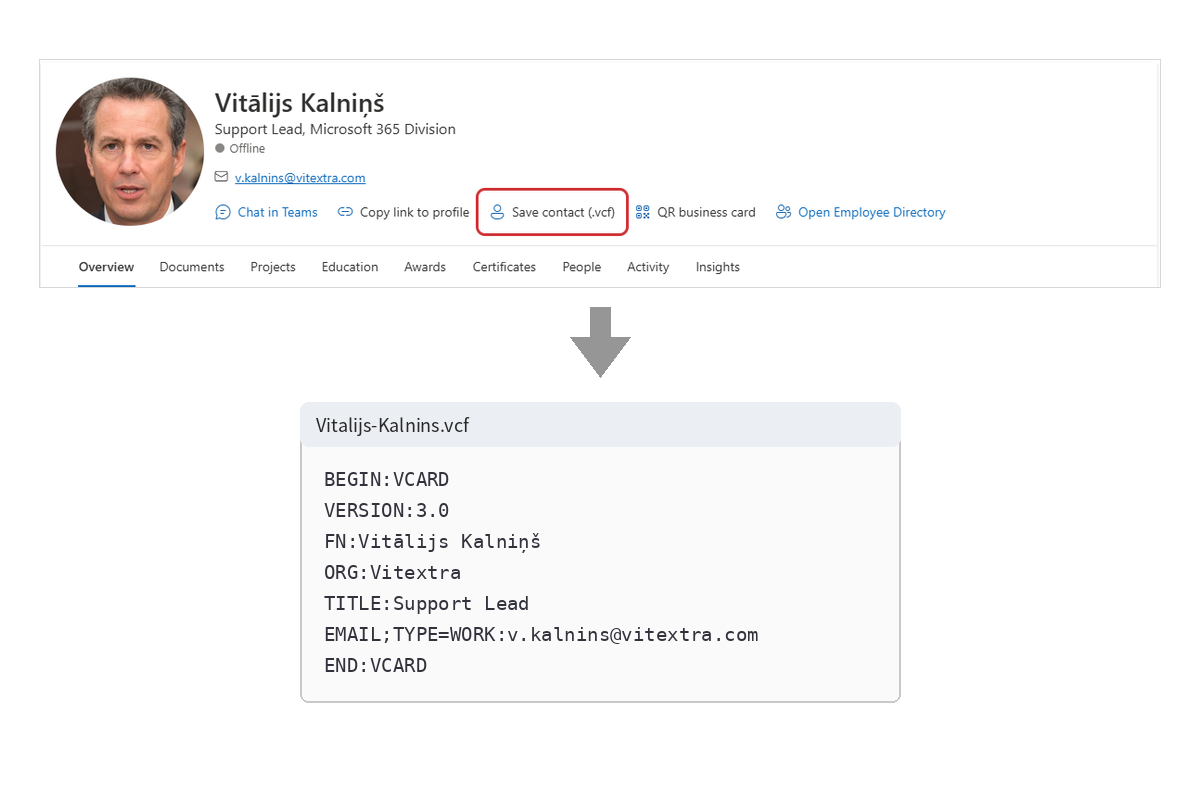
The Export to Virtual Business Card (vCard) feature of the Employee Details web part allows users to easily convert employee profile information into a standardized vCard format. This makes it simple to share and import contact details across various digital platforms and devices.
In just a few clicks, users can export detailed employee information such as name, job title, department, contact numbers, email addresses, and office location into a vCard file. This file can then be shared via email, added to digital address books, or imported into contact management systems.
User Profile Self-Update
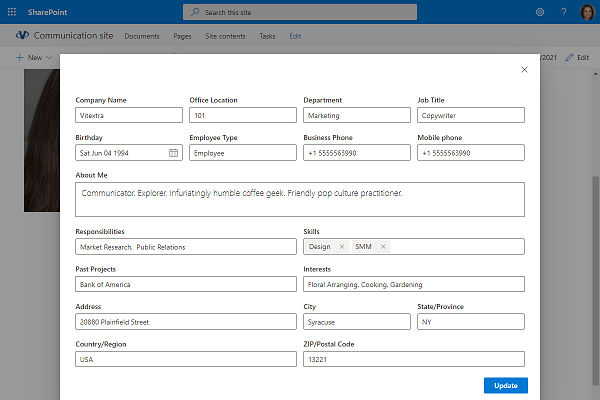
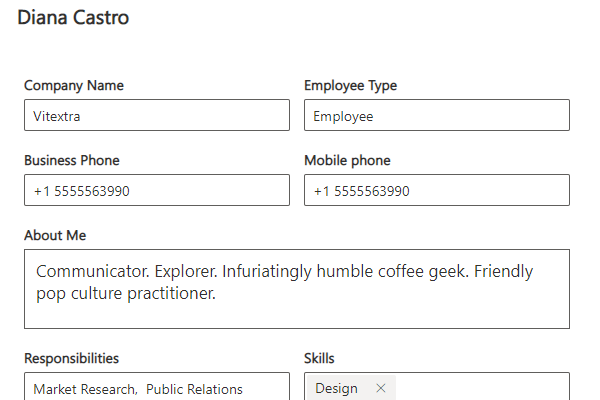
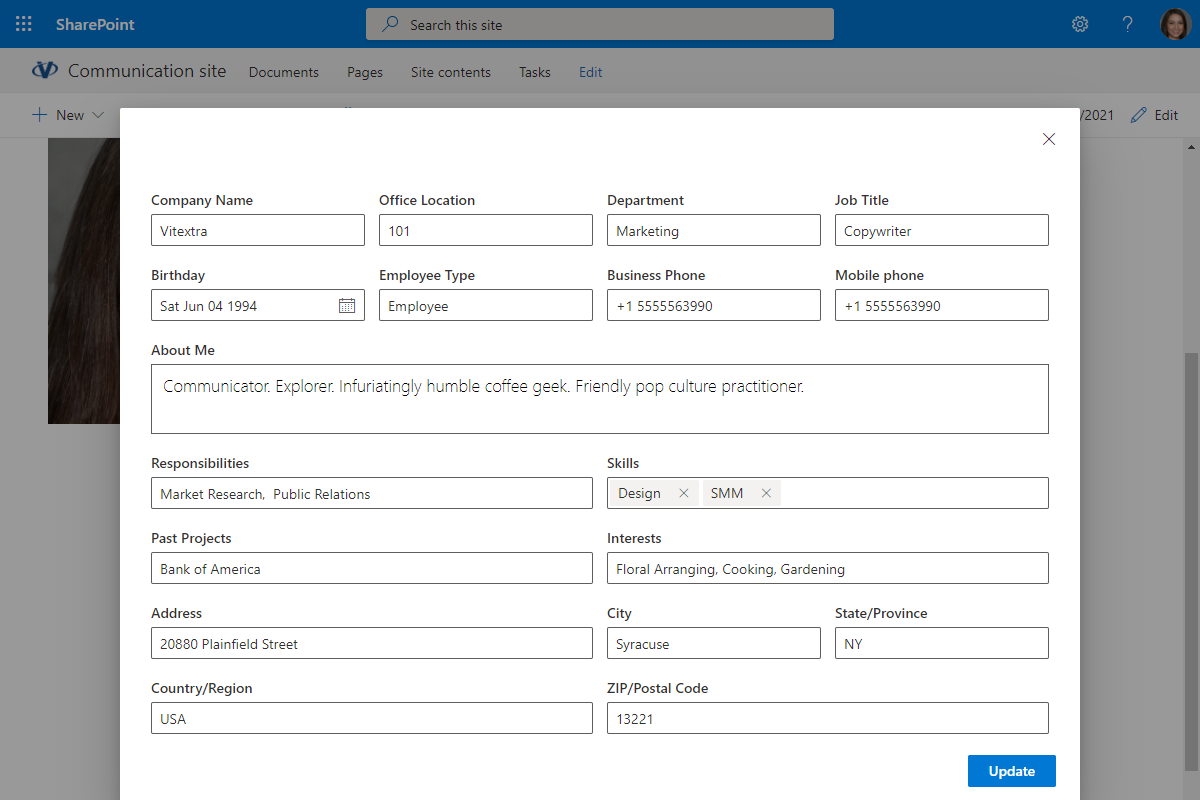
Allow users to update their own profile in SharePoint or Teams without intervention from IT. The most popular properties from Entra ID are supported, including email, department, skills, responsibilities, address, and more.
Administrators decide exactly which user properties are available for update, so employees keep their own information fresh while the organization stays in control of what can be changed. The result is a directory that stays accurate without creating extra work for the IT team.
Navigate the Organizational Structure
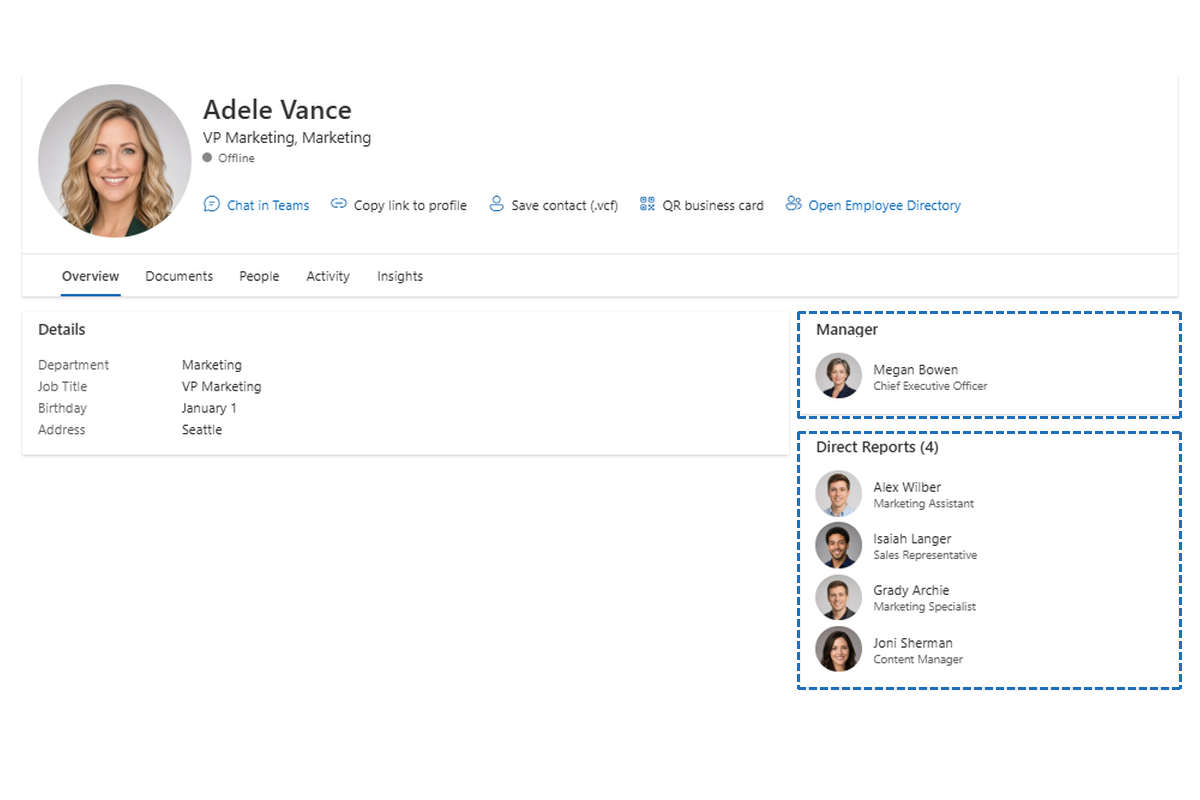
Every profile shows the employee's place in the organization, with navigation based on manager-subordinate relationships. See at a glance who a person reports to and who reports to them, and move through the reporting line with a click.
This makes it easy to understand how teams are structured, find the right decision-maker, and get to know the people around a colleague - which is especially helpful for new hires and for anyone working across departments.
Security and Privacy Under Control
Built on the SharePoint Framework, the Employee Details web part runs inside your Microsoft 365 environment and offers robust security measures to protect sensitive employee data. Customizable privacy settings let users control who can view their information, so personal details are shared deliberately - never by accident.
Use Cases
Onboarding New Employees and Employee Recognition Programs
When new employees join an organization, it is important for them to quickly familiarize themselves with their team and the company's structure. The Employee Details web part can help with this by providing detailed information about each team member, including their background, skills, and contact information. This allows new hires to seamlessly integrate into the team from day one, reducing the learning curve and making them feel more connected to the organization.
Additionally, the web part allows organizations to celebrate employee achievements through employee recognition programs. Each employee's profile can showcase their accomplishments, allowing peers and managers to easily recognize and appreciate their contributions. This fosters a culture of appreciation and motivation, creating a sense of pride among employees.
This promotes a culture of recognition and appreciation, boosting employee morale and motivation. It also encourages employees to strive for excellence, knowing that their efforts will be acknowledged and valued.
Project Teams and Collaboration
Project managers and team members have access to detailed information about each other's skills, past projects, and areas of expertise. This information helps assemble effective project teams, ensuring that the right skills are used for each task.
Enhanced collaboration and communication lead to more efficient project outcomes. Team members quickly identify who can provide the necessary expertise or support for a specific task.
Internal Networking and Mentorship
Employees can use the web-based platform to connect with colleagues who share similar interests, goals, or areas of expertise. This promotes internal networking and fosters mentorship relationships, which helps employees grow both professionally and personally.
By strengthening internal networks and supporting mentorship, the company creates a supportive work environment that encourages personal and professional growth. Employees benefit from gaining valuable insights and guidance from more experienced colleagues, leading to enhanced career development.
Human Resources (HR) and Management Efficiency
The web part allows HR departments and managers to maintain up-to-date information about employees, including contact details, job titles, and current assignments. The platform's export to vCard function facilitates easy sharing of contact information among various departments.
Streamlining information management through the web part reduces administrative burden and ensures that HR professionals and managers always have access to accurate and up-to-date employee data. This leads to improved decision-making and enhanced operational efficiency.
These use cases illustrate the versatility and significance of the Employee Details web part, which enhances employee engagement, improves collaboration, and facilitates information management within the organization.
Knowledge Base
Read articles related to Employee Details
Customer Questions
Some common questions about Employee Details
What does Employee Details do?
Employee Details is a set of web parts for SharePoint Online and Microsoft Teams that displays a customizable profile page for every employee — job title, department, contact information, office location, skills, interests and more — and lets users update their own Microsoft Entra ID profile data without involving IT. The solution includes three web parts: Employee Details, Employee Information (read-only) and Employee Picture. See the product page for an overview.
Can employees edit their own profile information?
Yes. Administrators choose which attributes are available for self-service editing (for example department, skills, responsibilities or address); users can then update their own profile directly on the page or in Teams. For security reasons, first name, last name, email address and employee type cannot be made editable. Step-by-step setup is described in Enable Users to Update their AD Profiles in SharePoint.
How do I customize the profile layout?
Profile content is arranged by drag-and-drop in the web part property pane: you select the attributes to show, set a caption and size for each one and mark it as editable or read-only. You can also embed images, videos, documents and social media links in the profile. The Employee Information and Employee Picture web parts are connected to the Employee Details web part on the same page and take their data from it. See KB-10055 for the configuration walkthrough.
Does Employee Details work in Microsoft Teams and on mobile devices?
Yes. Employee Details supports SharePoint Online and Microsoft Teams, so profiles can be viewed and updated from a Teams channel tab. The web parts use a responsive design and work on smartphones and tablets. Installation is the same as for other Vitextra cloud products — see Installing a Cloud-based Product.
Can I export an employee profile as a business card?
Yes. Any profile can be exported to a vCard (.vcf) file containing the name, job title, department, phone numbers, email and office location, which can be imported into Outlook or a mobile contacts app. Profiles also support navigation through the manager–subordinate hierarchy: click a manager or a direct report to open their profile (this can be disabled in settings).
Reviews
No reviews yet
Supported Languages
Supported languages
Platforms
Supported platforms
Recent Changes
- v26.10.4 #
🚀 New features
- Rebuilt personal page — a header with photo, job title and contacts, and tabs: Overview, Documents, Projects, Education, Awards, Certificates, People, Activity and Insights.
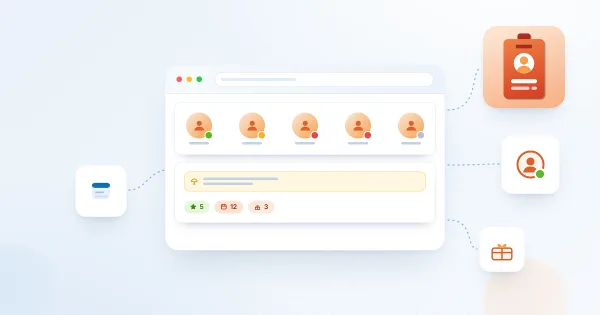
- Presence and quick actions — presence indicator, Chat in Teams, Copy link to profile, Save contact (.vcf) and a QR business card.
- Local time and working hours — the employee's local time, the offset to your time zone and whether they are within working hours.
- Availability — free/busy of the employee and of you for today, and a Schedule a meeting button.
- Out of office banner, years with the company and birthday / work anniversary badges.
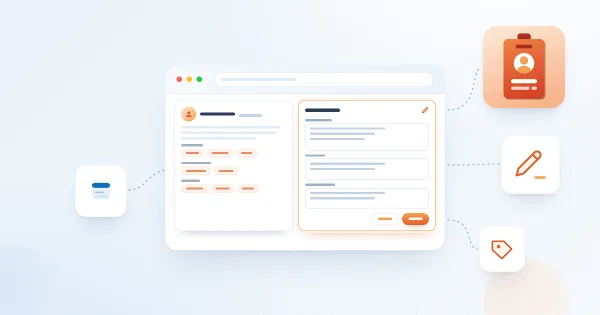
- Self-service profile — employees edit their own skills, languages, social accounts, About me, interests, responsibilities, past projects and schools, and add projects, education, awards and certificates.
- Profile completeness — the owner sees how complete the profile is and what to add.
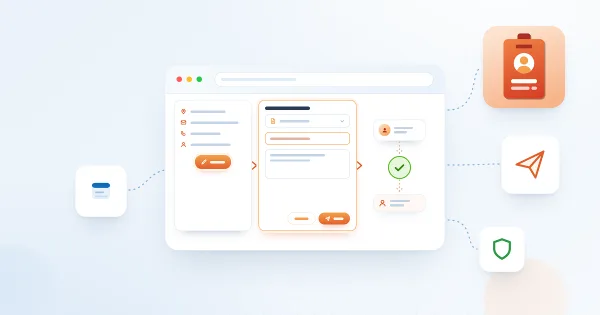
- Change requests — an employee asks to change the job title, department, office, phones or address; the request goes to an approval flow (Power Automate or any webhook) together with the manager.
- Custom attributes — show Entra ID extension attributes and SharePoint user profile properties in the Details card.
- Recent activity — the site pages the employee edited most recently.
- Navigation between employees — the manager, direct reports and colleagues open in the same web part, with a Back button; a button links to the Employee Directory page.
- Display options — a toggle for every element, card and tab; the Details columns can be reordered, renamed and hidden.
- Dynamic data — the loaded employee can be connected to other web parts.
🐞 Fixed Bugs:
- Fixed minor bugs
🚀 New Features:
- New Employee Information Web Part
⚙️ Improvements:
- Increased the size of the picture for the manager and direct reports
🏁 First Release
Discover more apps
Suggested apps
Employee Directory
Organizational Chart
Share
Send feedback
We would love to hear from you! Please take a moment to let us know about your experience.