
Employee Directory
Find and contact colleagues in seconds with a searchable employee directory for SharePoint Online and Microsoft Teams.
- Rating
- 5.0
- Oct 2026
- v26.10.5
- Supported Languages
- 52
The Employee Directory web part improves communication and collaboration in SharePoint Online and Microsoft Teams. It provides a comprehensive, easy-to-use directory of all employees, so people can quickly find the right colleague and get in touch with one click.
- Microsoft Teams Integration
- Real-Time User Presence
- Single Part App Pages
- Dark Mode Support
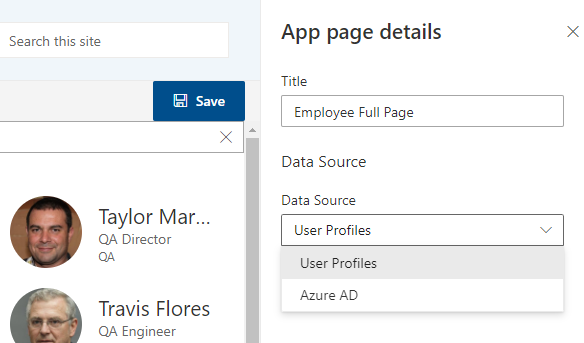
- People Search in User Profiles
- People Search in Microsoft Entra ID
- Quick Filters, Favorites, and Skills Search
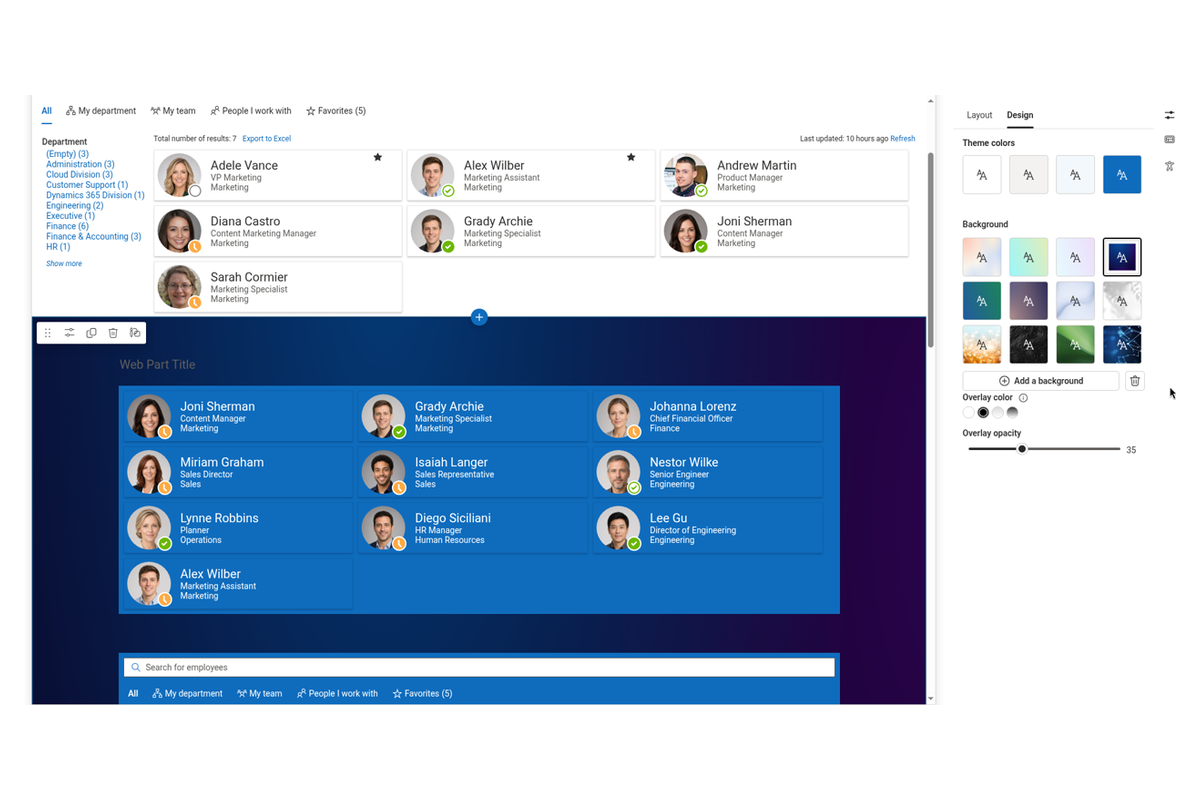
- Refinement Panel, Details and Cards Layouts
- Rich Profile Panel with Local Time and Availability
- One-Click Contact Actions and Export to Excel
- New Employees Web Part
- SharePoint Brand Center and Theme Variants Support
Overview
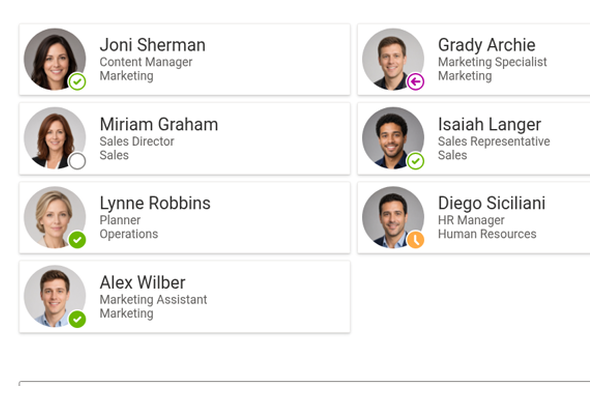
The Employee Directory web part turns SharePoint Online and Microsoft Teams into a single, searchable hub where people can find the right colleague in seconds — by name, department, job title, skills, or any custom attribute your organization uses.
Built on the SharePoint Framework and the Microsoft Graph API, it pulls live people data straight from Microsoft Entra ID and User Profiles, shows real-time Teams presence, and adapts to your branding and theme automatically. There is no separate HR database to maintain, no manual updates, and no data ever leaves your Microsoft 365 tenant. The solution is localized into more than 45 languages.
Find the Right Person, Not Just a Name
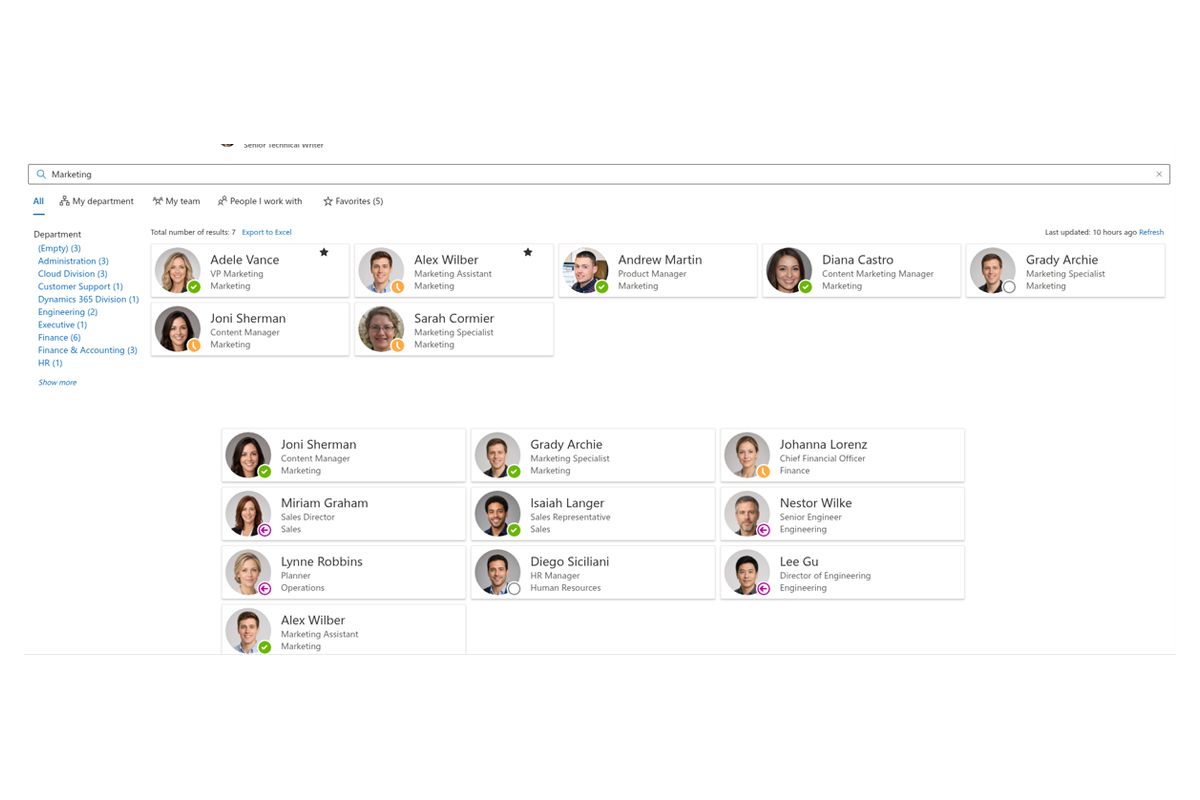
With the Vitextra Employee Directory, people search goes far beyond name, email, and job title. Query your organization's User Profiles and Microsoft Entra ID (formerly Azure Active Directory) to find colleagues by skills, interests, office location, department, or any custom attribute you choose to expose.
A dedicated skills search answers questions like "who knows Power BI?" or "who speaks Spanish?" — matched skills are highlighted and shown first, so the right expert stands out at a glance. Soft search keeps results useful even when a query is imprecise, and you can exclude disabled or unlicensed accounts so search results only ever show active people.
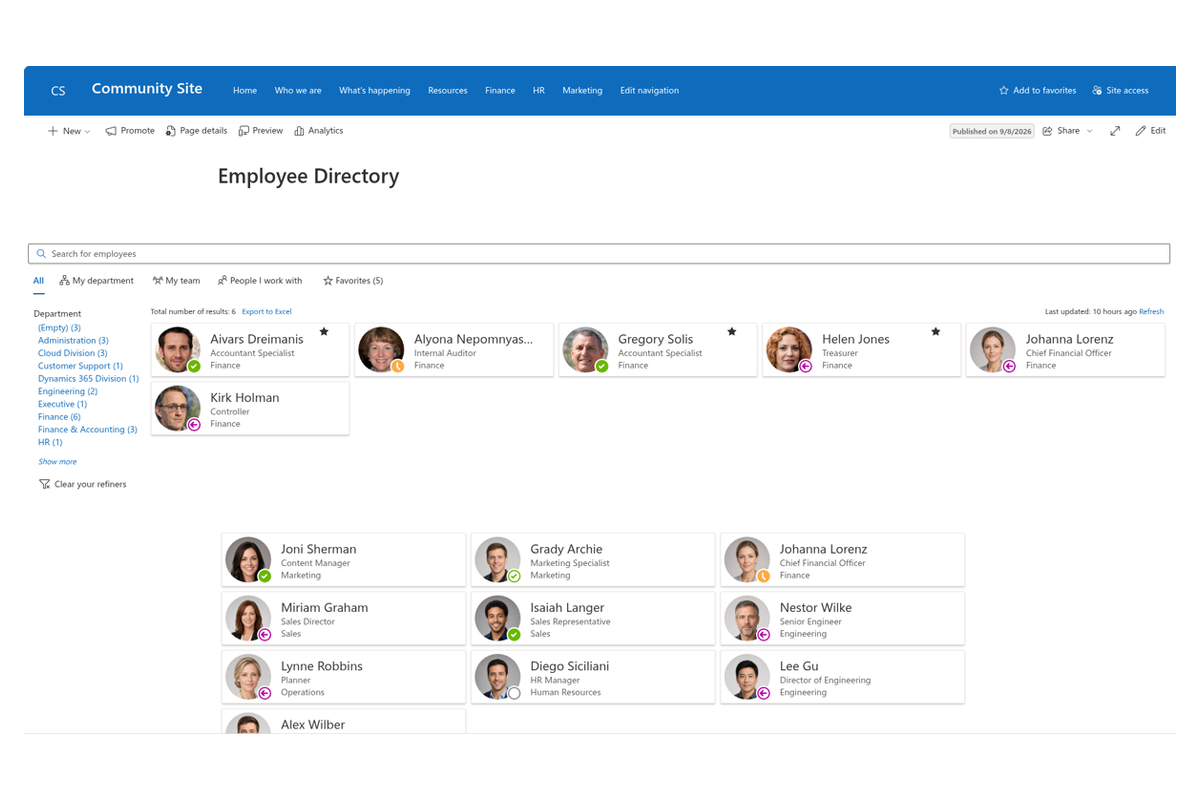
Narrow Results with the Refinement Panel
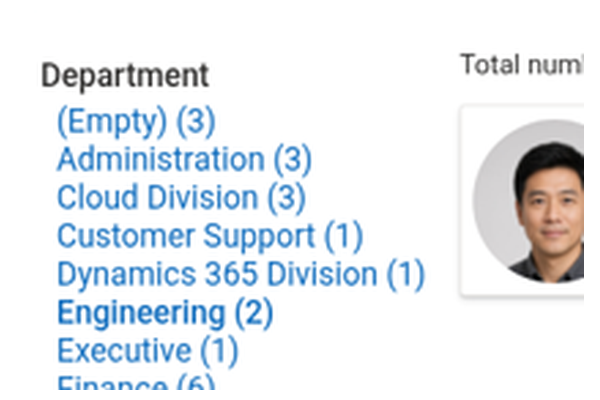
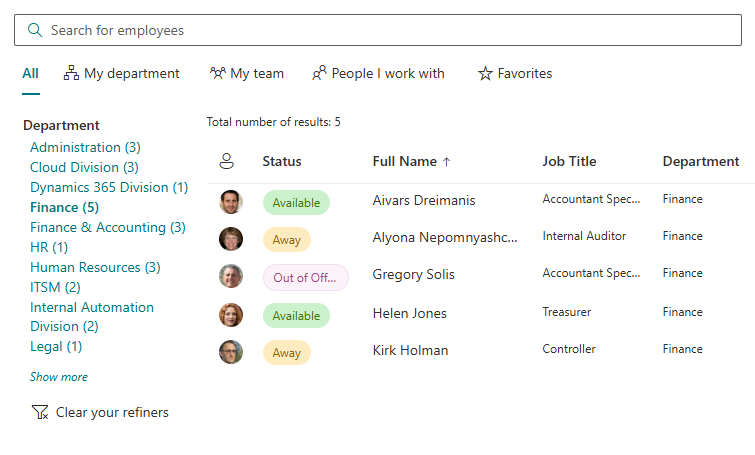
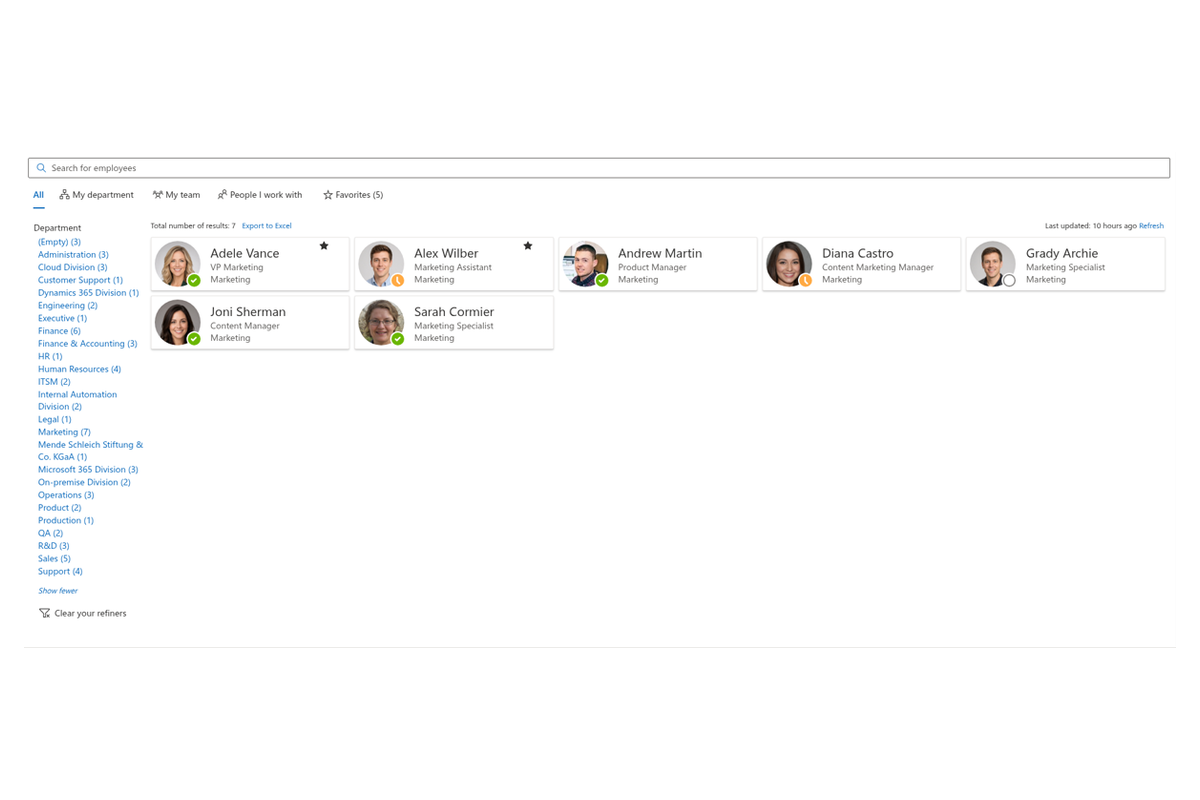
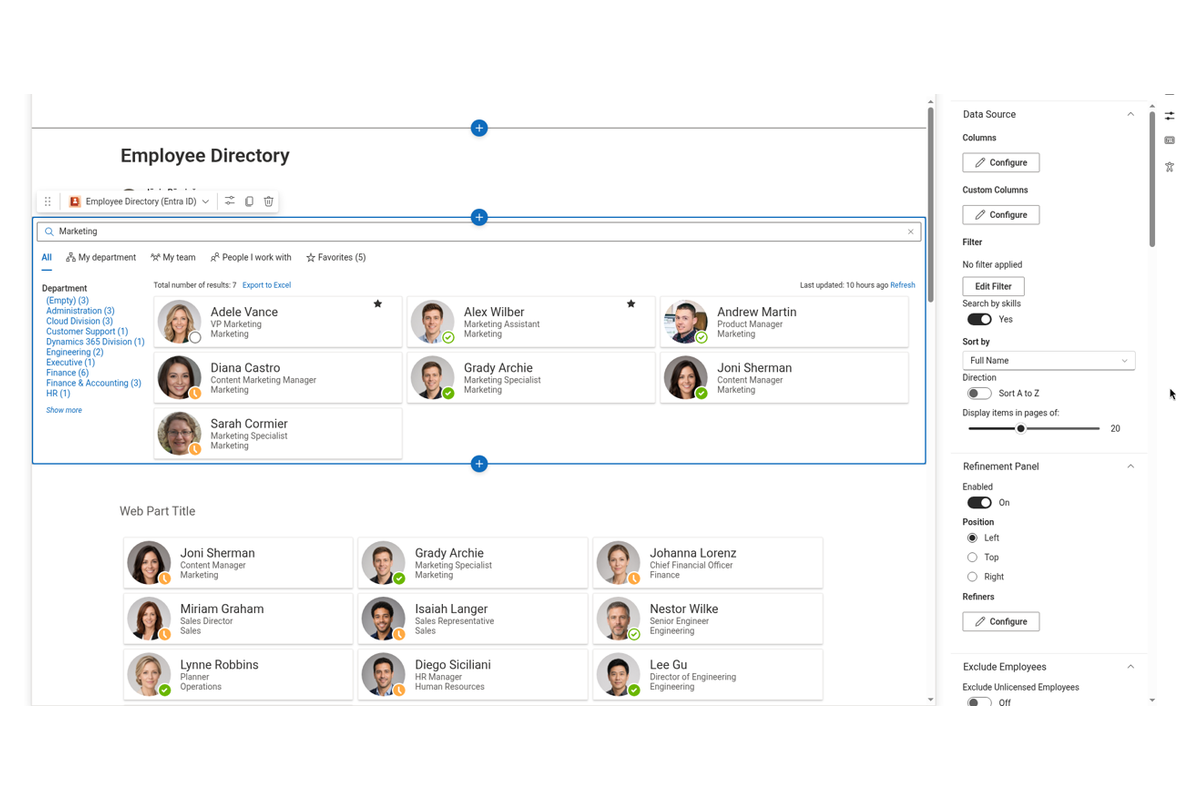
The refinement panel lets users filter search results by the attributes that matter — department, office location, job title, or any custom User Profile property. Powered by the SharePoint Search Service, it turns a long list of people into a focused shortlist in a couple of clicks.
Administrators stay in control: choose which fields appear, how many matches are shown for each value, how results are sorted, and whether the panel sits on the left, right, or top of the web part.
Quick Filters and Favorites
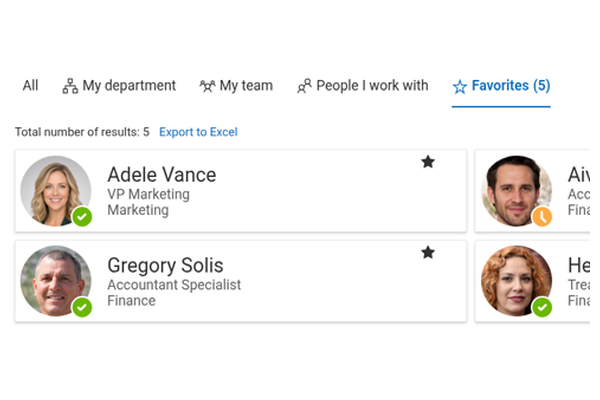
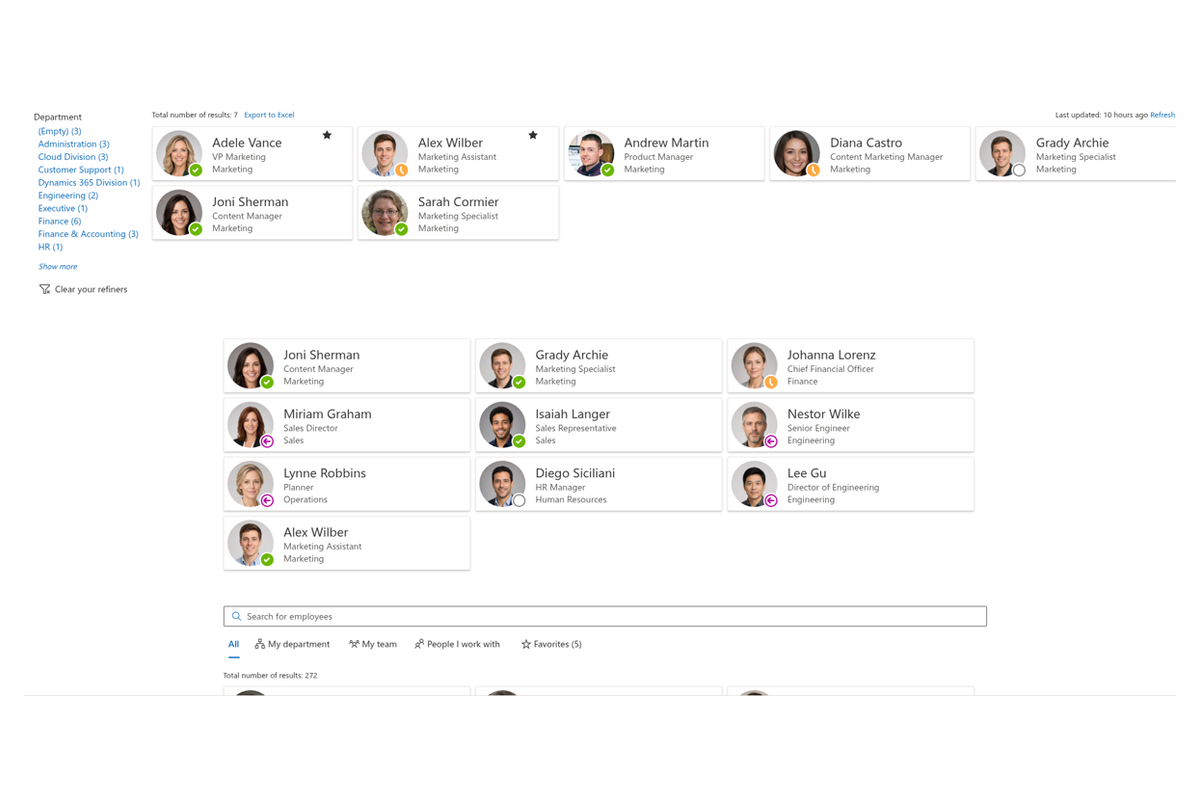
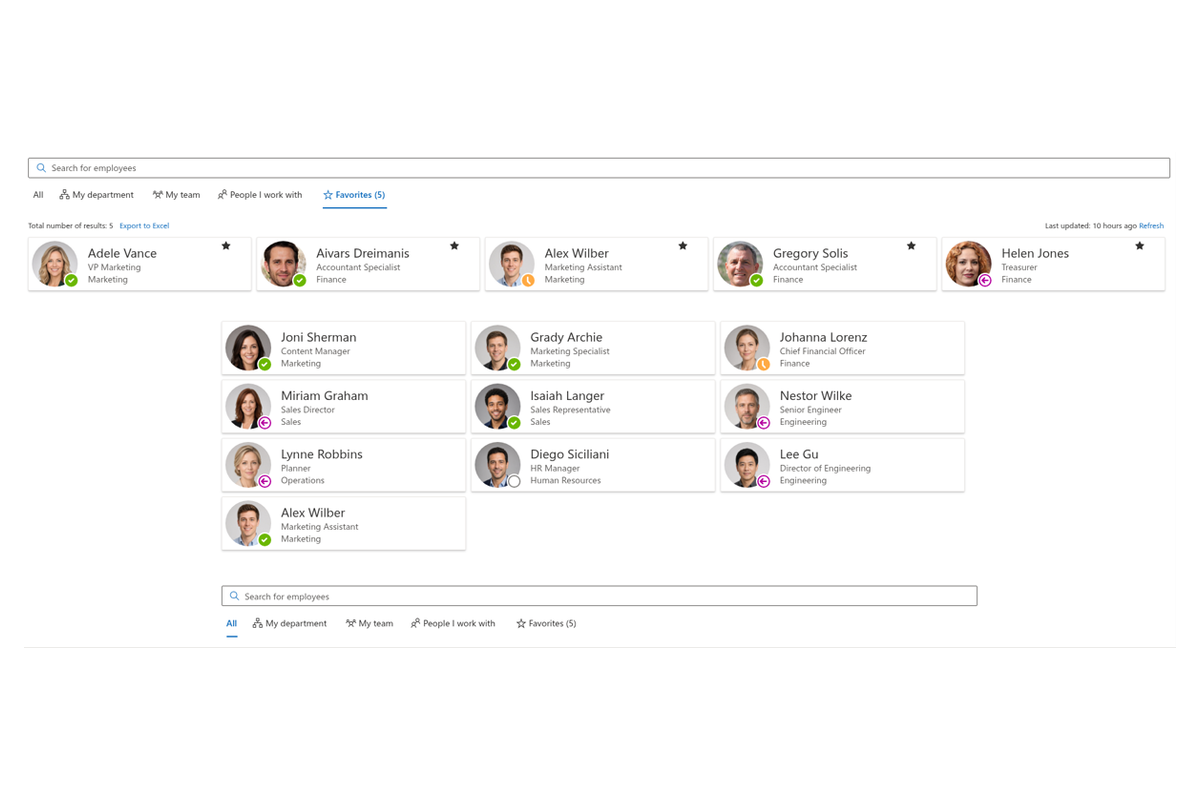
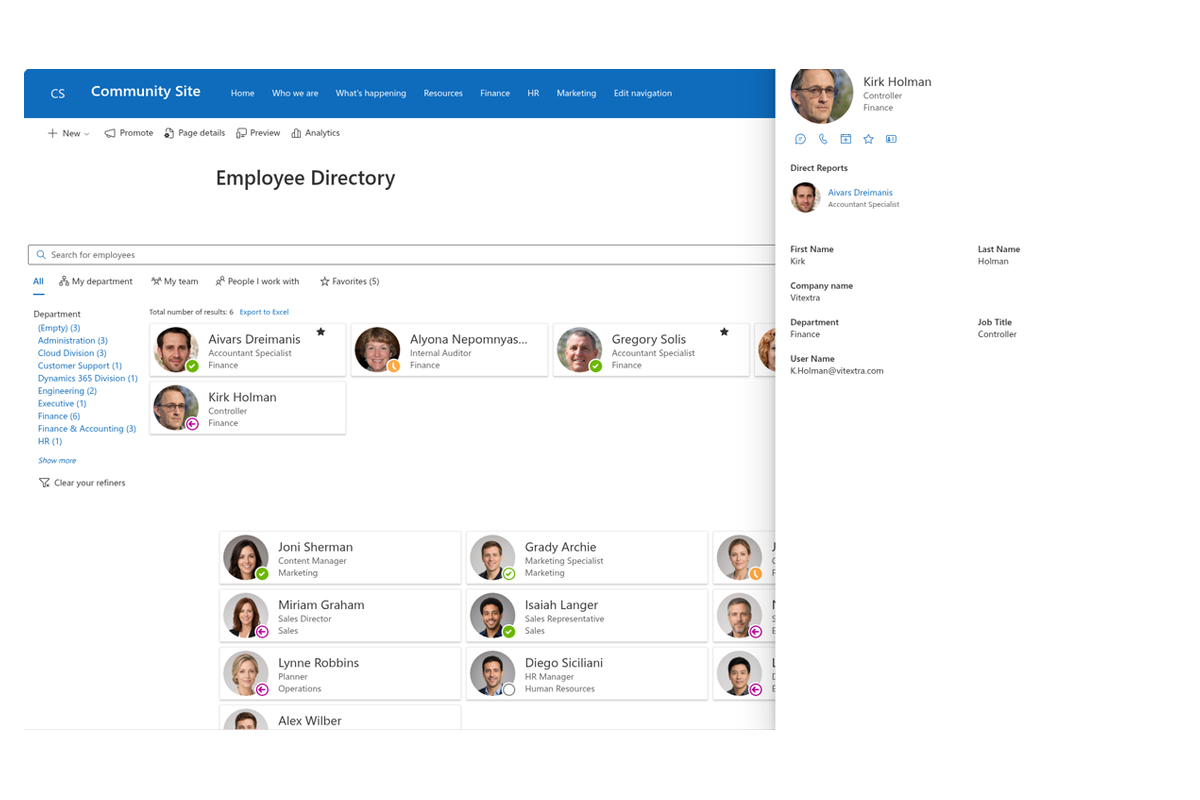
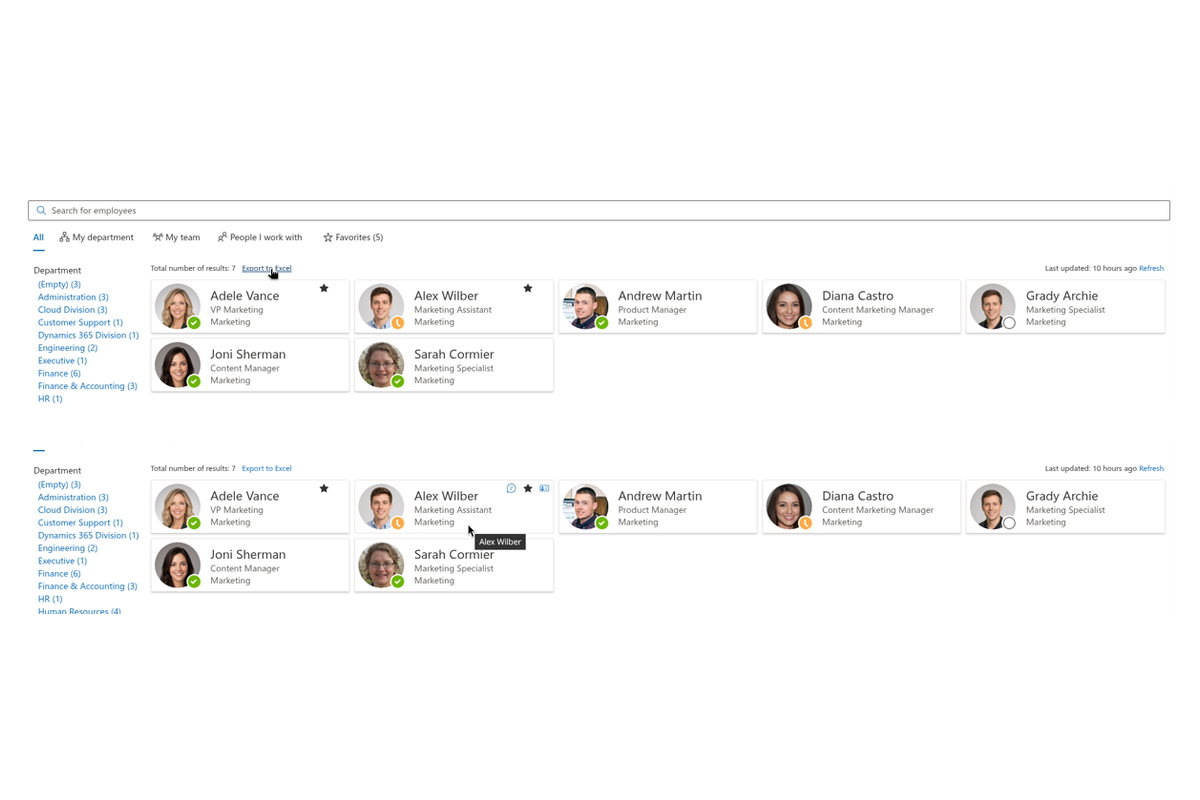
One click above the list narrows the directory without typing a query. My department shows the people from your own department, My team brings up your manager and teammates, and People I work with uses Microsoft Graph to surface the colleagues you actually interact with most.
Mark the people you contact frequently as favorites: your list is personal, persists between sessions, and is always one click away through the Favorites quick filter.

A Dedicated Directory for Microsoft Entra ID
For organizations that work directly from Microsoft Entra ID, the dedicated Employee Directory (Entra ID) web part delivers full-tenant people search with fine-grained control. Flexible filter definitions combine conditions with AND/OR logic across any attribute — including custom ones — and ready-made exclusions hide unlicensed users, disabled accounts, and profiles with an empty department or job title.
Administrators choose exactly which fields are searchable, and automatic alphabetical (A-Z) navigation lets people jump straight to a surname.
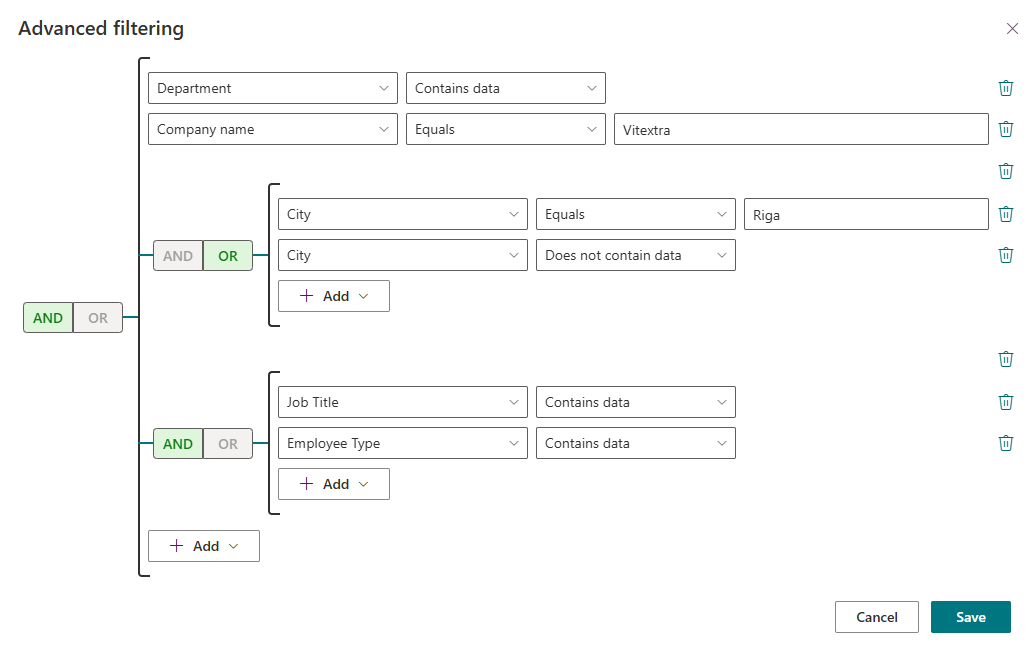
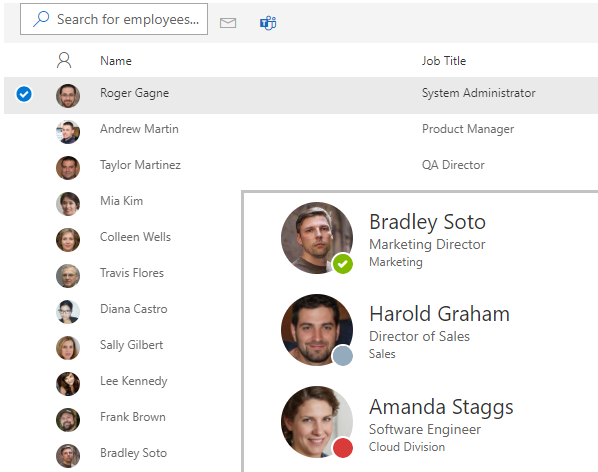
Two Layouts: Details and Cards
Choose the layout that fits how your team works. The Details view presents results in a clean, tabular format with columns you can reorder to surface the information that matters most — ideal for a structured, at-a-glance overview. Columns collapse automatically when space runs low, and a compact mode keeps the table dense, so the directory stays readable on any screen without horizontal scrolling.
The Cards view displays each employee as a modern, visual card. Pick a card size from compact to extended — the number of fields shown on each card adapts to the size — and decide which employee attributes appear in every position. Cards can also be grouped by any field, such as department or the first letter of the last name, turning a flat list into a browsable structure.
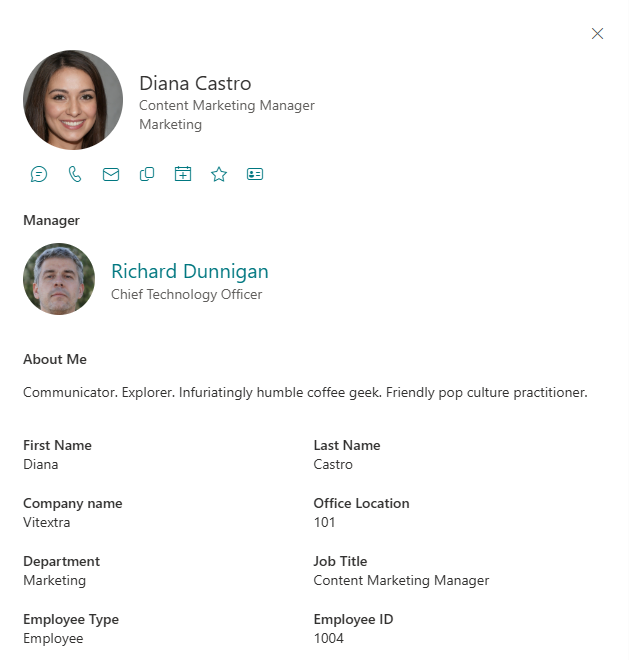
Rich Profiles at a Glance
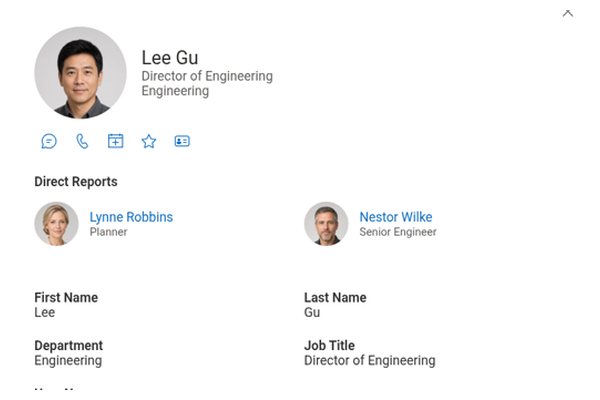
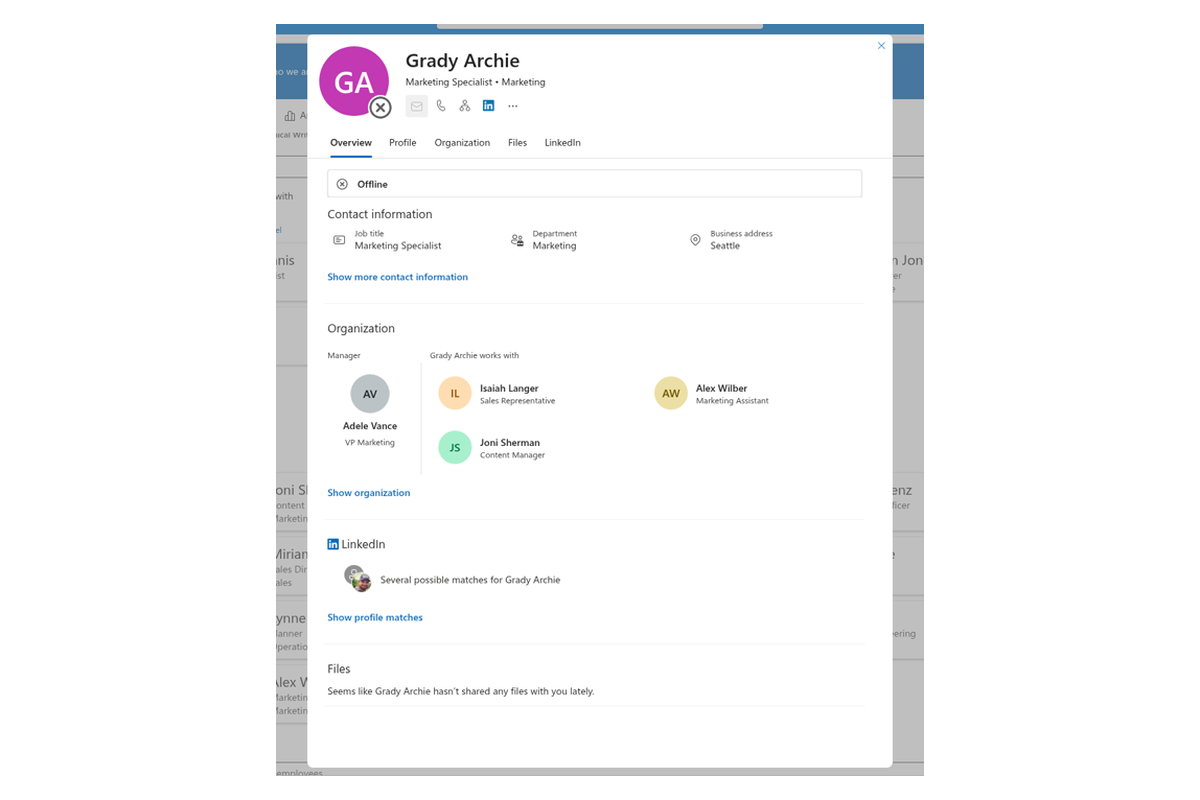
Selecting anyone in the directory opens a detailed profile panel with their contact information, job role, and place in the organizational hierarchy — with their manager and direct reports one click away. It also surfaces the documents they have recently worked on, along with their about-me, skills, and interests — so you get real context, not just a phone number, before you reach out.
For distributed teams, the panel shows the colleague's local time, whether they are currently within working hours, and their free/busy schedule for today next to your own — so you always pick the right moment to talk.
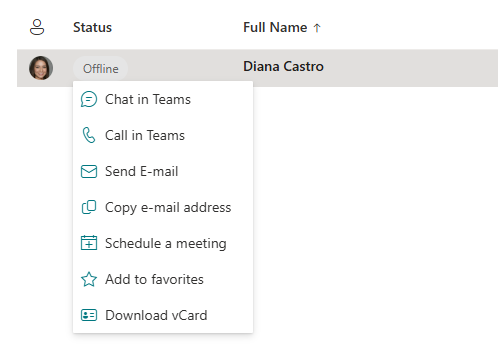
Reach Out in One Click
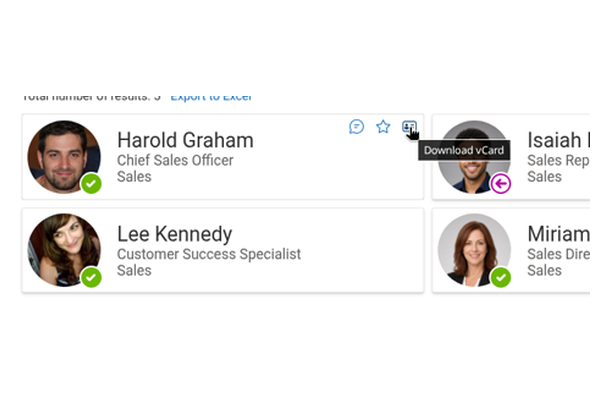
Once you have found the right person, acting takes a single click. Quick actions on each card and in the context menu let you start a Teams chat (Chat), place a call (Call), write an email (Email), copy the address (Copy email), book a meeting (Schedule a meeting), or save the contact as a vCard file (Download).
Each action can be enabled or disabled independently, so the directory offers exactly the communication channels your organization uses.
Real-Time Presence Status
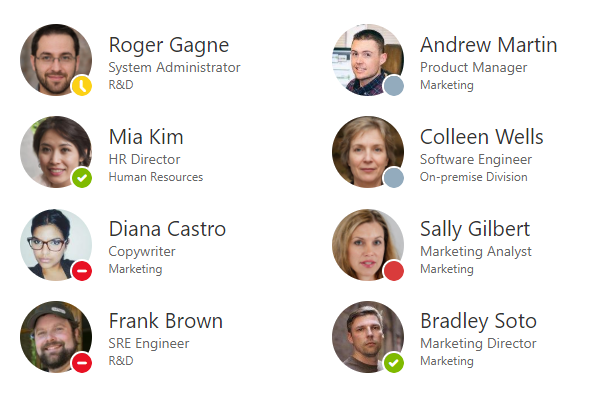
See who's available before you interrupt them. The Employee Directory shows each colleague's live Microsoft Teams presence — for example available, busy, in a meeting, or offline — drawn in real time from Microsoft Teams and other Microsoft 365 services.
It's a small detail that makes a real difference: people reach out at the right moment, meetings get scheduled around genuine availability, and unnecessary interruptions drop. This is especially valuable for coordinating distributed and hybrid teams.
Works Right Inside Microsoft Teams
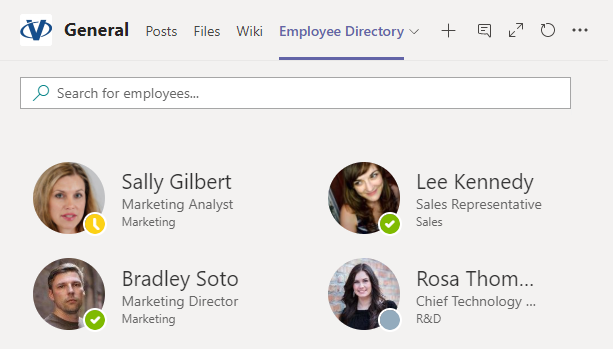
Add the Employee Directory as a tab or a personal app in Microsoft Teams and your people can search for colleagues without leaving the conversation. No switching apps, no breaking focus — which keeps everyone productive.
Because the web part is fully responsive, the same directory works just as well on mobile. Finding a contact is as easy from a phone between meetings as it is at a desk.
Welcome New Hires with the New Employees Web Part
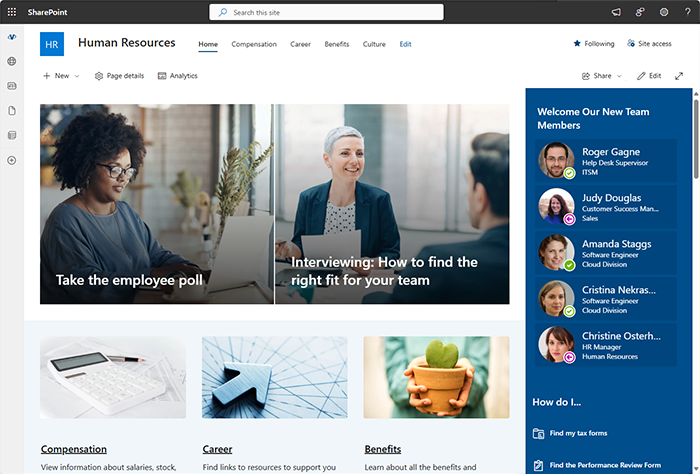
Help your organization keep pace with a growing team. The New Employees web part automatically highlights people recently added to Microsoft Entra ID — with no manual list to maintain.
Choose the look-back period ("joined in the last few months"), how many new joiners to feature, and the card size, then place the web part on your intranet homepage to give newcomers a warm, visible welcome and speed up onboarding. By default, only active accounts are shown.
Export to Excel in One Click
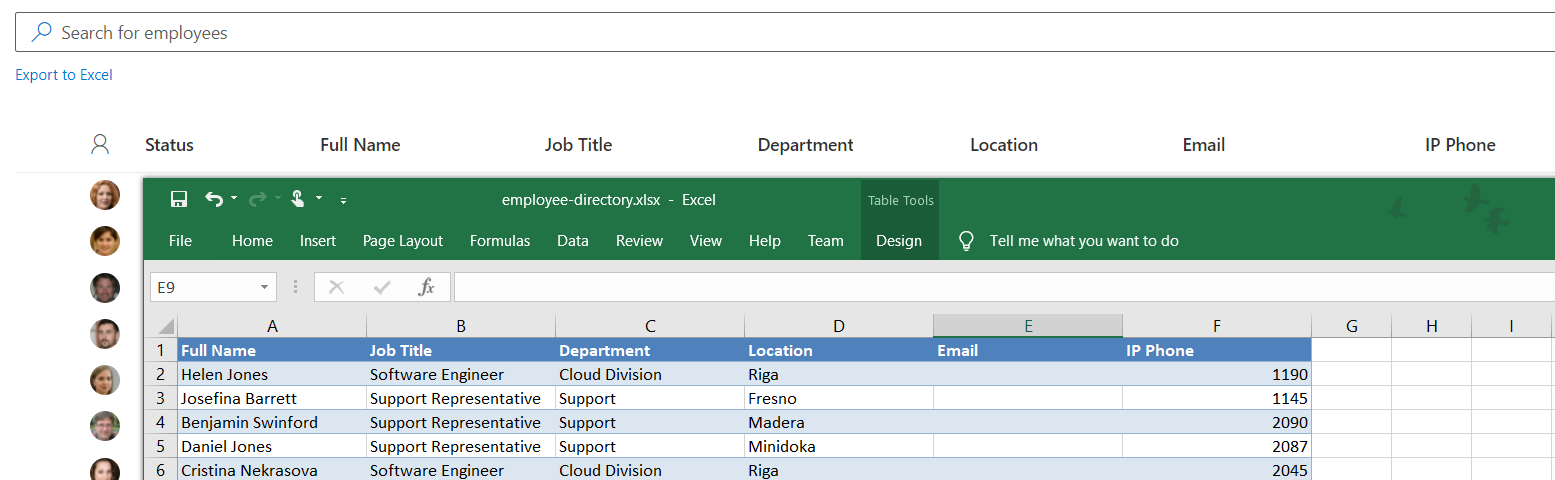
Need the data outside SharePoint? Export the current search results — filters and all — to an Excel spreadsheet in a single click. It's ideal for reporting, building distribution lists, or sharing a departmental roster with someone who doesn't have access to the site.
Need a single contact instead? Save any employee as a vCard (.vcf) file and add them straight to your address book.
Secure by Design
The Employee Directory is built on the SharePoint Framework and the Microsoft Graph API, so it runs entirely within your Microsoft 365 tenant under each user's own account. It can never surface more than a user is already permitted to see in Microsoft Entra ID, and it only ever reads data — it never modifies it.
There are no external servers and no third-party data storage: your people's information stays in your tenant, where it belongs.

On-Brand with SharePoint Brand Center
The Employee Directory web part fully supports the SharePoint Brand Center, so the directory carries your organization's logos, colors, and typography out of the box.
The result is a consistent, professional look that fits naturally alongside the rest of your SharePoint sites, strengthening your brand identity across the digital workspace.
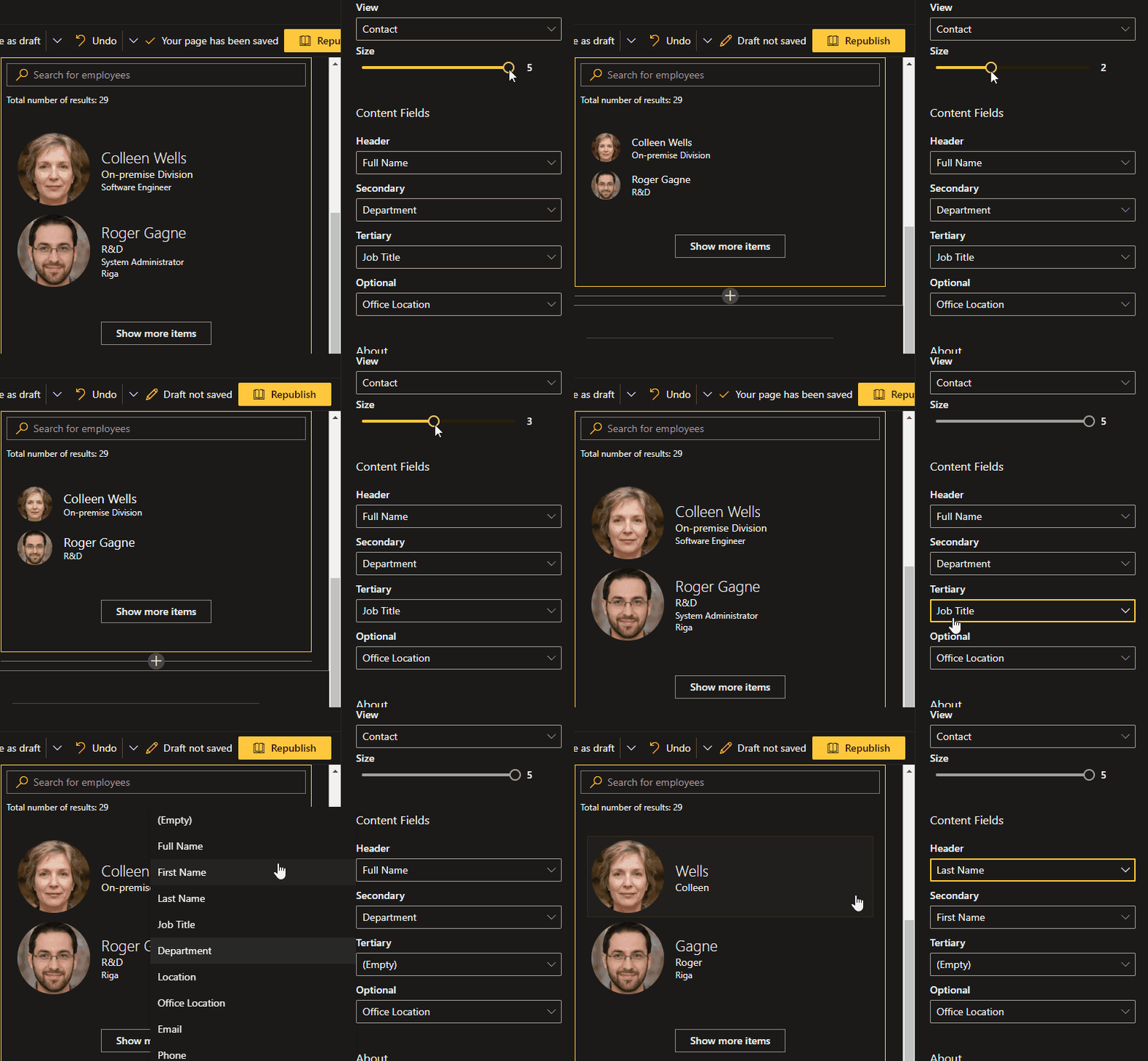
Adapts to Your Theme
The web part inherits your SharePoint site's theme automatically — light, dark, or fully custom — and even respects the color variant applied to an individual page section.
By integrating with SharePoint's theming capabilities, the Employee Directory maintains visual harmony with the surrounding page and reinforces a cohesive, recognizable identity for your organization, with no extra configuration required.
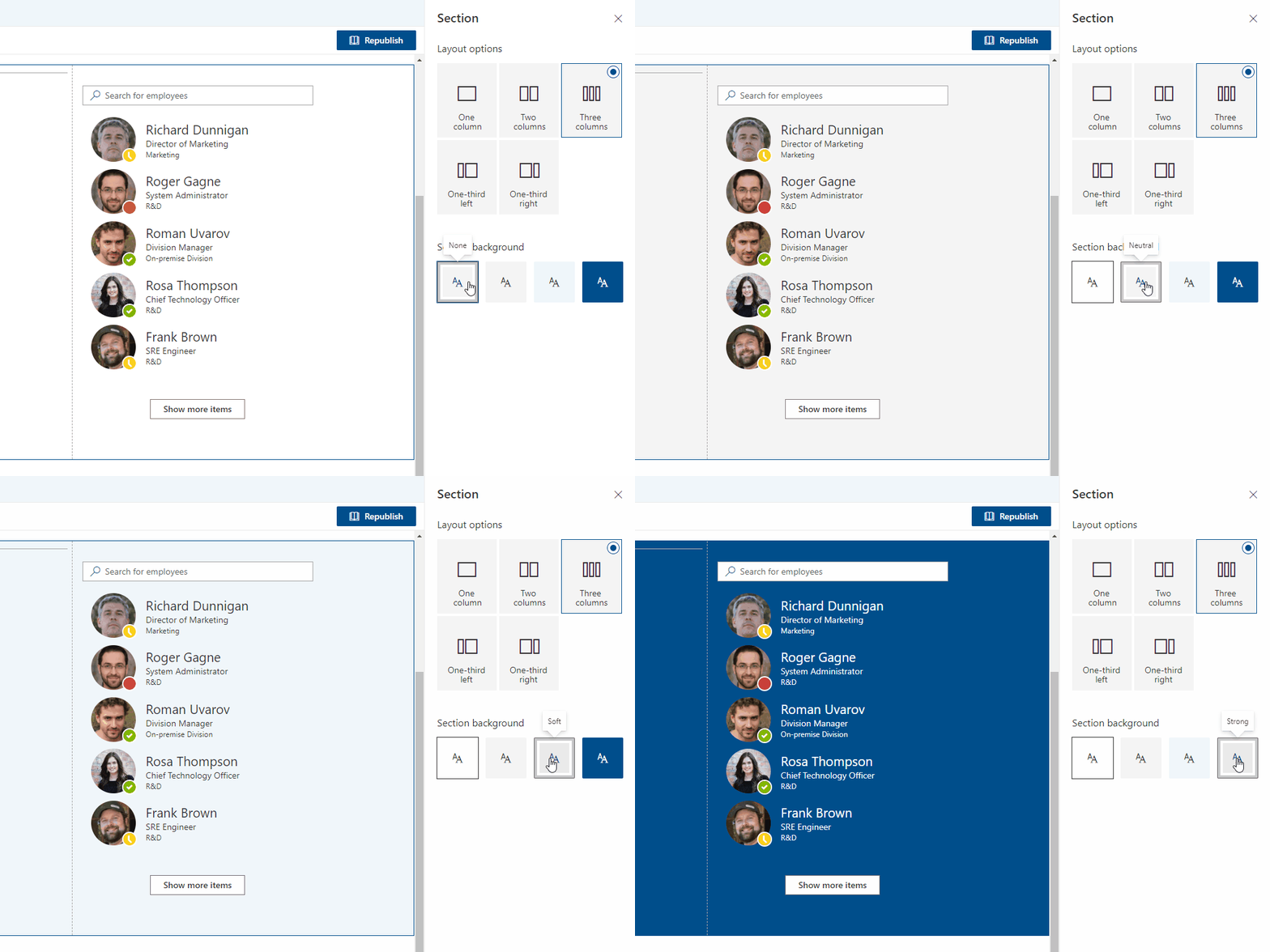
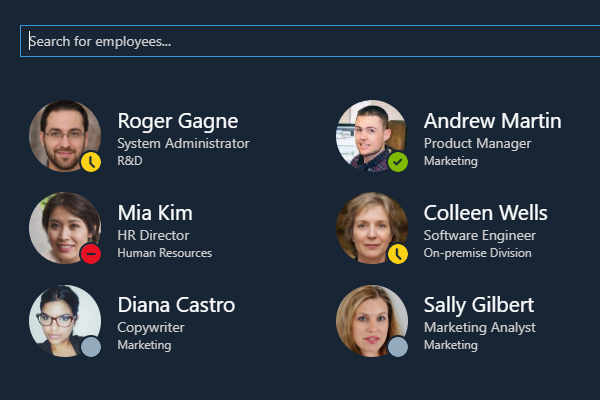
Built-in Dark Mode
Dark mode is supported across SharePoint Modern Pages and Microsoft Teams. The web part detects its environment and switches automatically — applying your current theme settings on a SharePoint Modern Page and matching the selected mode in Teams — so it always looks right, wherever it's used.
Knowledge Base
Read articles related to Employee Directory
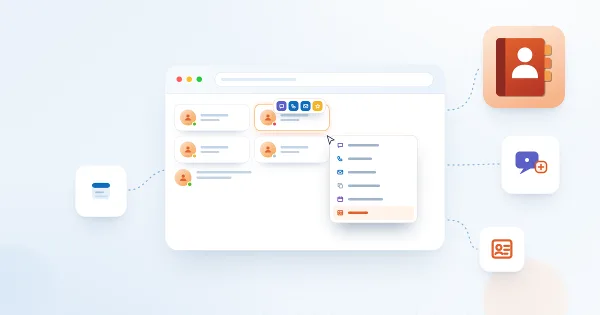
Employee Actions in Employee Directory: Chat, Call, Email, Copy Email, Schedule a Meeting and vCard
Reference for the per-person actions in the Vitextra Employee Directory web parts: Chat in Teams, Call in Teams, Send E-mail, Copy e-mail address, Schedule a meeting and Download vCard. Learn where each action appears, what it opens, when it is hidden, how it behaves in Microsoft Teams, and how administrators enable it for Quick Actions and the Context Menu.
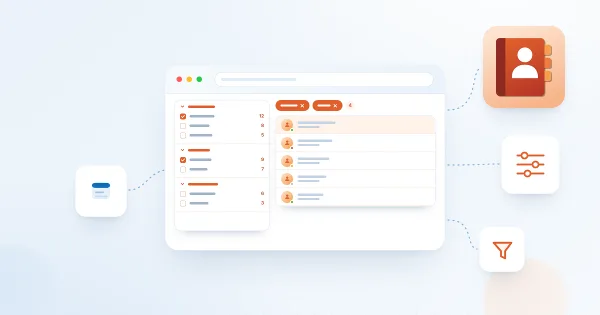
How to Set Up the Refinement Panel in Employee Directory
Step-by-step guide to enabling and configuring the refinement panel in the Vitextra Employee Directory web parts: supported data sources, panel position, refiner settings, refinable managed properties for custom profile properties, and how employees use refiners together with search and quick filters.

Customizing the Employee Details Pane in Employee Directory
Learn how to customize the employee details pane in the Vitextra Employee Directory: built-in and custom attributes, sections, Free/Busy status, recent documents, and settings.
How To Add Employee Directory App to Microsoft Teams
Microsoft Teams with the Employee Directory (Employees) icon pinned in the left app bar, and the app open showing the employee search page with quick filters and a grid of employee cards.
How To Export a User Profile as a Business Card (vCard)
The downloaded vCard opened as a contact card showing the name, e-mail, job title, company, address and phone numbers of the employee.
How to Configure the Employee Directory (Entra ID) Web Part: Filters, Exclusions and A–Z Navigation
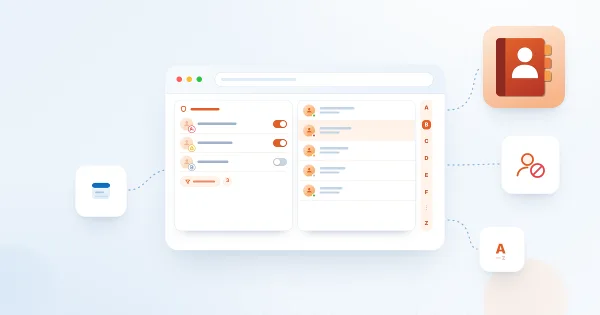
Step-by-step guide to configuring the Vitextra Employee Directory (Entra ID) web part in SharePoint Online: columns and custom columns, the predefined filter, skills search, sorting and paging, excluding unlicensed users, blocked accounts and employees with a blank department or job title, and alphabetical (A–Z) navigation.
Customer Questions
Some common questions about Employee Directory
What data sources does Employee Directory use?
Employee Directory pulls live data from Microsoft Entra ID (Azure AD) or SharePoint User Profiles through Microsoft Graph — no separate HR database is required and nothing is copied outside your tenant. The solution contains three web parts: Employee Directory, Employee Directory (Entra ID) with a full-tenant search and query builder, and New Employees, which highlights recent joiners. SharePoint lists and SQL Server are not supported as data sources. See the Solution Overview.
Which Microsoft Graph permissions are required?
A SharePoint administrator must approve the following permissions in the SharePoint Admin Center (API access): Directory.Read.All, User.Read.All, Presence.Read.All and Calendars.Read. The web parts are read-only: they never modify directory data and always run under the current user's permissions. The approval procedure is described in Installing a Cloud-based Product and the Solution Overview.
How can users search and filter employees?
Users can search by name, department, job title, skills, interests or custom attributes, and narrow results with a refinement panel (department, location, job title, custom properties) or quick filters such as My department, My team and People I work with. Favorites are saved between sessions, and the Entra ID web part offers A–Z navigation and an AND/OR query builder. Disabled or unlicensed accounts can be excluded — see Exclude accounts from search results. A tour of the interface is in the Quick Start.
Can I display custom user attributes?
Yes. Both data sources support custom attributes. For User Profiles, create a custom searchable profile property as described in How to Create a Custom Searchable User Profile Property. For Entra ID extension attributes, follow Display Custom Attribute of an Entra ID User in Employee Directory and Custom Attributes in Employee Directory.
Does Employee Directory work in Microsoft Teams?
Yes. Employee Directory can be added to Microsoft Teams as a channel tab or a personal app, shows real-time Teams presence (available, busy, in a meeting, offline), and supports contact actions such as Chat, Call, Email, Schedule a meeting and Download vCard. It is fully responsive on mobile devices and supports the Teams dark theme. See How to Add Employee Directory to Microsoft Teams.
Can I export the employee list to Excel?
Yes. The current search results, including applied filters, can be exported to an Excel workbook, and a single contact can be downloaded as a vCard (.vcf). The export uses fixed column widths and the standard Blue, Table Style Medium 2 table style. See Export the Employee List to an Excel Spreadsheet.
Is Employee Directory available for SharePoint Server on-premises?
No. Employee Directory is a cloud product for SharePoint Online and Microsoft Teams only; it cannot be installed on SharePoint Server 2016 or 2019. It is available from the Vitextra Download Center and from Microsoft AppSource. Technical details are in the Technical Overview and the User Guide.
Documents
Reviews
Great add-in for SharePoint
Thanks for your work! We'd like to have a one-time purchase option instead of a subscription.
very good solution
it's a very good solution for our company
Supported Languages
Platforms
Recent Changes
- v26.10.5 #
🚀 New features
- Quick filters — a quick-filter bar above the list: My department, My team, People I work with (via the Graph People API) and Favorites.
- Favorites — mark people as favorites; the selection is kept between sessions.
- Skills search — search employees by the skills in their Entra ID profile; matched skills are shown first in the Skills column.
- Group by — a new
Group byoption to group cards (for example, by department). - Employee local time — the persona card shows the person's local time, the offset relative to your time zone, and whether they are within working hours.
- New card & context-menu actions — Call, Email, Copy email and Schedule a meeting (in addition to Chat and Download).
- Free/busy in the schedule — the schedule card shows the person's and your own availability for today.
- New Employees: look-back period — a new "last N months" option (
lastMonths, default 3) to select recent hires.
- v6.1.7 #
🚀 New Features:
Added fields for "about me," skills, interests, and responsibilities to provide a more comprehensive view of employee profiles. - v6.1.4 #
Performance improvements, reducing initial loading times
- v6.1.2 #
🌐 Added Support for Multiple Languages:
- Arabic (Bahrain)
- Arabic (Egypt)
- Arabic (Kuwait)
- Arabic (Oman)
- Arabic (Qatar)
🚀 New Features:
Auto-Update Feature: Cached data now refreshes automatically every 24 hours, ensuring you always have the most up-to-date information.
- v6.0.3 #
🐞 Fixed Bugs:
- Presence status not showing in the Cards view in case of the user does not have profile picture
Discover more apps
Suggested apps
Share
Send feedback
We would love to hear from you! Please take a moment to let us know about your experience.