Organizational Chart - Knowledge Base

Preparing Microsoft Entra ID Data for an Accurate Organizational Chart
Which Microsoft Entra ID user attributes the Vitextra Organizational Chart relies on - manager, job title, department, office location, photo and more - where to maintain them in the Microsoft Entra admin center, on-premises Active Directory or HR-driven provisioning, and how to keep the chart with a single root and clean branches.

How to Add the Organizational Chart to Microsoft Teams
Step-by-step guide to bringing the Vitextra Organizational Chart into Microsoft Teams: syncing the package from the SharePoint App Catalog, adding the chart as a personal app, adding it as a tab in a channel, and saving tenant-wide default settings for the personal app.
How to Add and Configure the Organizational Chart Web Part
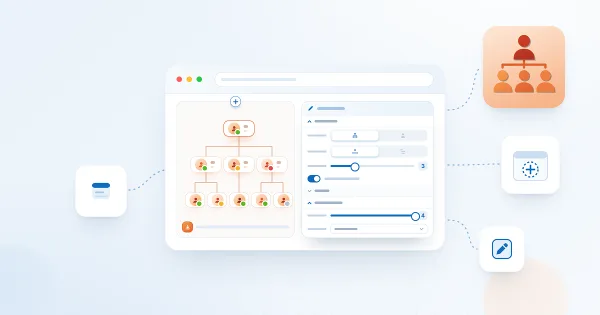
Step-by-step guide to adding the Vitextra Organizational Chart web part to a SharePoint Online page and configuring it: approving Microsoft Graph permissions, choosing the chart mode and layout, selecting the attributes shown on employee cards, filtering and excluding employees, enabling export, and saving default settings for Microsoft Teams.

Microsoft Graph Permissions Required by Organizational Chart
Which Microsoft Graph API permissions the Vitextra Organizational Chart web part needs - Directory.Read.All, User.Read.All and Presence.Read.All - what each one is used for, how to approve them in the SharePoint admin center, what happens when one is missing, and how user access to the chart works.

Organizational Chart: A Quick Guide for End Users
How to use the Vitextra Organizational Chart on a SharePoint page or in Microsoft Teams: expand and collapse branches, zoom and pan the chart, find yourself in the hierarchy, search for colleagues, read presence indicators, open the profile card, refresh the data and export the chart to PDF or JPEG.
Organizational Chart. Solution Overview
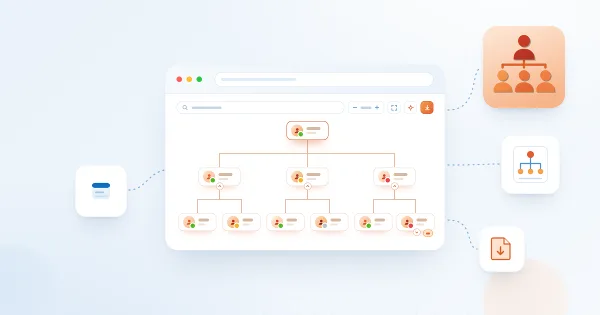
Vitextra Organizational Chart is a web part for SharePoint Online and Microsoft Teams that builds an interactive company hierarchy from Microsoft Entra ID. Learn how it works: automatic structure from the manager attribute, two chart modes, horizontal and vertical layouts, employee cards with photos and presence, search, filtering, export to PDF and JPEG, and Teams integration.

Why Is Someone Missing from the Organizational Chart?
A troubleshooting checklist for employees who do not appear in the Vitextra Organizational Chart: default exclusions for unlicensed accounts and blank job titles, disabled accounts, guest users, a missing manager in Microsoft Entra ID, filtered-out managers, collapsed levels and the 12-hour data cache.