
Password Vault
Password Vault is a powerful tool for securely storing, managing, and sharing passwords within your organization. Enhance security and simplify password management with Password Vault.
- Feb 2025
- v1.3.7
- Supported Languages
- 8
Password Vault is a powerful tool designed to help you securely store, manage, and share passwords in your organization. It integrates seamlessly with SharePoint Online and Microsoft Teams, offering advanced encryption. By using Password Vault, you can enhance your security and simplify your password management process.
- AES-256 encryption performed in the browser
- PIN-protected access — only you hold the key
- Data stored in your own OneDrive for Business
- Auto-sync across devices
- Unlimited passwords
- SharePoint Brand Center support
Overview
Seamless Integration
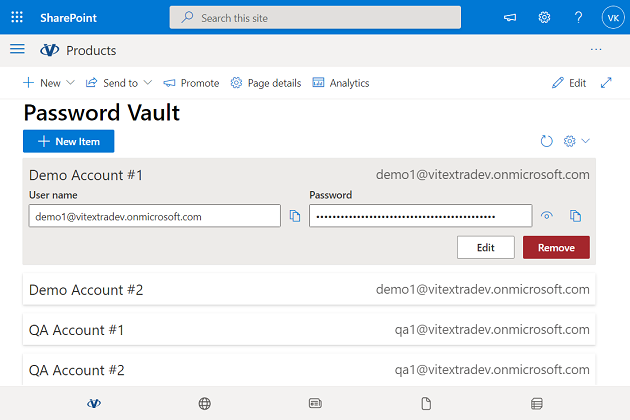
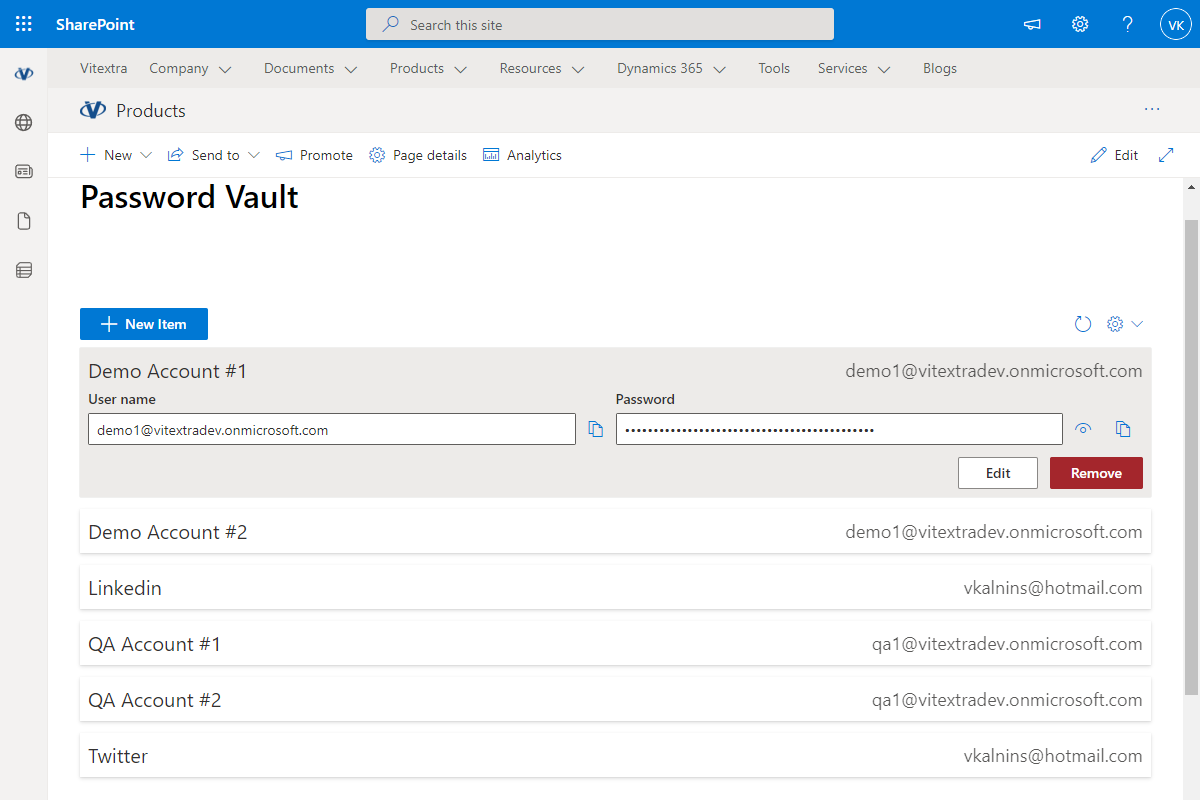
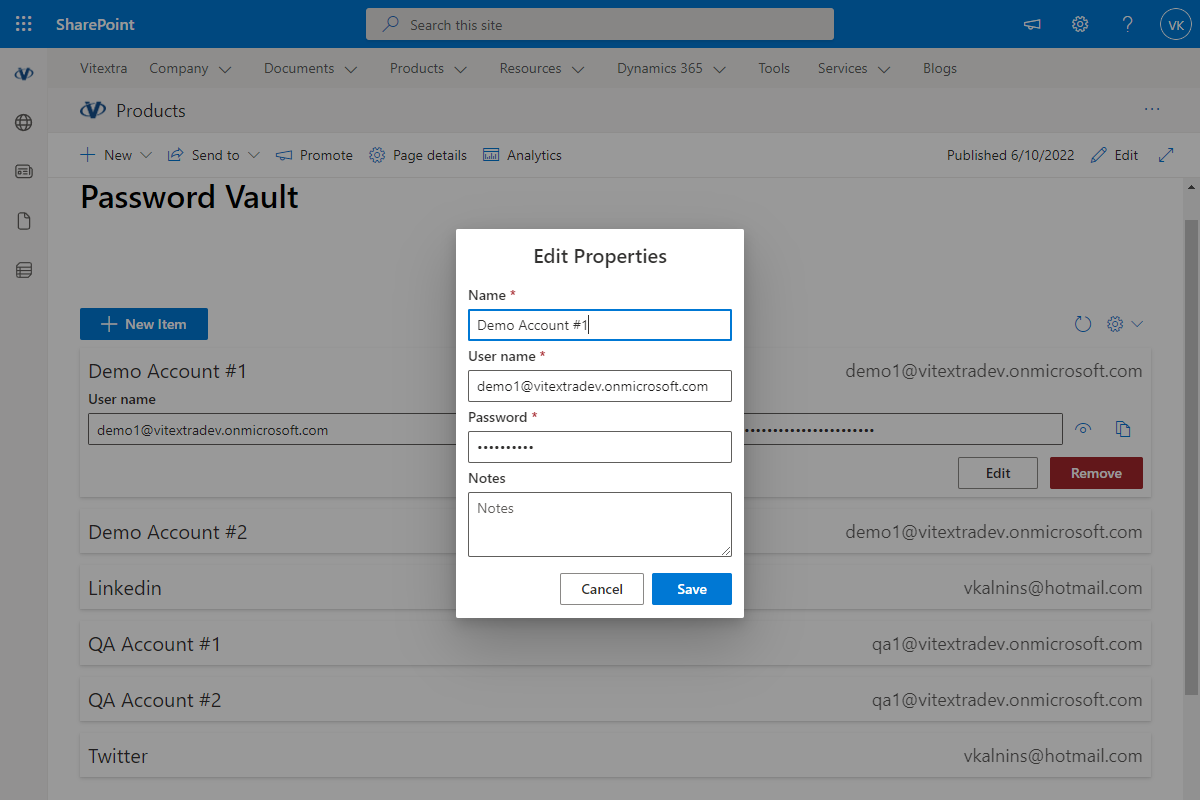
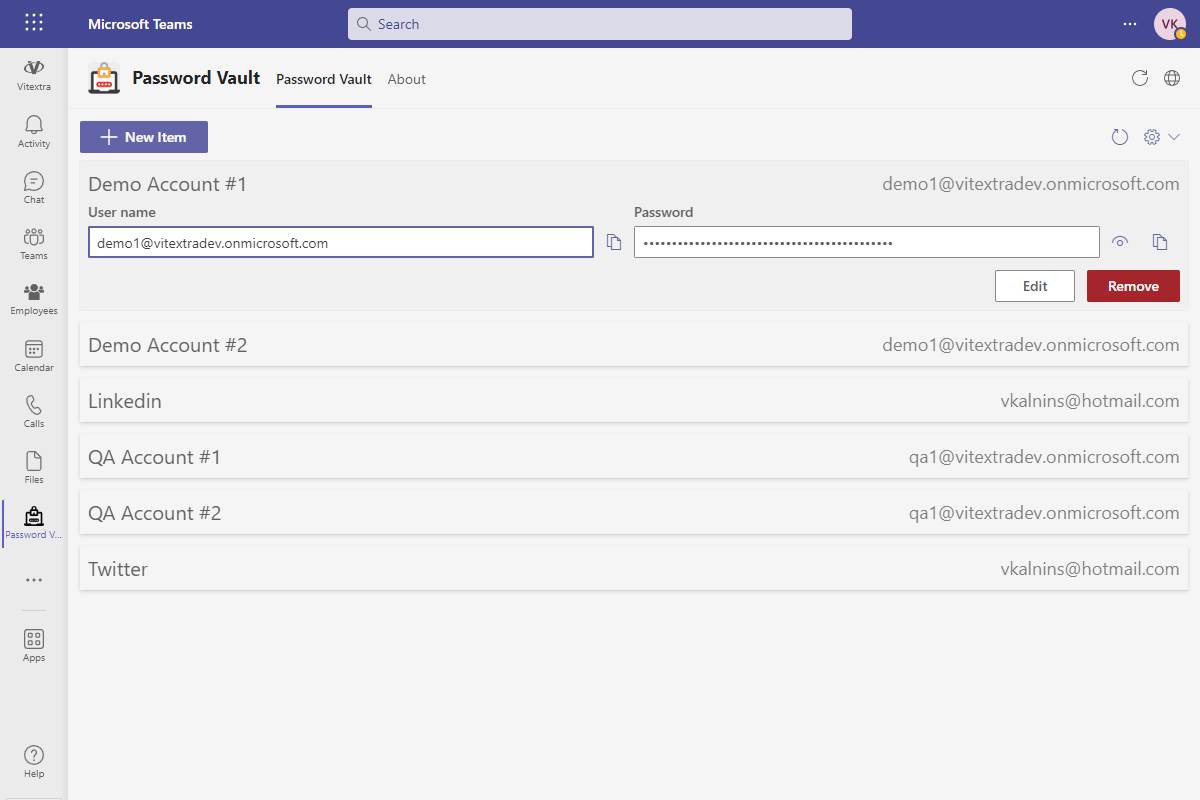
Password Vault has been designed to seamlessly integrate with SharePoint Online and Microsoft Teams, allowing your team to access and manage passwords within the tools they use every day. This integration eliminates the need to switch between applications and streamlines workflows, enhancing productivity.
Advanced Security
The security of your passwords is our top priority. Password Vault uses advanced encryption technologies to ensure that your sensitive information is protected from unauthorized access.
Customer Questions
Some common questions about Password Vault
Where are my passwords stored and who can see them?
Secrets are encrypted in your browser with AES-256 before they are sent anywhere and are stored in a dedicated application folder in your own OneDrive for Business. Your PIN is the decryption key, so neither administrators nor Vitextra can read your stored passwords. Nothing is stored on Vitextra servers. See the product page.
Can I use Password Vault in Microsoft Teams and on several devices?
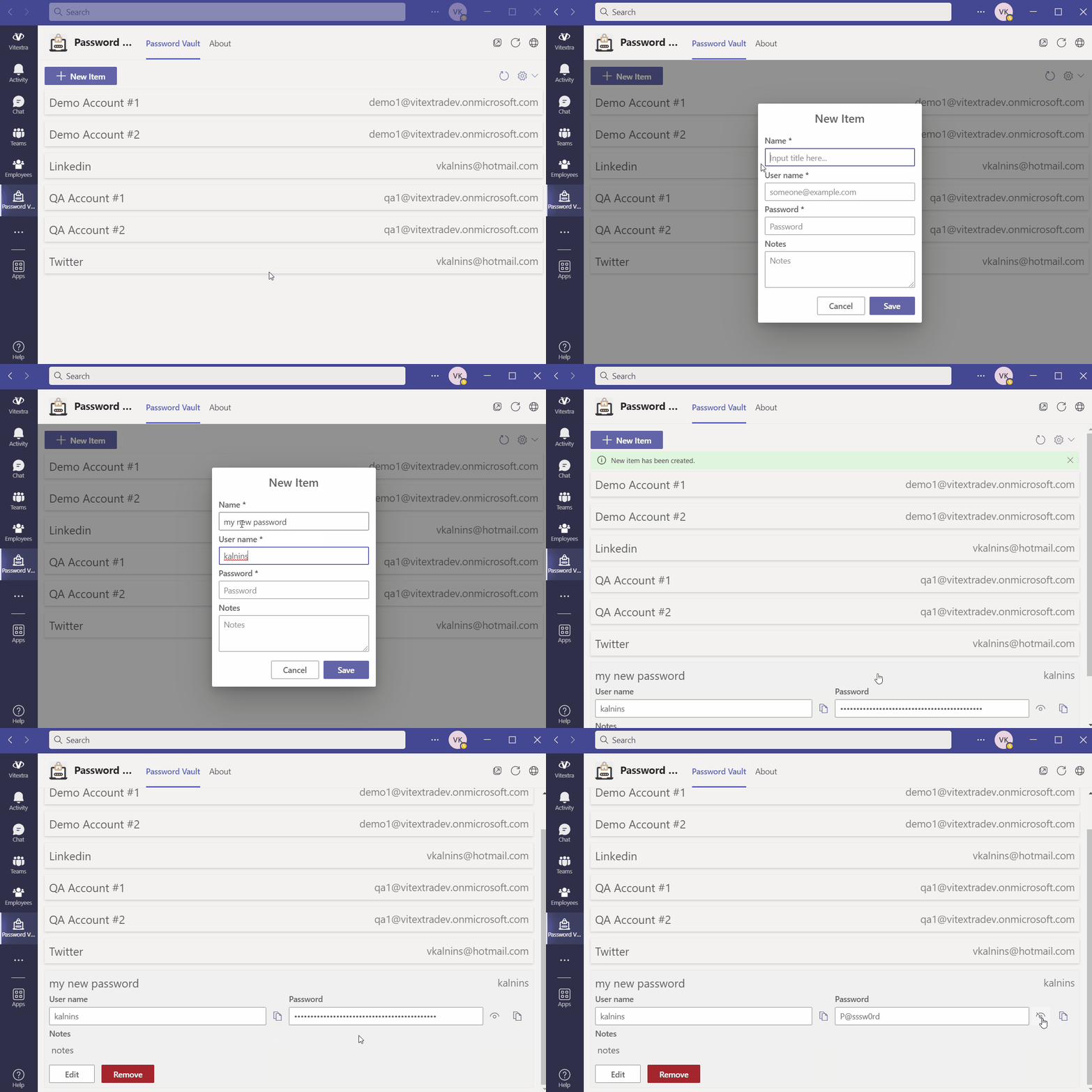
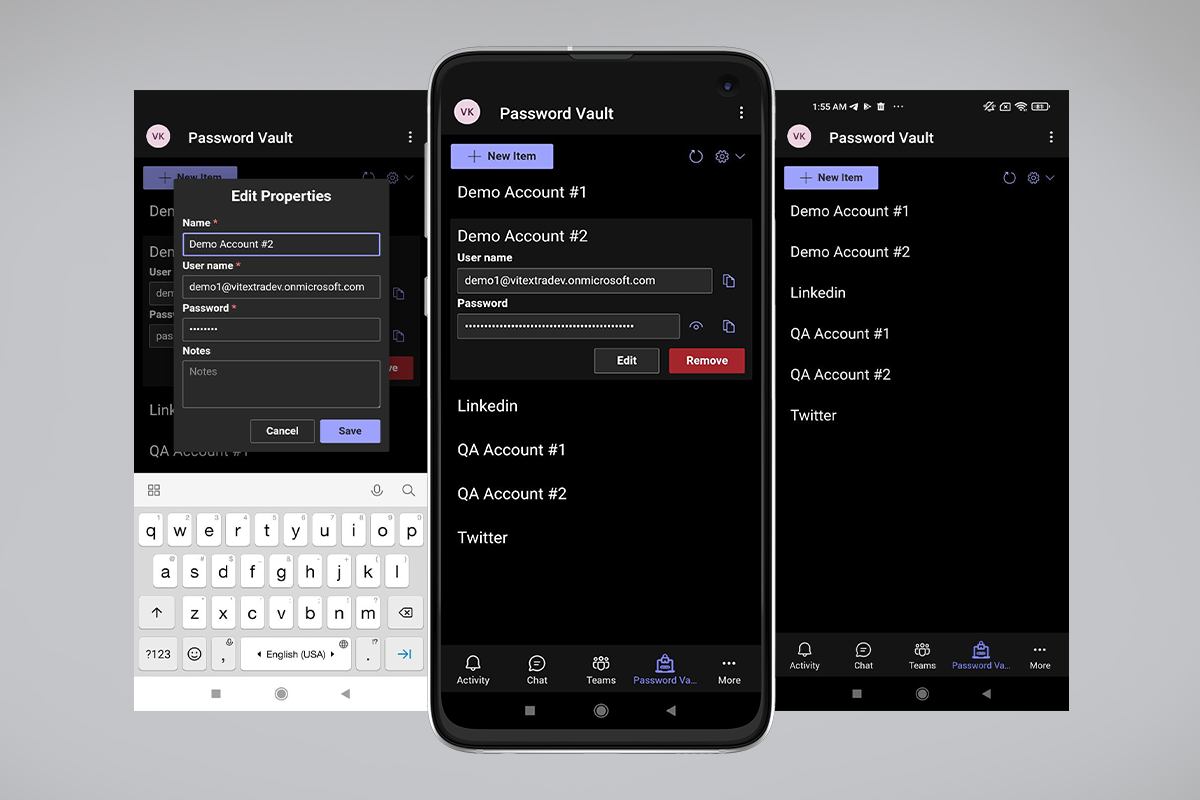
Yes. Password Vault works in SharePoint Online and as a Microsoft Teams app, and because the encrypted data lives in your OneDrive it is synchronized automatically across all your devices. There is no limit on the number of stored passwords.
What happens if I forget my PIN?
The PIN is the encryption key and is never transmitted or stored by Vitextra, so it cannot be recovered or reset by an administrator — this is what guarantees that only you can read your secrets. Keep your PIN in a safe place; if it is lost, the encrypted data cannot be decrypted.
What are the requirements for using Password Vault?
Each user needs a Microsoft 365 account with OneDrive for Business, which is where the encrypted vault is stored. The app is deployed as an SPFx package to the tenant App Catalog like other Vitextra cloud products — see Installing a Cloud-based Product. SharePoint Server on-premises is not supported.
Does Password Vault follow my SharePoint branding?
Yes. Password Vault supports the SharePoint Brand Center and inherits the theme of the hosting site or Teams client. The interface is localized into several languages, including English, German, Dutch, Lithuanian, Arabic and Chinese (Simplified).
Reviews
No reviews yet
Supported Languages
Supported languages
Platforms
Supported platforms
Recent Changes
- v1.3.7 #
This update brings exciting new features and enhancements to improve your experience:
🎨 SharePoint Branding Center Support
Tailor the Password Vault interface to match your organization's branding.🚀 Performance Boosts
Experience faster and more efficient search operations. - v1.3.1 #
Minor bug fixes and performance improvements
- v1.2.1 #
🐞 Fixed Bugs:
- Blank screen in Teams when you open the app for second time
- v1.1.9 #
🚀 New Features:
- Performance improvements
🌐 Added Language Support:
- Arabic (Saudi Arabia)
- German (Germany)
- Chinese (Simplified, China)
- v1.1.5 #
🚀 New Features:
- Performance improvements
- Migrate solution to SPFx v.1.15
🌐 Added Language Support:
- Dutch (Nederlands)
- lietuvių (Lithuanian)
Discover more apps
Suggested apps
Share
Send feedback
We would love to hear from you! Please take a moment to let us know about your experience.