Short URL Online - Knowledge Base
How to Copy and Open a Short Link in Short URL Online
Learn the ways to copy a short link to the clipboard and open it in Short URL Online: from the Link column of Short URL Management, from the Short URL dialog and from the Short URL web part.
Short URL Management: A Quick Guide for End Users
A short guide to everyday work with Short URL Online: create a short link for a document, shorten any web address, find your links in Short URL Management, copy, edit and delete them.
How to Edit and Delete a Short Link in Short URL Management
Step-by-step guide to creating, editing and deleting short links in the Short URL Management web part: the New Link command, the edit panel and its fields, deleting one or several links and the confirmation dialog.
How to Find, Sort and Page Through Short Links in Short URL Management
Learn how to find a short link in the Short URL Management web part: search by title or link, sort the list by title or creation date, move between pages and refresh the list.
How to Add and Configure the Short URL Management Web Part
Step-by-step guide to adding the Vitextra Short URL Management web part to a SharePoint Online page, setting its title, approving the Microsoft Graph permissions it uses and checking that the list of short links loads.
How to Add the Short URL Web Part to a Page
Step-by-step guide to adding the Vitextra Short URL web part to a SharePoint Online page and using it to shorten any web address: enter the original URL, choose a domain and a short name, create the link and copy it.
Link to Item vs. Link to Online Editor: Choosing the Target Link Type in Short URL Online
Learn what the two target link types of Short URL Online mean, Link to item and Link to online editor, when each one is useful, and why the option can be unavailable for some documents and folders.
How to Create a Short Link for a Document or Folder in SharePoint Online
Step-by-step guide to creating a short link for a document or folder in a SharePoint Online library with the Short URL command: select the item, review the title, domain and short name, copy the link and save your changes.
Short URL Online. Solution Overview
What Vitextra Short URL Online is and what it includes: the Short URL command bar extension for documents and folders, the Short URL web part for any link and the Short URL Management web part for finding, editing and deleting short links in SharePoint Online and Microsoft Teams.
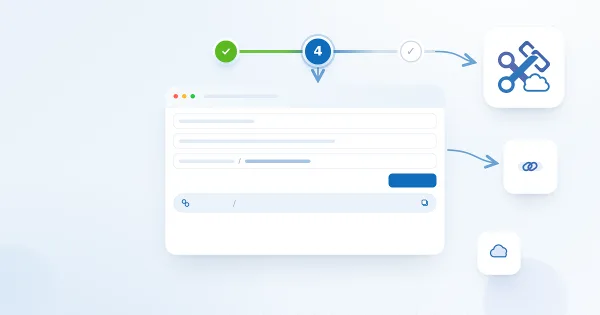
How To Create a Short Link in SharePoint Online
The Create shortened URL form of the Short URL Online web part with the Name, Origin URL, Domain and Short URL fields filled in and the Create button highlighted.
How to Deploy and Set Up Short URL Online
Learn how to deploy Vitextra Short URL Online in a Microsoft 365 tenant: the two .sppkg packages, deploying them to the SharePoint App Catalog and enabling the command bar extension on each site to shorten links to documents and folders.