
Announcements Carousel
Transformez la manière dont vous communiquez au sein de votre organisation. Avec le composant WebPart Announcements Carousel, tenir tout le monde informé n'a jamais été aussi simple.

- oct. 2026
- v26.10.5
- Langues prises en charge
- 49
Créez et affichez des annonces et des actualités importantes sur votre site d'entreprise SharePoint Online. Avec le composant WebPart Announcements Carousel, vous attirez l'attention de vos visiteurs et les tenez informés des dernières nouvelles et des événements à venir — grâce à la liste d'annonces native de SharePoint, sans aucun service supplémentaire à maintenir.
- Conçu pour la liste d'annonces native de SharePoint
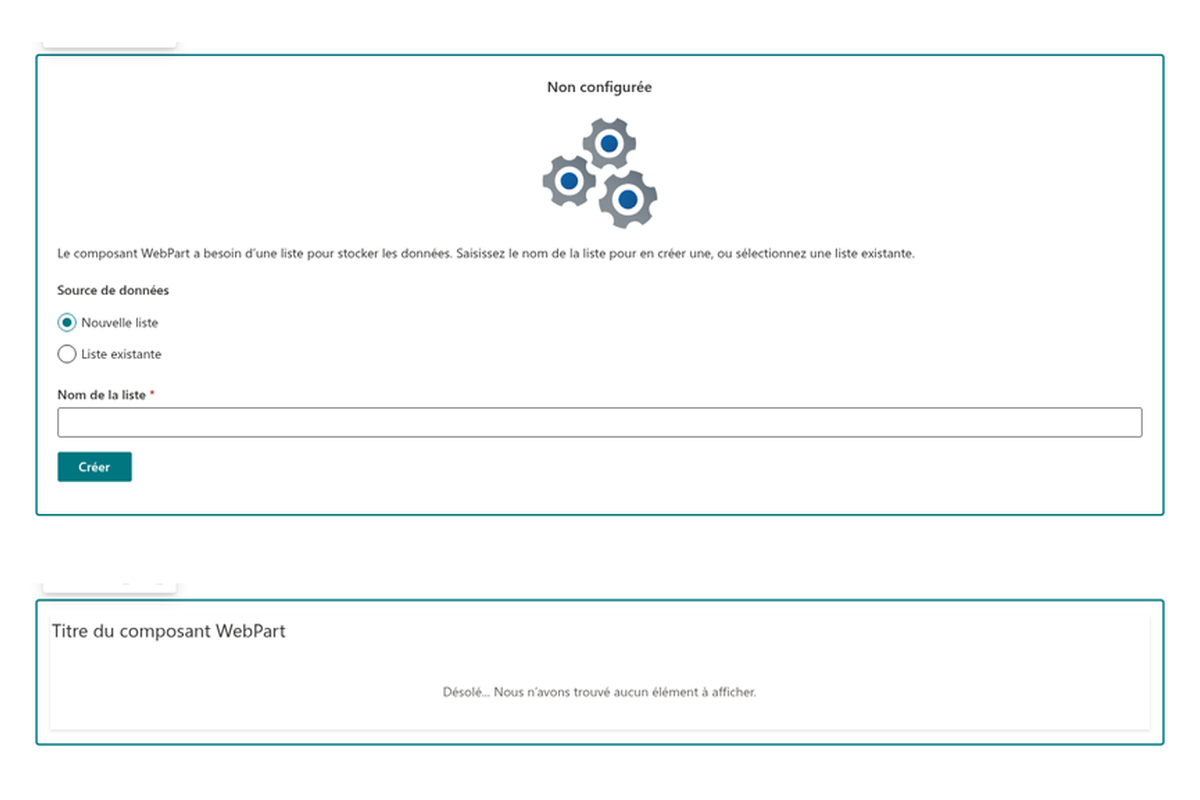
- Prêt à l'emploi : choisissez une liste existante ou créez-en une nouvelle en un clic
- Contenu riche des annonces : texte mis en forme, images, liens et pièces jointes
- Dates d'expiration pour les annonces temporaires
- Tri par priorité, par date ou par titre ; mode facultatif limité aux éléments approuvés
- Masquage automatique du composant lorsqu'il n'y a rien à afficher
- Design responsive, localisé en plus de 50 langues

Vue d'ensemble
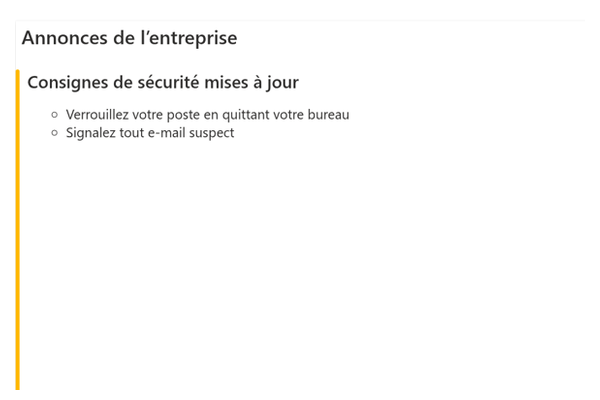
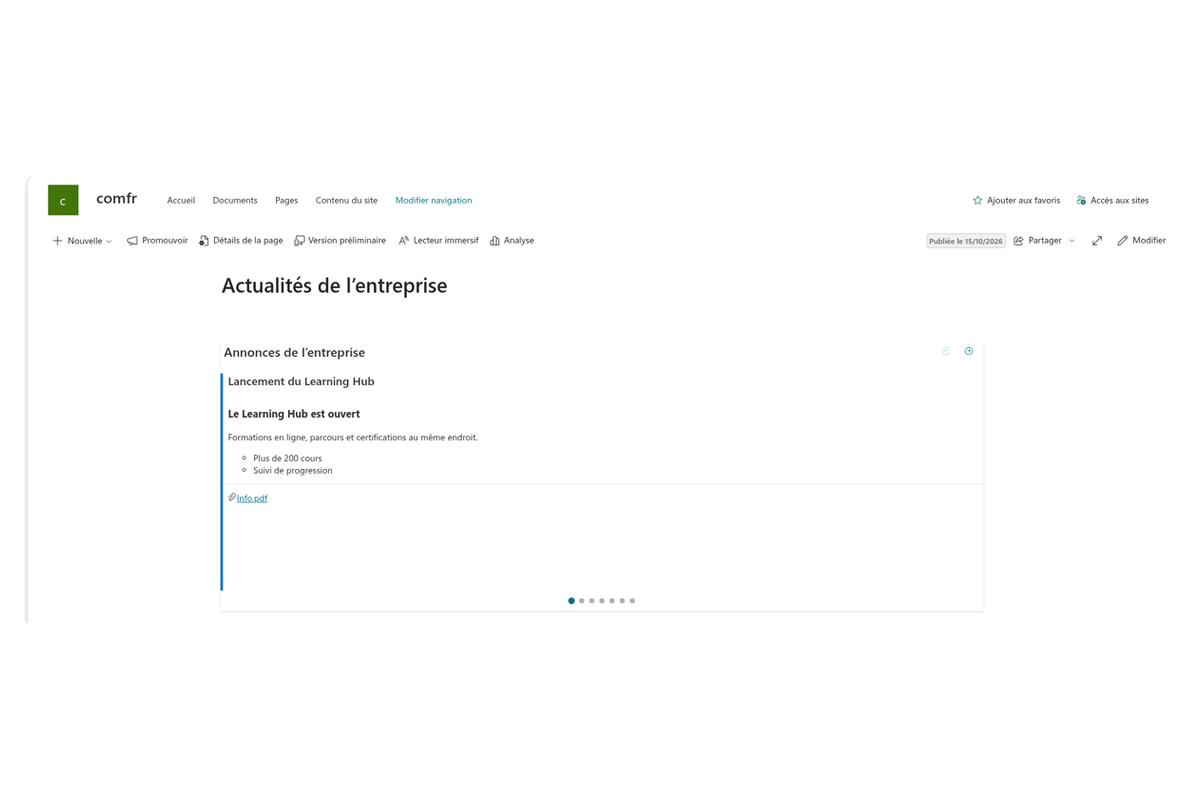
Enrichissez votre expérience SharePoint avec le composant WebPart Announcements Carousel. Il présente à vos utilisateurs les notifications, les actualités et les informations importantes dans un carrousel rotatif épuré. Qu'il s'agisse de partager les nouvelles de l'entreprise, de rappeler un événement à votre équipe ou de diffuser des alertes critiques, ce composant garde votre audience informée et impliquée.
Announcements Carousel vous permet de créer et de gérer facilement les annonces essentielles de votre site SharePoint Online. Le composant est entièrement responsive — les annonces s'affichent parfaitement sur ordinateur, tablette et smartphone — et son interface est localisée en plus de 50 langues.
Annonces SharePoint natives
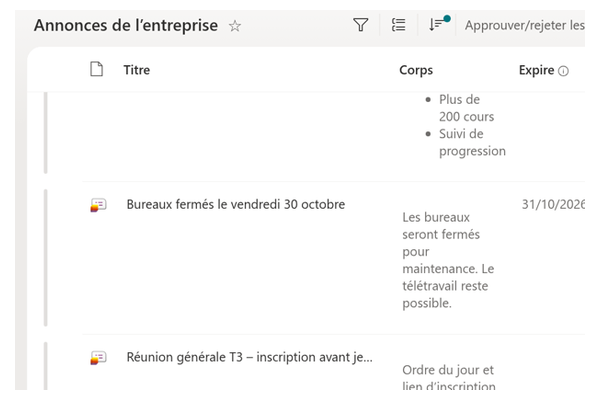
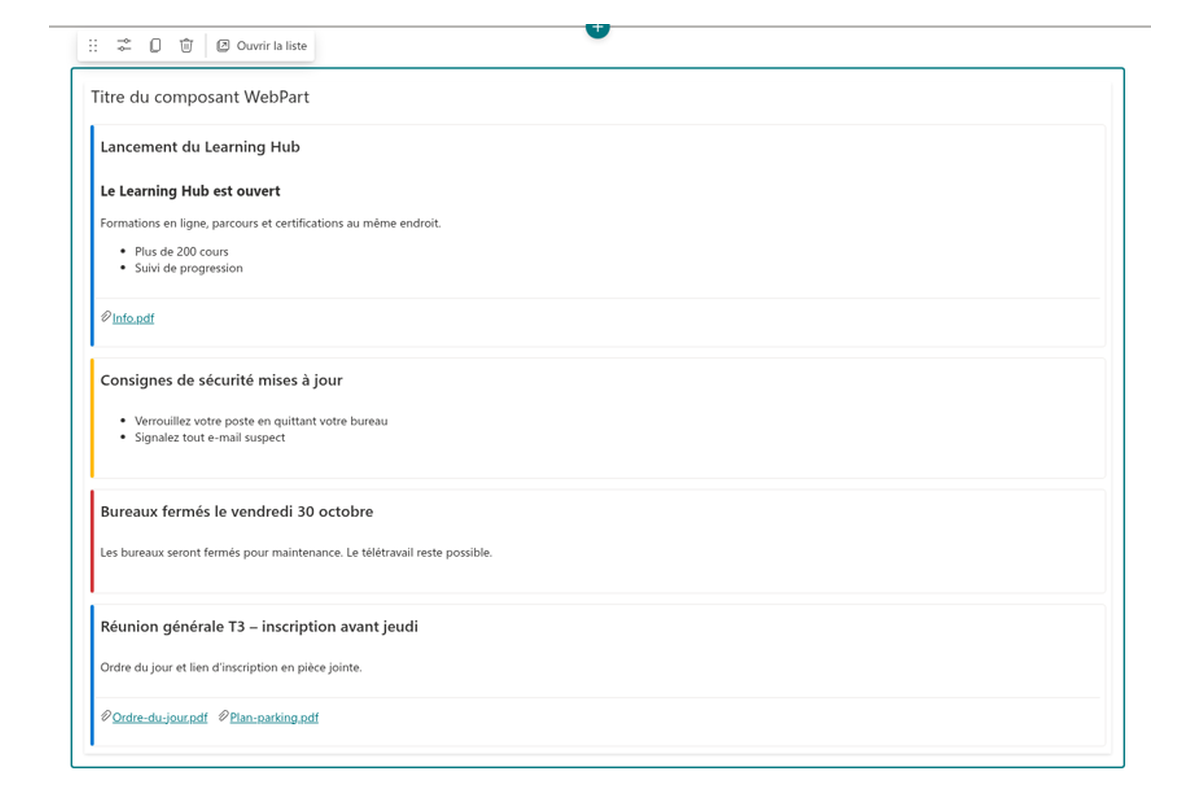
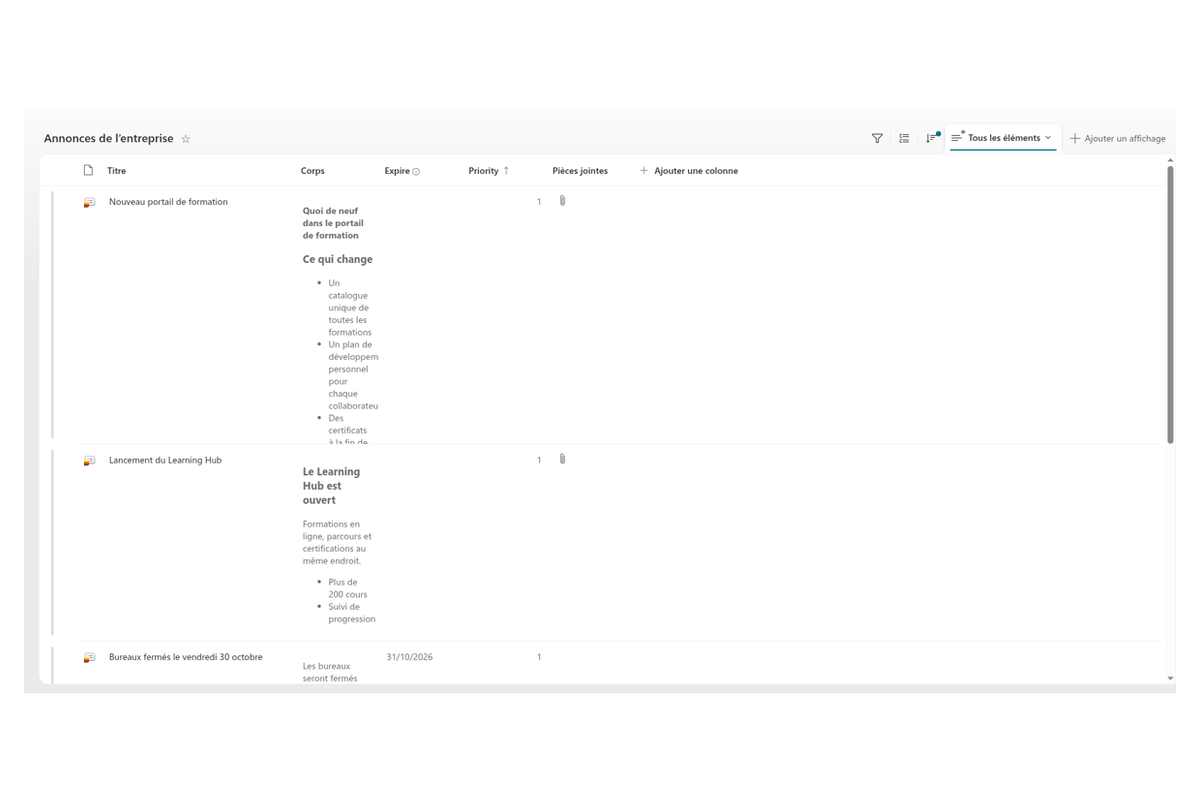
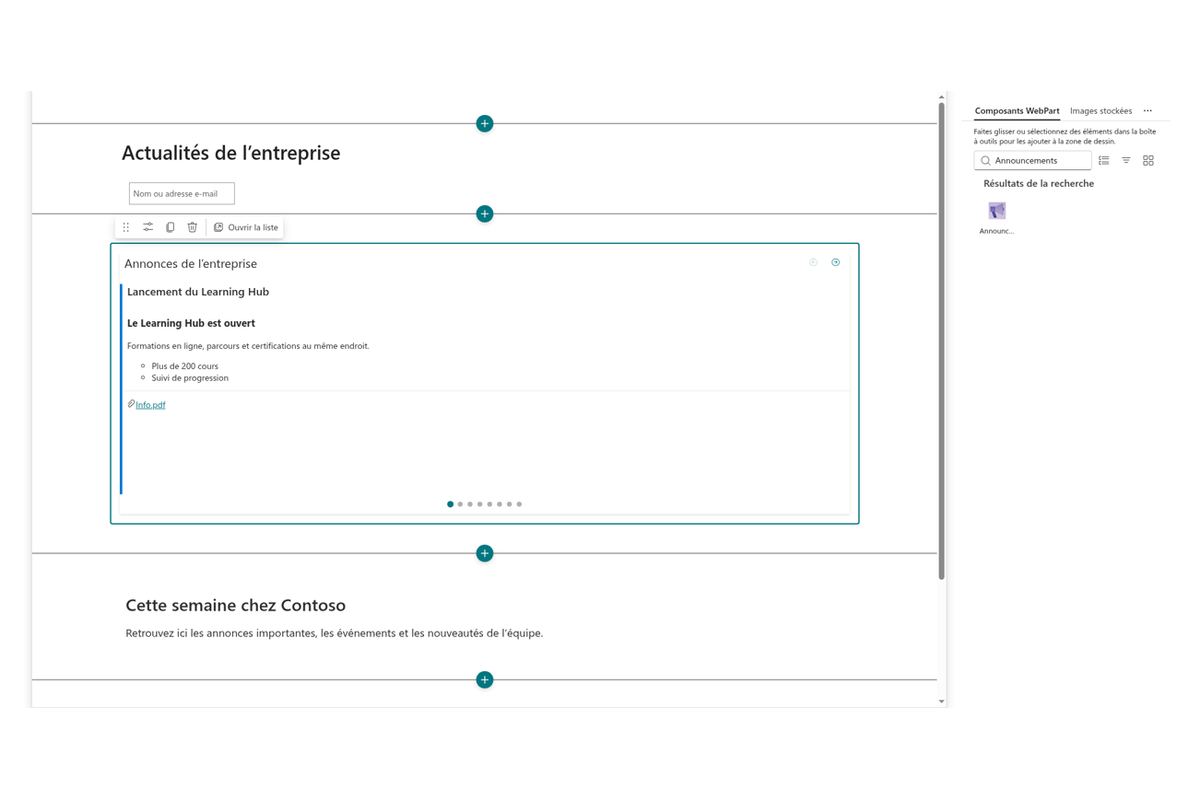
Announcements Carousel affiche les informations issues des listes SharePoint natives. Une fois le composant ajouté à une page, vous choisissez une liste existante comme source de données ou créez une nouvelle liste en un seul clic, en évitant toute duplication des données.
Comme le contenu réside dans une liste d'annonces standard, votre équipe continue de travailler avec les outils SharePoint habituels — et les données ne quittent jamais votre client Microsoft 365.
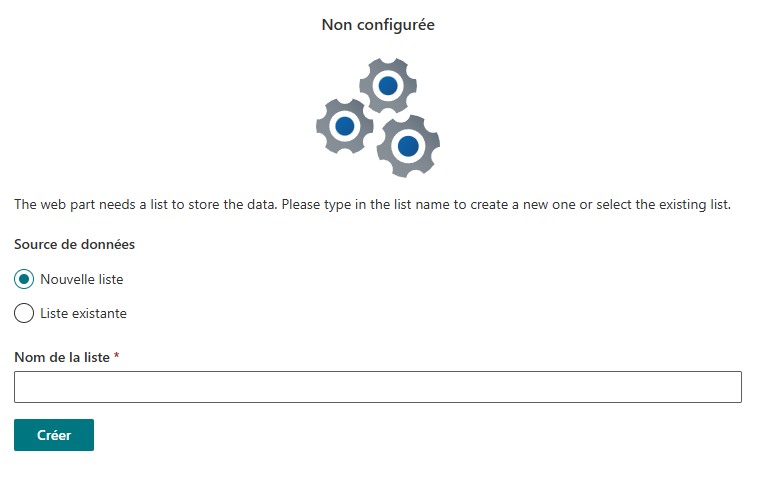
Des annonces riches, à durée limitée
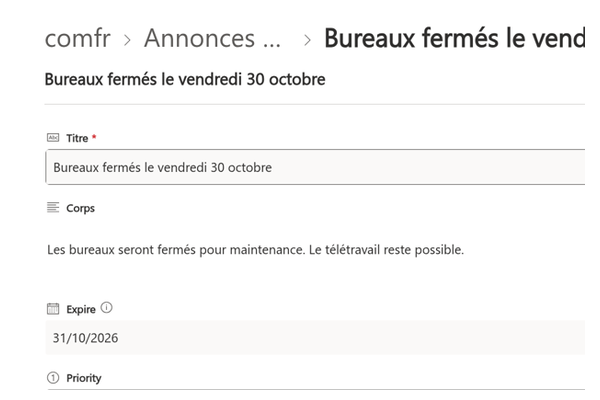
Chaque annonce comporte un titre, un message avec texte mis en forme, liens et images, et, au besoin, des pièces jointes : tout ce qu'il faut pour rendre un message clair et exploitable.
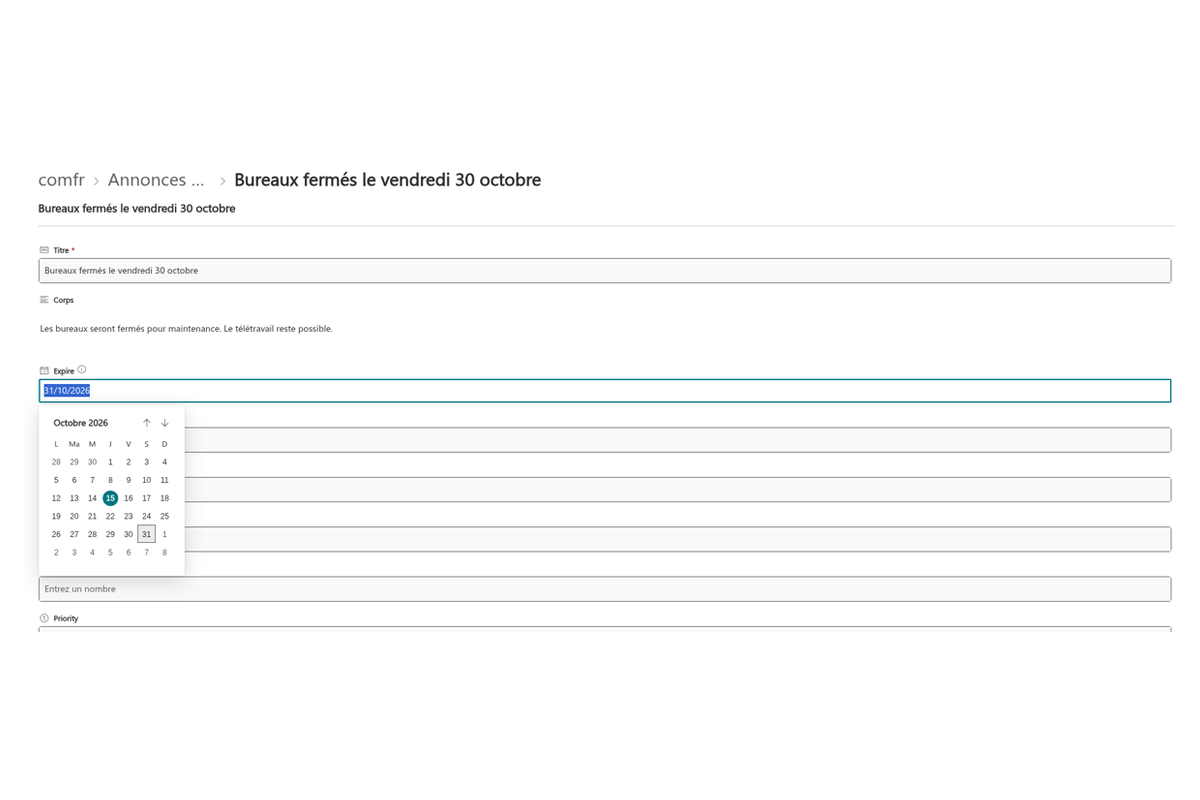
Définissez une date d'expiration et le carrousel retire l'annonce automatiquement le moment venu : les nouvelles périmées disparaissent simplement de la page, sans que personne n'ait à faire le ménage.
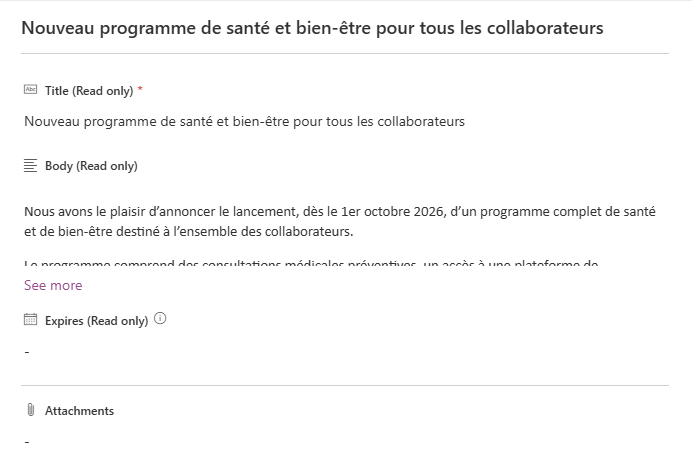
Choisissez l'ordre et le contenu affiché
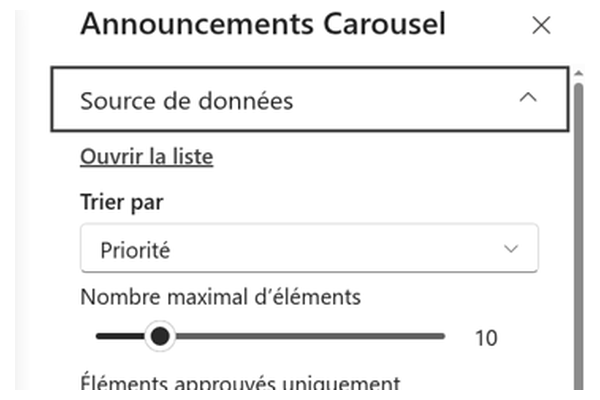
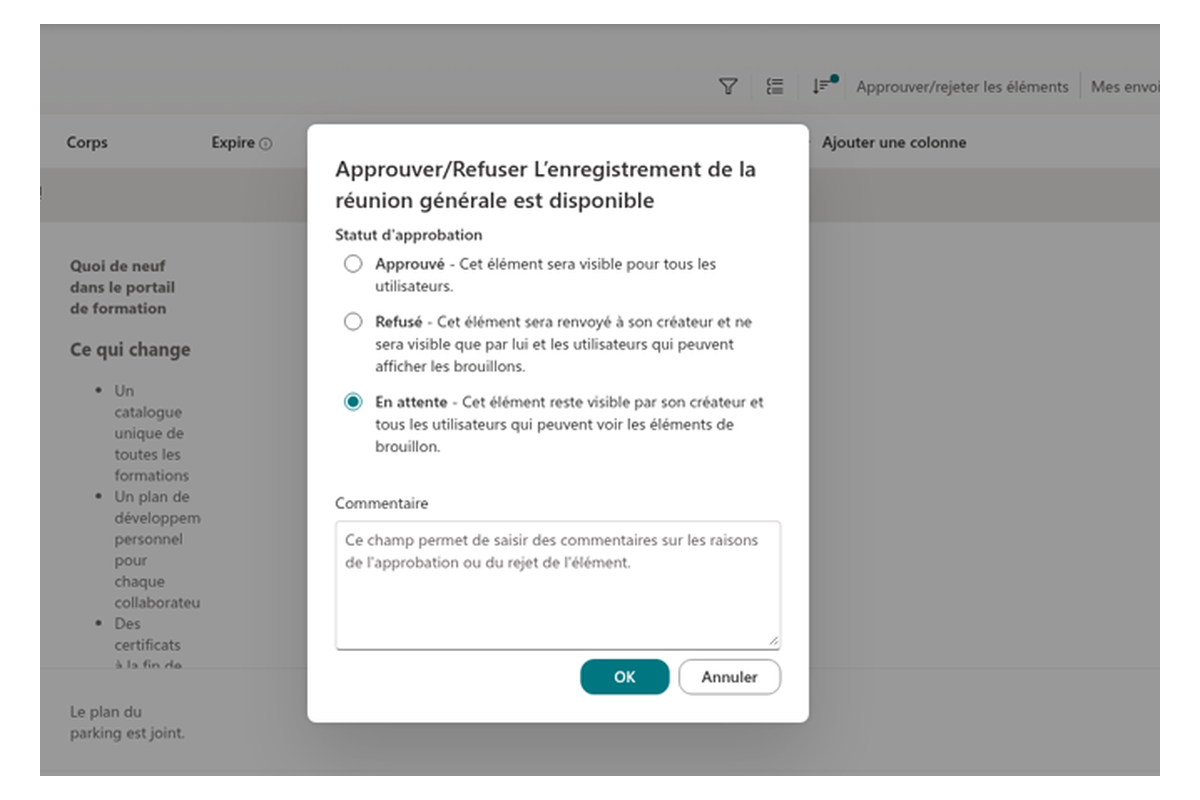
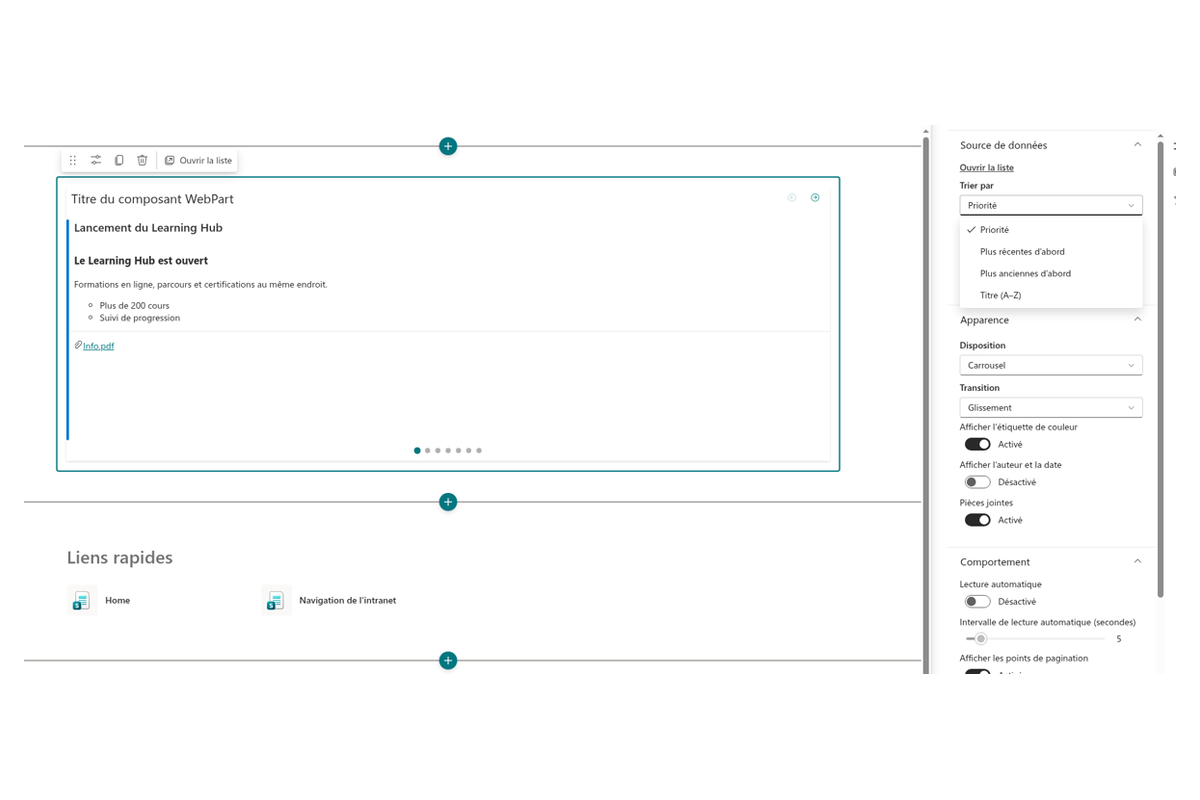
Décidez quelle annonce apparaît en premier : tri par priorité, des plus récentes aux plus anciennes, des plus anciennes aux plus récentes, ou par titre. Limitez le nombre d'annonces dans le carrousel et — si votre liste utilise l'approbation de contenu — n'affichez que les éléments approuvés, afin que les brouillons non validés n'atteignent jamais votre audience.
Peaufinez l'apparence et le comportement dans le volet des propriétés : disposition du carrousel et transition entre les diapositives, pastille de couleur, auteur et date, pièces jointes, lecture automatique avec intervalle personnalisé et points de pagination.
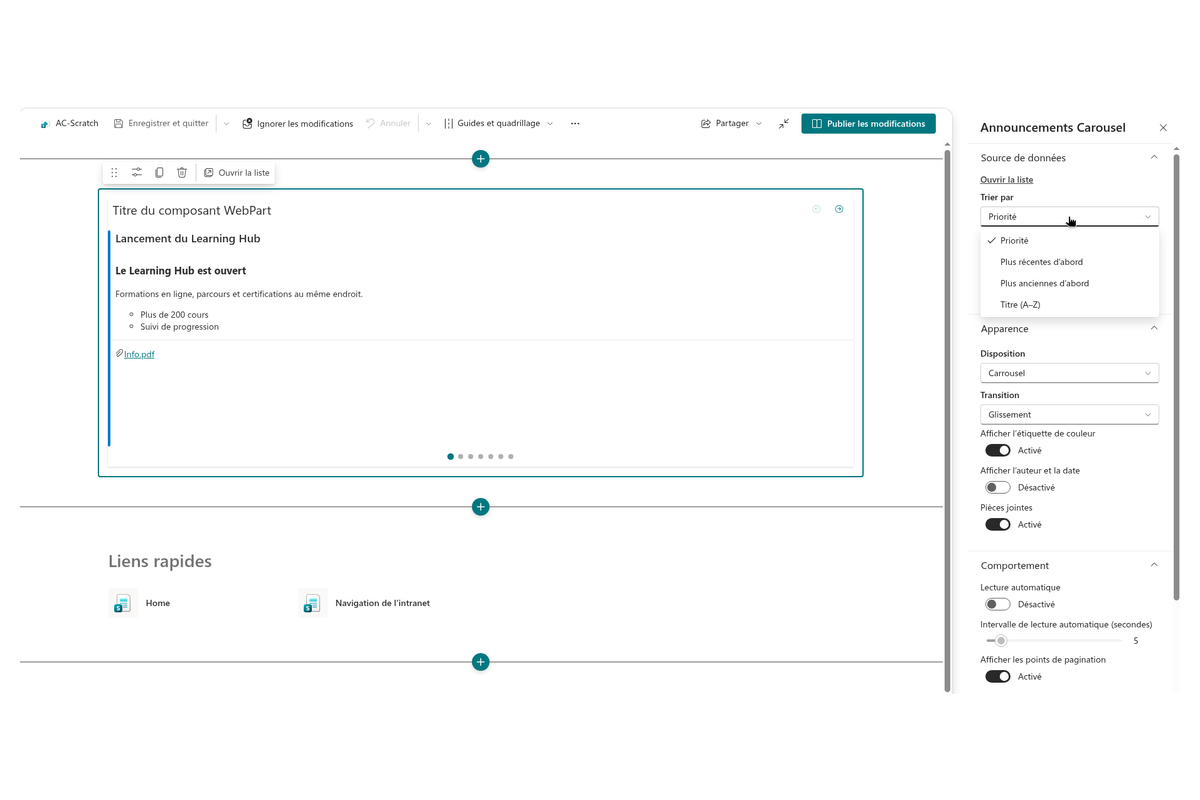
Masquage automatique du composant
S'il n'y a aucune annonce active à afficher, le carrousel disparaît entièrement de la page pour préserver une mise en page nette et cohérente. Il réapparaît automatiquement dès qu'une nouvelle annonce est publiée.
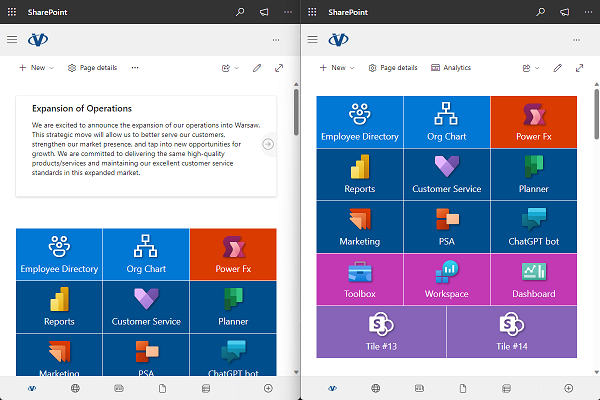
Pour communiquer efficacement et intéresser votre audience, il est essentiel d'afficher vos annonces bien en vue sur votre portail d'entreprise. Lancements de produits, mises à jour importantes ou événements à venir : Announcements Carousel est un outil précieux pour faire passer le message.
Base de connaissances
Lisez les articles liés à Announcements Carousel



Questions des clients
Quelques questions fréquentes sur Announcements Carousel
Qu'est-ce qu'Announcements Carousel et d'où provient son contenu ?
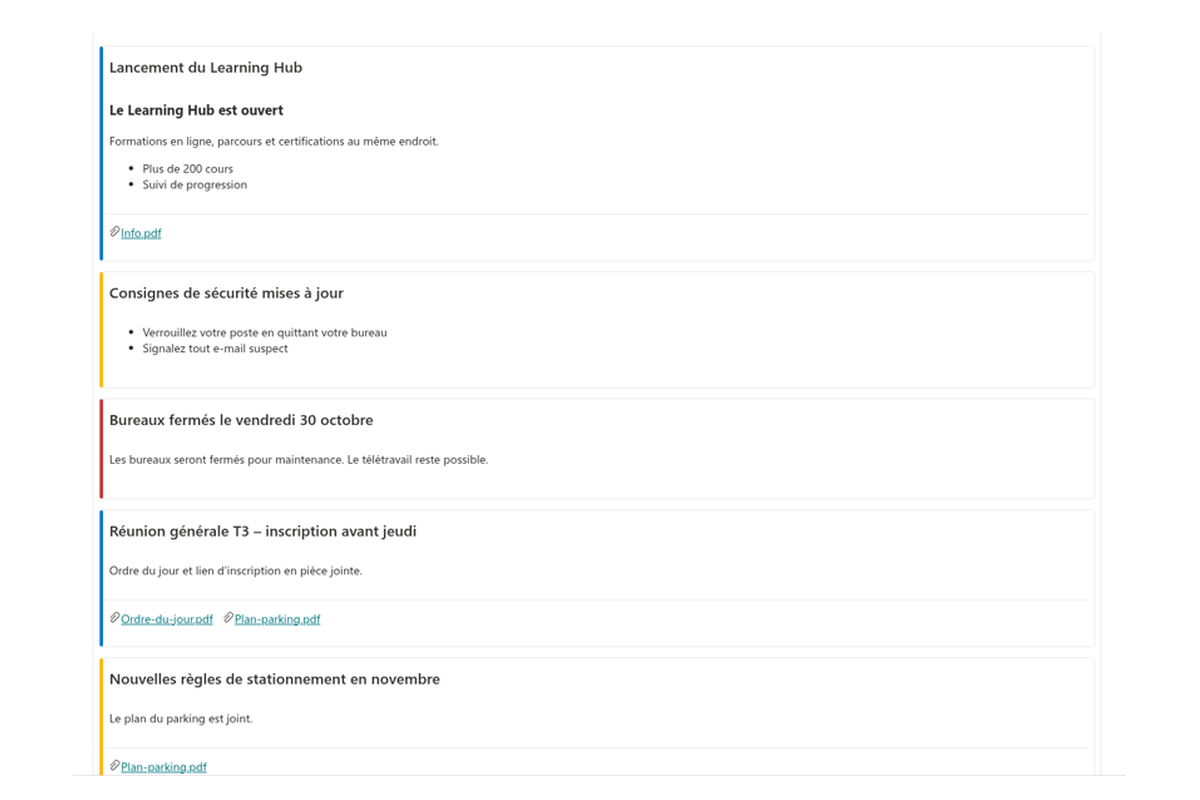
Announcements Carousel est un composant WebPart SharePoint Framework (SPFx) qui affiche les actualités de l'entreprise, les rappels et les alertes sous forme de carrousel rotatif ou de pile de cartes sur une page SharePoint Online. Il lit une liste d'annonces SharePoint native — vous pouvez choisir une liste existante ou en créer une nouvelle en un clic — de sorte que le contenu est géré dans Microsoft Lists et ne quitte jamais votre tenant Microsoft 365. Consultez le guide de démarrage et la présentation des fonctionnalités.
Quelles mises en page et options d'affichage sont disponibles ?
Vous avez le choix entre deux mises en page — Carrousel et Cartes empilées — et deux transitions (Glissement ou Fondu). Les cartes prennent en charge le texte mis en forme, les images, les liens, les pièces jointes, une étiquette de couleur et un emoji, ainsi qu'une ligne facultative indiquant l'auteur et la date de création. La lecture automatique s'exécute à un intervalle configurable (de 2 à 30 secondes), se met en pause au survol ou à la prise de focus et dispose d'un bouton Lecture/Pause ; les lecteurs peuvent également naviguer à l'aide des flèches, des points de pagination, du clavier ou d'un balayage tactile. Toutes les options sont décrites dans la présentation complète des fonctionnalités.
Les annonces peuvent-elles expirer automatiquement ?
Oui. Chaque annonce peut avoir une date d'expiration ; les éléments expirés sont automatiquement retirés du carrousel et un indicateur d'expiration facultatif peut être affiché sur la carte. Lorsqu'aucune annonce n'est active, le composant WebPart se masque en mode Lecture (un avertissement est affiché uniquement en mode Édition). Découvrez comment créer et gérer les éléments dans Créer et gérer les annonces.
Le composant WebPart nécessite-t-il des autorisations d'API ou un consentement administrateur ?
Non. Announcements Carousel lit les données via l'API REST de SharePoint au nom de l'utilisateur actuel ; aucune autorisation Microsoft Graph ni aucun consentement administrateur n'est donc requis. La seule autorisation dont vous pourriez avoir besoin est le droit de créer des listes sur le site, si vous laissez le composant WebPart créer une nouvelle liste d'annonces. L'installation suit les étapes standard d'installation des produits cloud.
Quelles sont les limites et la configuration requise ?
Le composant WebPart affiche jusqu'à 50 éléments (configurable), la lecture automatique ne fonctionne qu'avec la mise en page Carrousel et lorsqu'il y a plus d'une annonce, et si l'approbation du contenu est activée sur la liste, les auteurs doivent disposer de droits d'approbation, faute de quoi leurs éléments ne seront pas visibles pour les lecteurs. Il est conçu pour les pages modernes de SharePoint Online et, depuis la version 26.10.1, peut également être ajouté en tant qu'onglet de canal Microsoft Teams. Il est responsive, accessible (rôles ARIA, prise en charge du clavier), prend en charge les langues RTL (de droite à gauche) et est localisé dans plus de 45 langues. Consultez la page du produit pour plus de détails.
Évaluations
Pas encore d’avis
Langues prises en charge
Langues prises en charge
Plateformes
Plateformes prises en charge
Modifications récentes
- v26.10.5 #
🚀 Nouvelles fonctionnalités
- Lecture automatique — le carrousel peut faire défiler les diapositives automatiquement à un intervalle configurable (
autoplayInterval, 2–30 s). Le défilement se met en pause au survol ou lors de la prise de focus, et un bouton Lecture/Pause permet au visiteur de reprendre la main. - Points de pagination — des points cliquables indiquent la position actuelle et permettent d'accéder directement à n'importe quelle annonce, en complément des flèches précédent/suivant.
- Navigation au clavier et au toucher — les touches fléchées (←/→) permettent de passer d'une annonce à l'autre, et le balayage (swipe) fonctionne sur les appareils tactiles.
- Styles de transition — choix entre les animations Glissement et Fondu.
- Options de tri — par Priorité (champ Order de la liste), Plus récentes, Plus anciennes ou Titre (A–Z).
- Auteur et date — une ligne de métadonnées facultative avec l'auteur, la date de création et un indicateur d'expiration.
- Limite d'éléments — permet de plafonner le nombre d'annonces affichées (
maxItems). - Modes de mise en page — affichez les annonces sous forme de Carrousel ou de liste empilée de cartes.
- Prise en charge de l'écriture de droite à gauche — les contrôles et la mise en page s'adaptent aux langues RTL.
- Lecture automatique — le carrousel peut faire défiler les diapositives automatiquement à un intervalle configurable (
Rechercher d'autres applications
Applications suggérées
Partager
Envoyer des commentaires
Nous aimerions avoir de vos nouvelles ! Parlez-nous de votre expérience.