
Questions & Answers
Une base de connaissances au format FAQ pour SharePoint Online et Microsoft Teams : recherche, catégories, réponses vidéo, commentaires et questions soumises par vos collaborateurs.
- oct. 2026
- v26.10.6
- Langues prises en charge
- 43
Le composant WebPart Questions and Answers transforme votre site SharePoint Online en une base de connaissances vivante au format FAQ. Les collaborateurs trouvent des réponses prêtes à l'emploi en quelques secondes, posent leurs propres questions et en discutent avec leurs collègues, tandis que les éditeurs gèrent le contenu avec les outils SharePoint habituels. Cela renforce la collaboration, encourage le partage des connaissances et développe une culture de l'apprentissage dans l'organisation.
- Base de connaissances au format FAQ fondée sur une liste SharePoint
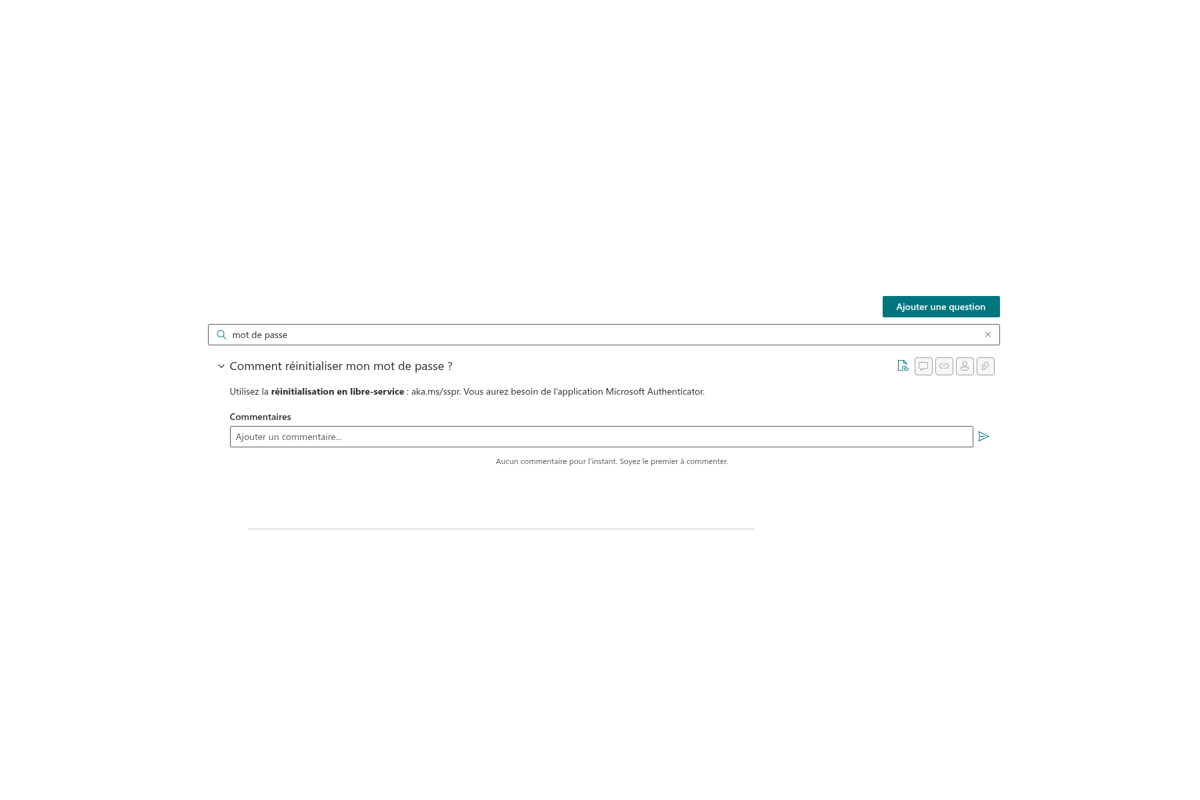
- Recherche instantanée dans les questions et les réponses
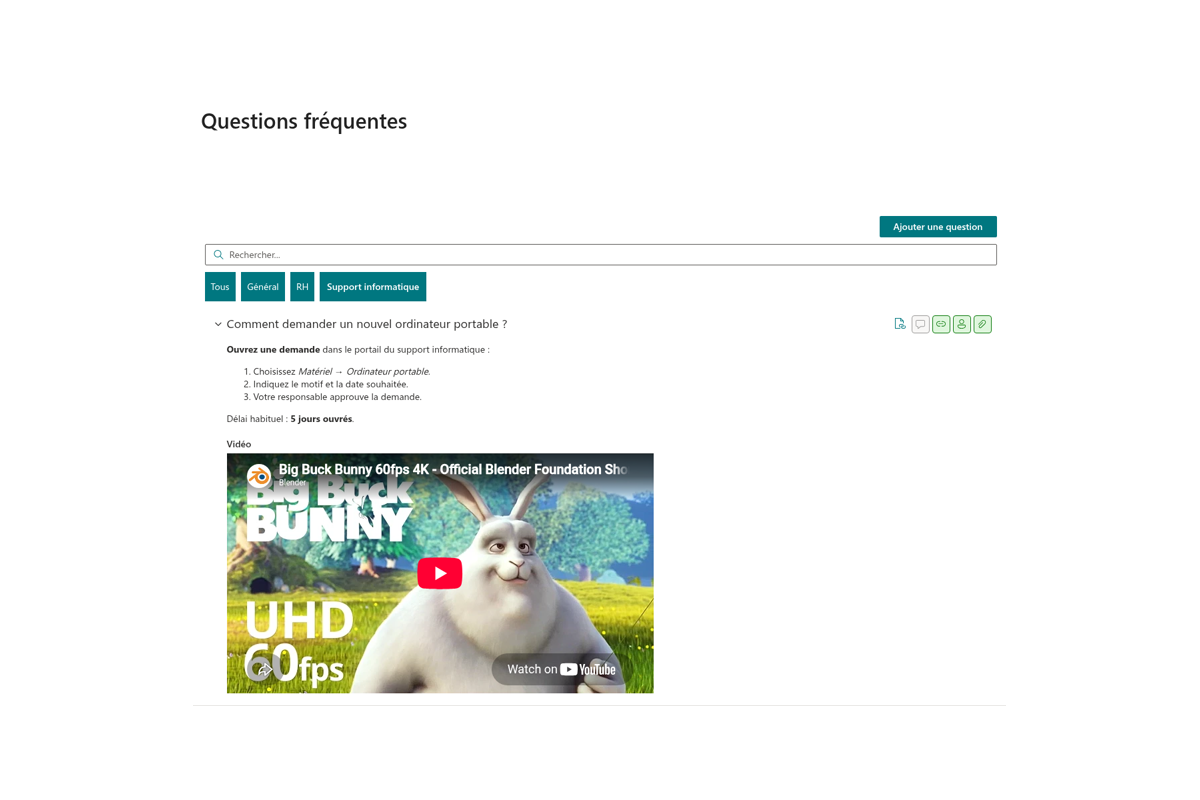
- Catégories avec regroupement et filtrage
- Réponses vidéo (YouTube, Vimeo, vidéo HTML5)
- Les utilisateurs peuvent poser leurs questions directement
- Commentaires avec mentions @collègues
- Mise en forme des réponses en Markdown

Vue d'ensemble
Le composant WebPart Questions and Answers transforme un site SharePoint Online en une base de connaissances vivante au format « question — réponse ». Les collaborateurs trouvent des réponses prêtes à l'emploi en quelques secondes, posent leurs propres questions et en discutent avec leurs collègues, tandis que les éditeurs gèrent le contenu avec les outils SharePoint habituels — sans système séparé ni synchronisation manuelle.
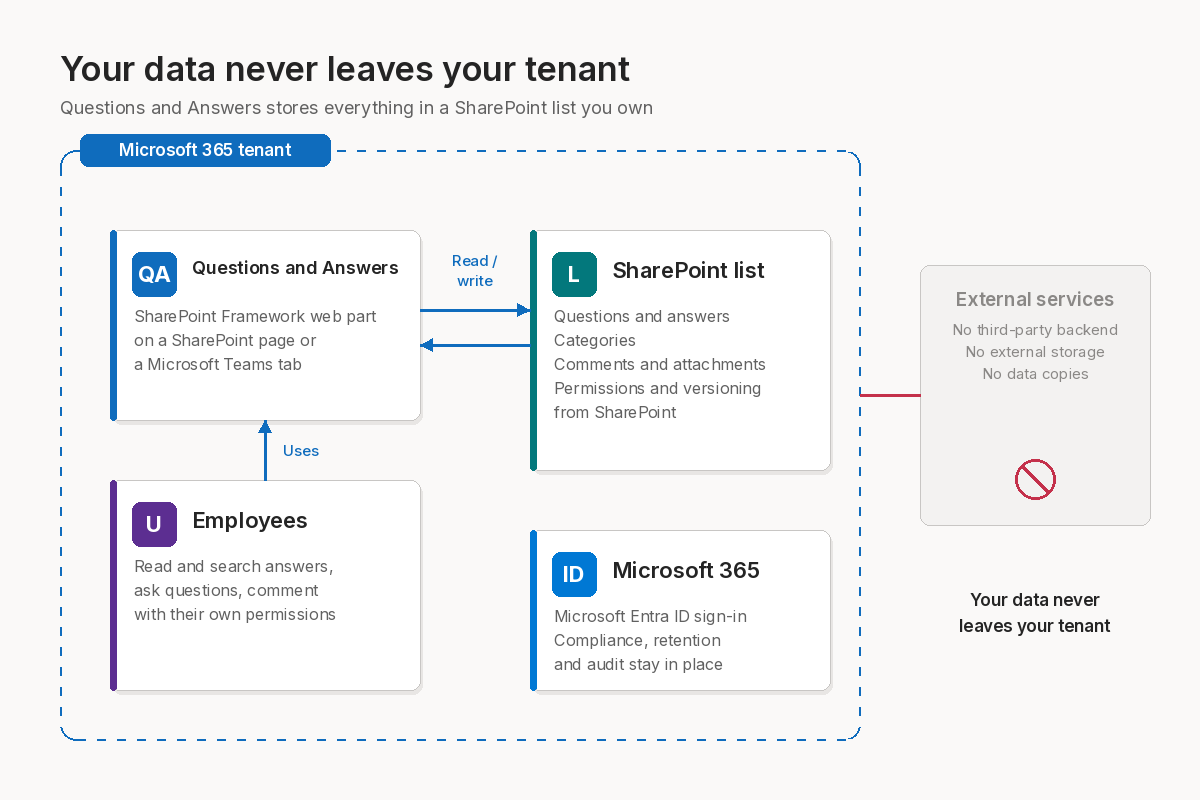
Le composant est développé avec SharePoint Framework et stocke toutes les questions et réponses dans une liste SharePoint ordinaire de votre site. Aucun service externe, aucune exportation : les données ne quittent jamais votre client Microsoft 365, et leur accès est régi par les autorisations SharePoint standard.
Une base de connaissances au format question-réponse
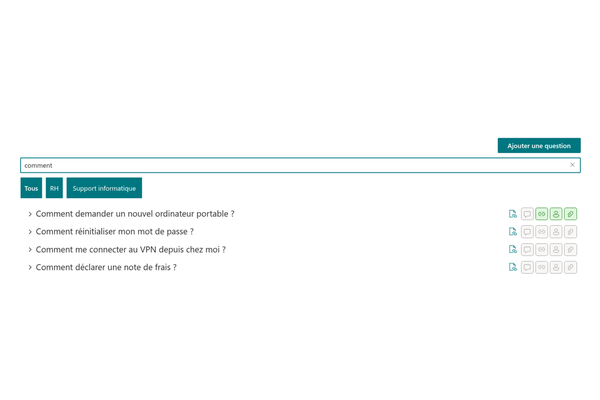
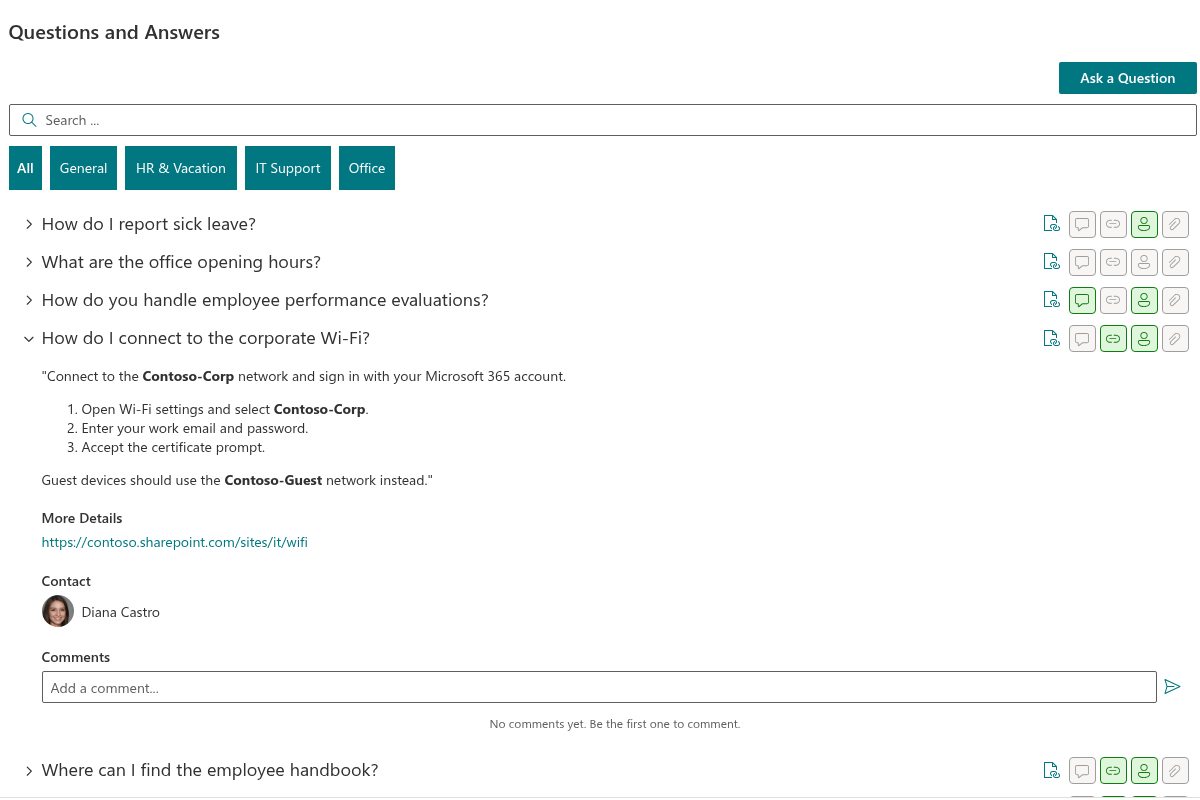
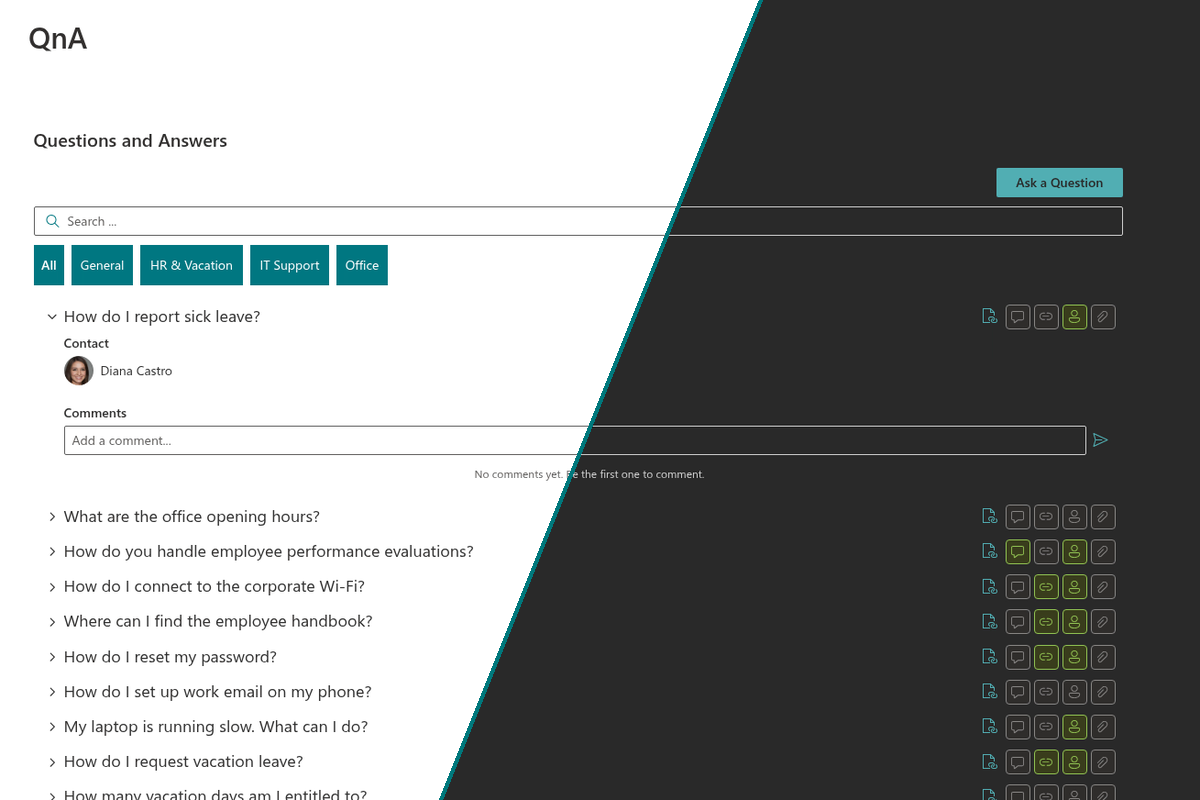
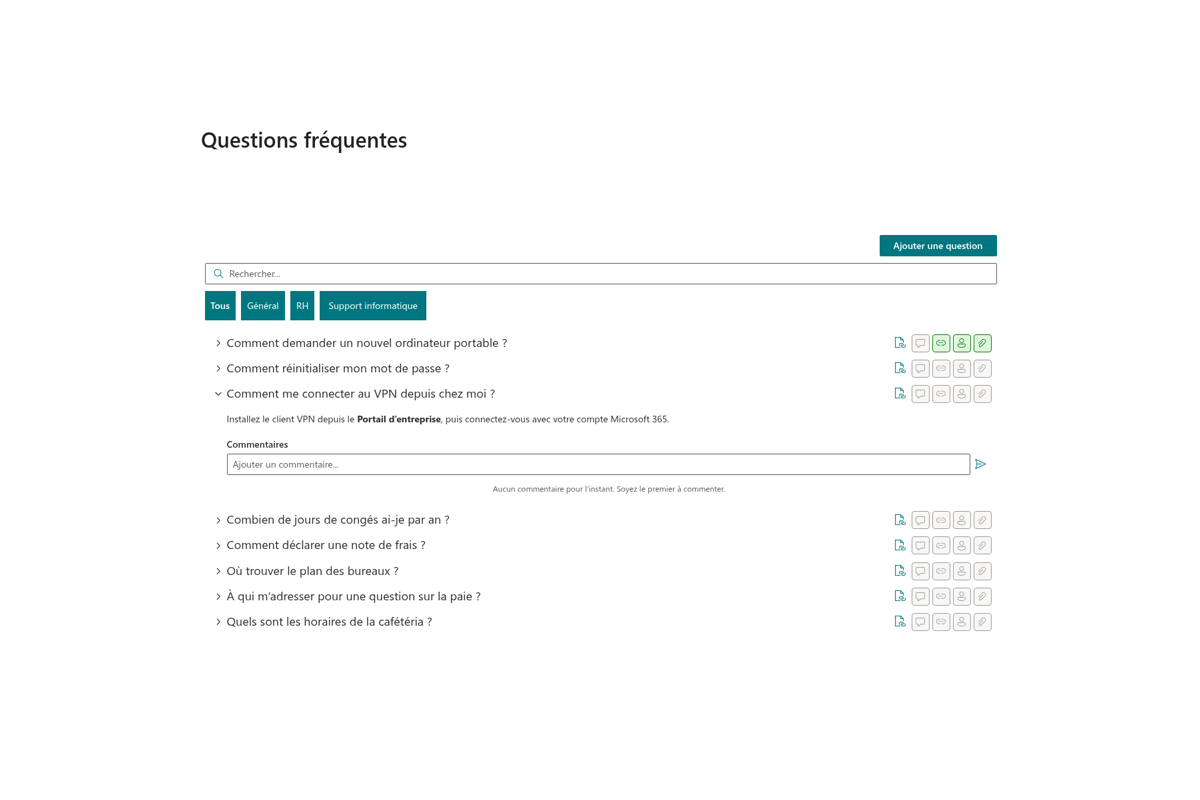
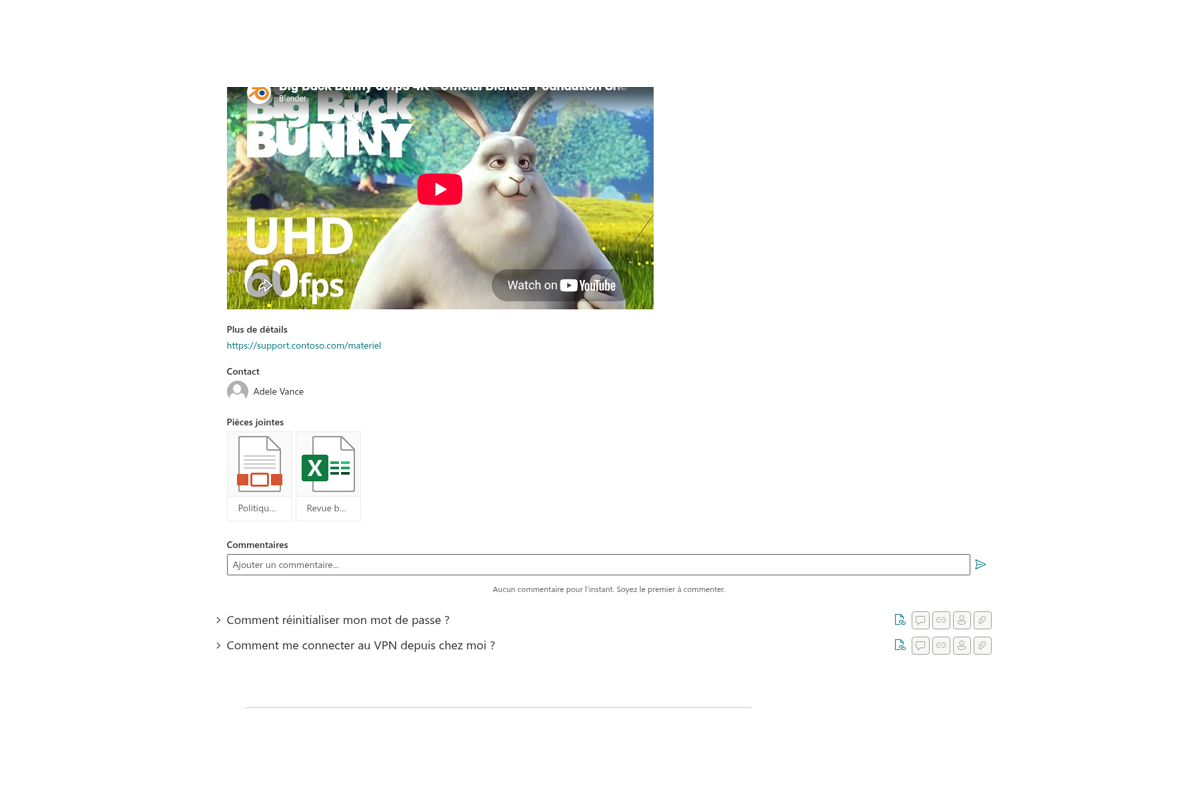
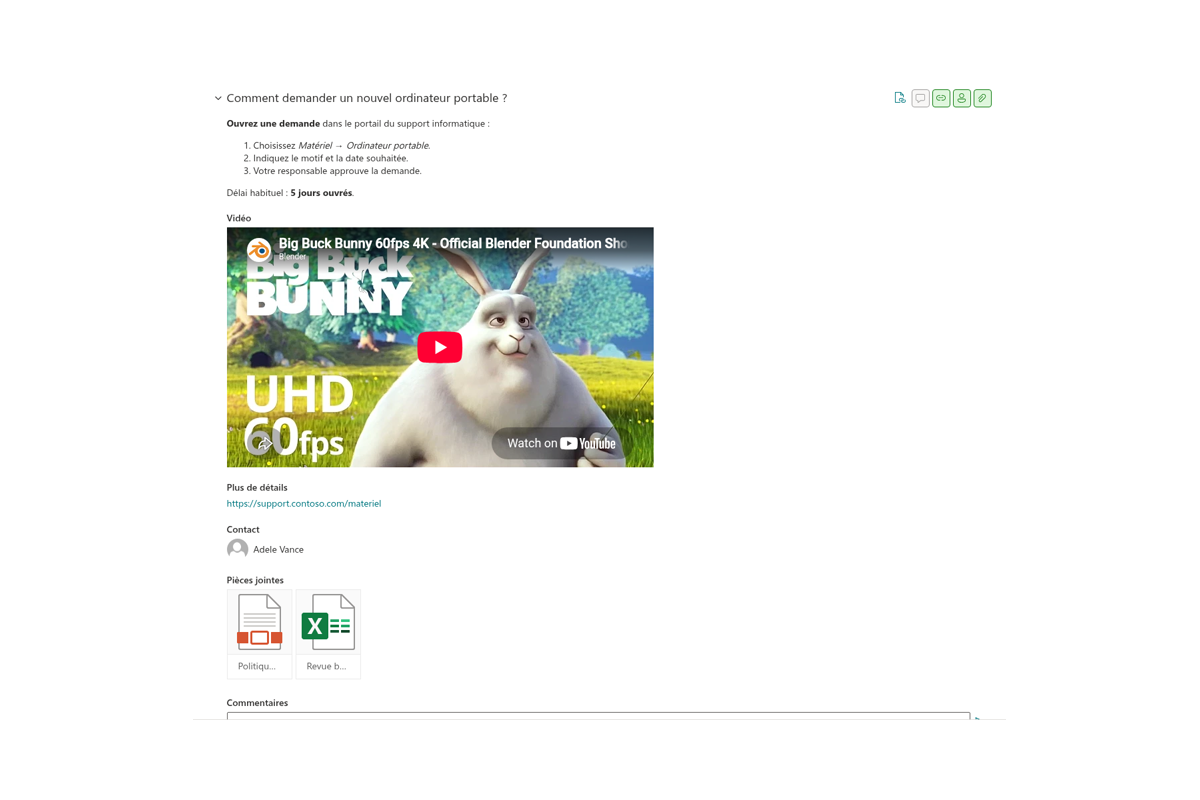
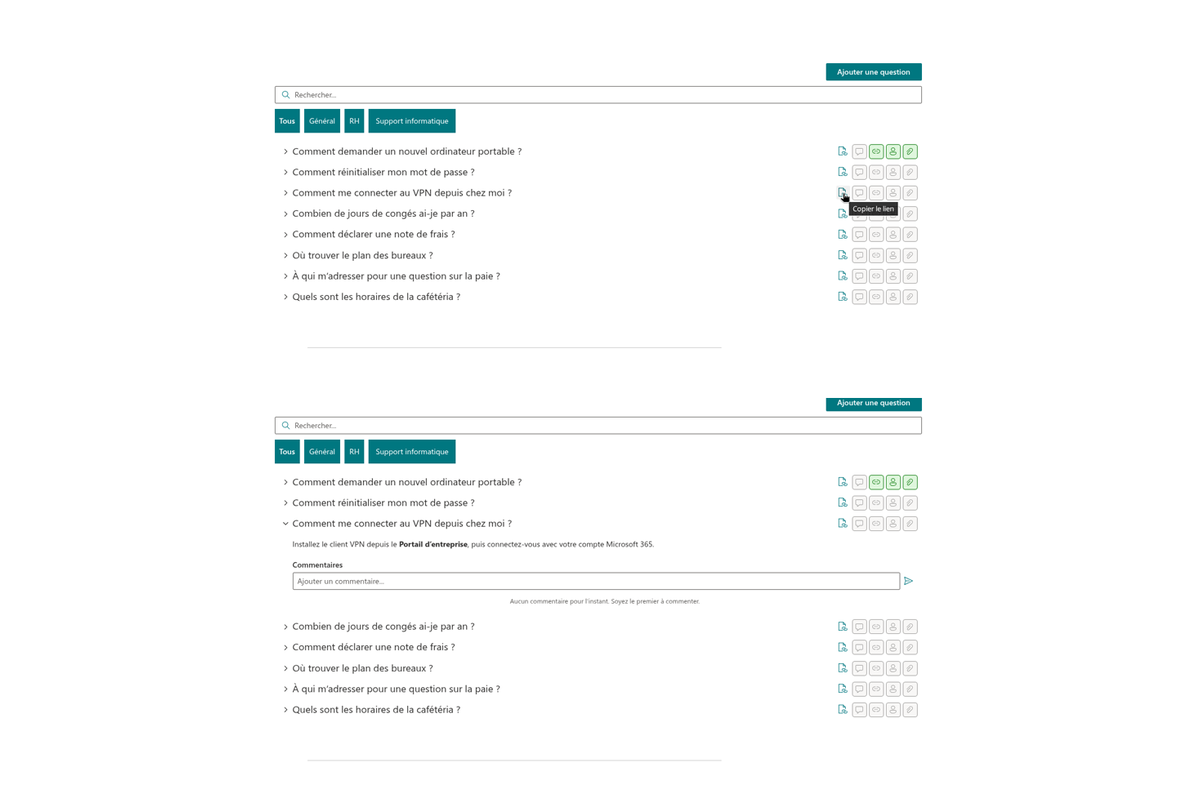
Les questions s'affichent dans une liste accordéon compacte : un titre, puis — d'un clic — la réponse développée. Les réponses prennent en charge la mise en forme Markdown — listes, mise en évidence, liens — de sorte que même les instructions longues restent lisibles. Des icônes indicatrices à côté de chaque question montrent d'un coup d'œil si elle comporte des pièces jointes, des commentaires, un lien utile ou le contact d'un expert.
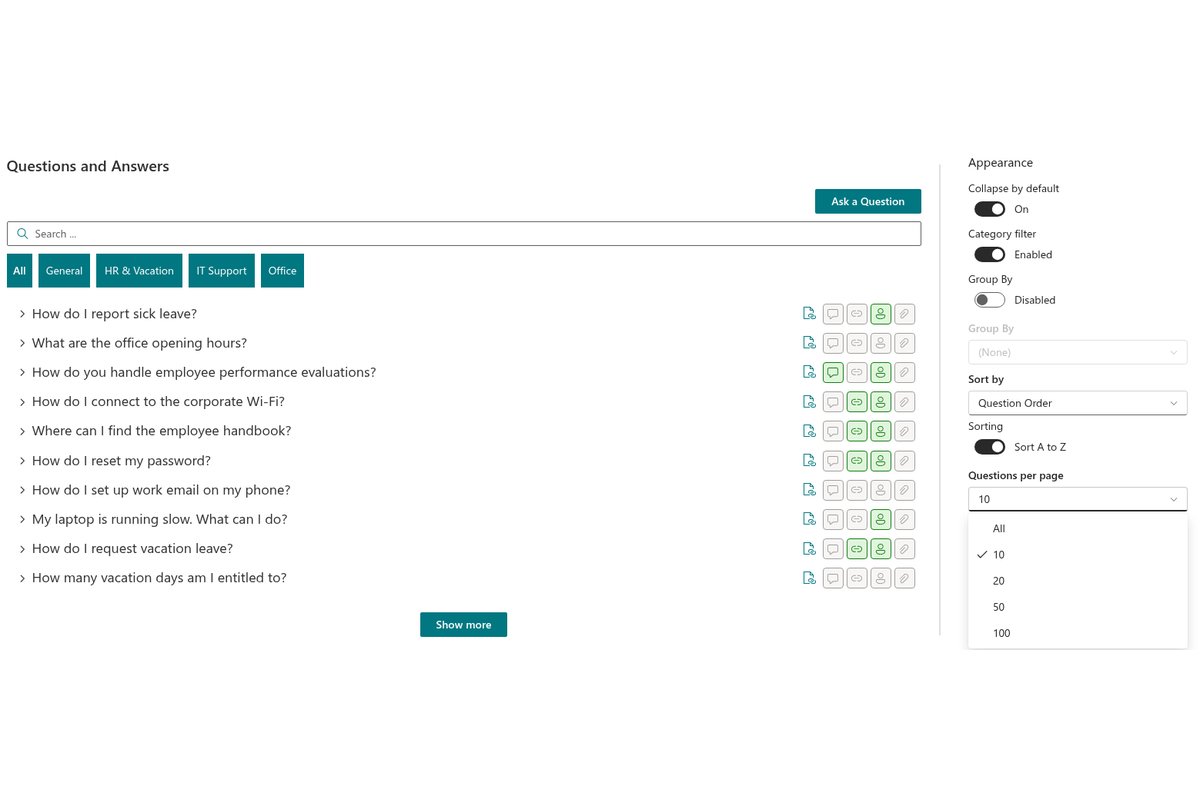
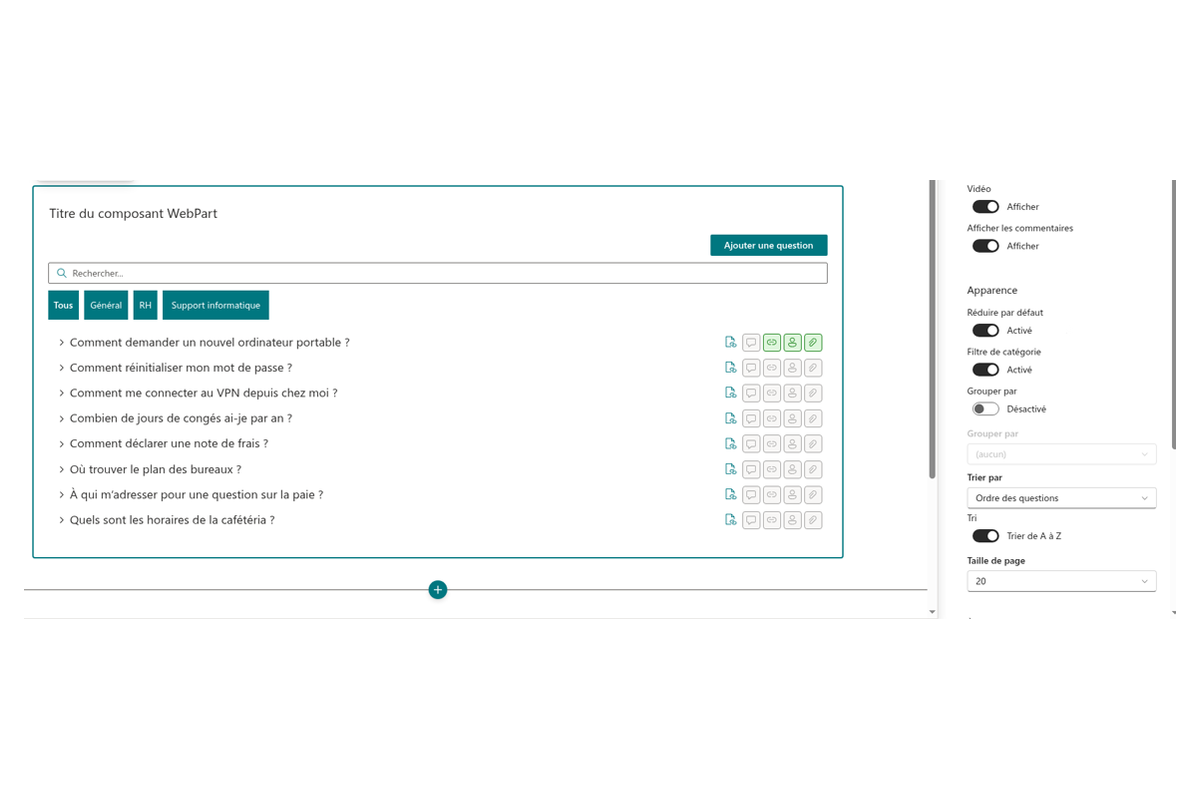
C'est vous qui décidez de l'apparence de la liste : réponses développées ou non par défaut, tri des questions par ordre, titre ou date de création, croissant ou décroissant.
Vos données restent dans votre SharePoint
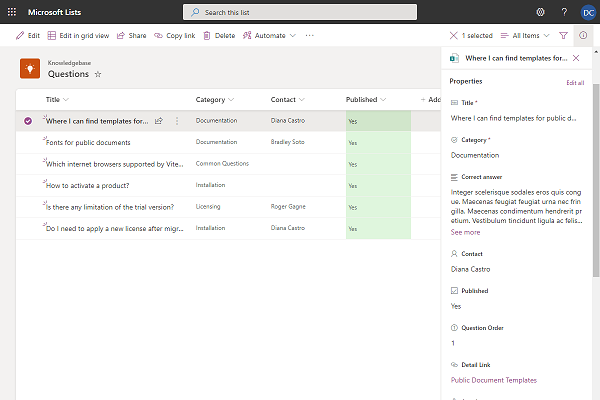
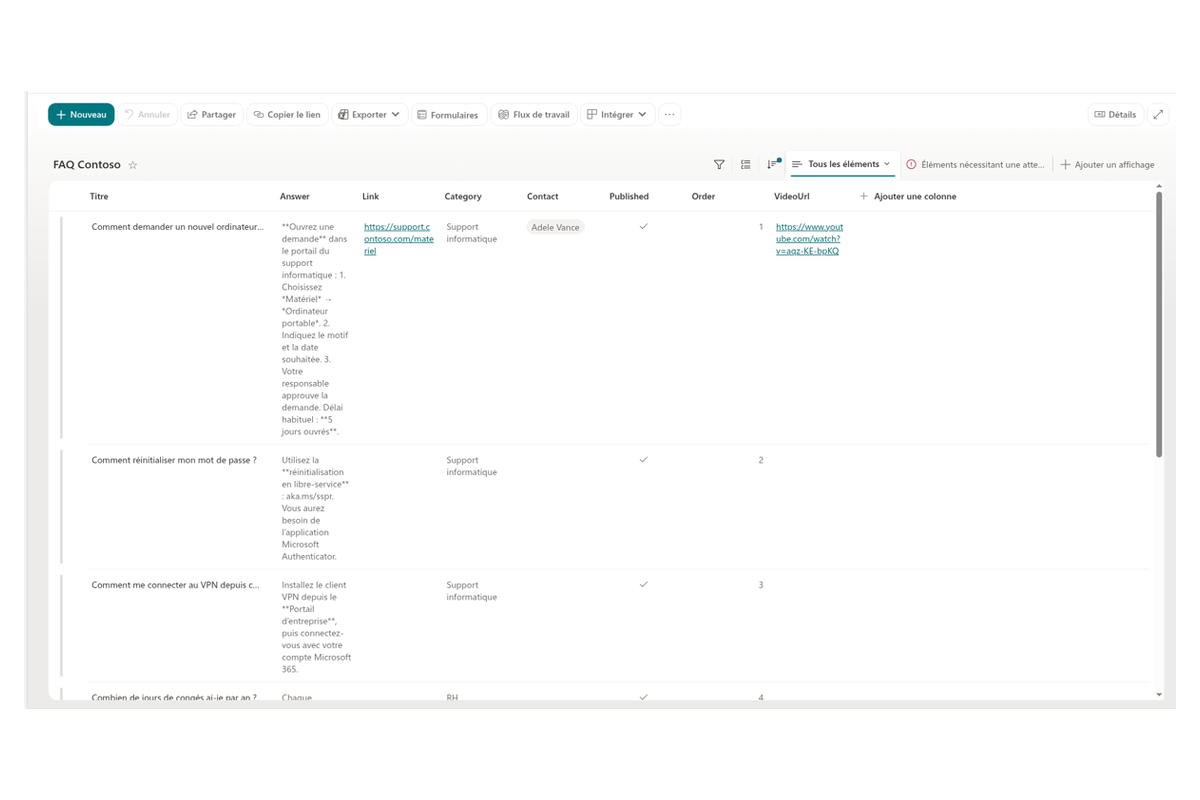
La source de données est une liste SharePoint ordinaire. Lors de la première configuration, le composant crée lui-même une liste avec la structure requise (question, réponse, catégorie, lien, vidéo, contact, ordre, indicateur de publication) ou se connecte à une liste existante adéquate — à vous de choisir.
La publication est contrôlée par un champ dédié Published : les lecteurs ne voient que les questions approuvées, tandis que les brouillons et les demandes non encore traitées restent masqués. Comme tout réside dans une liste standard, vous pouvez modifier le contenu avec les outils SharePoint habituels, partager la liste et gérer ses autorisations, personnaliser ses affichages et ses colonnes, et ajouter de l'automatisation avec Power Automate.
Recherche instantanée dans les questions et les réponses
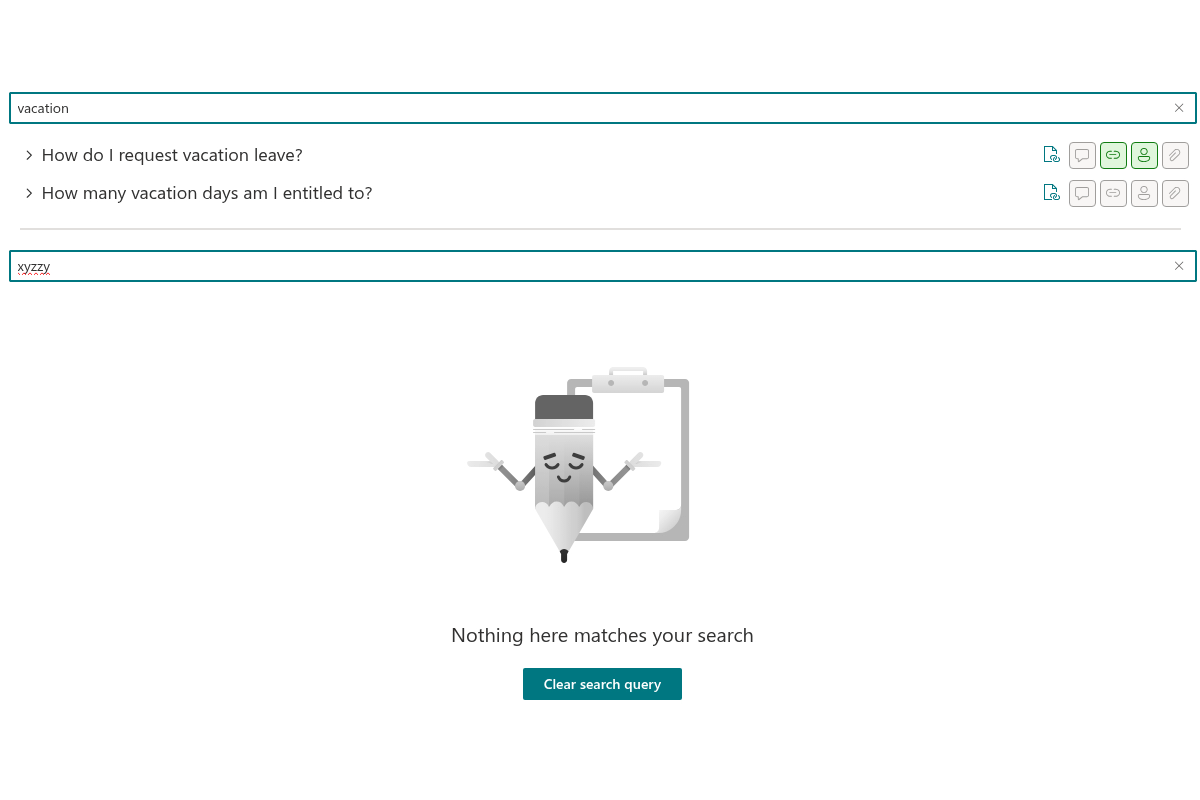
La zone de recherche interroge à la fois le texte de la question, celui de la réponse et le nom de la personne à contacter — inutile de savoir comment la question est formulée dans la base. La recherche fonctionne correctement avec toutes les langues et les caractères spéciaux.
Si rien n'est trouvé, le composant propose d'effacer la requête d'un seul clic et réaffiche la liste complète des questions.
Catégories : regroupement et filtrage
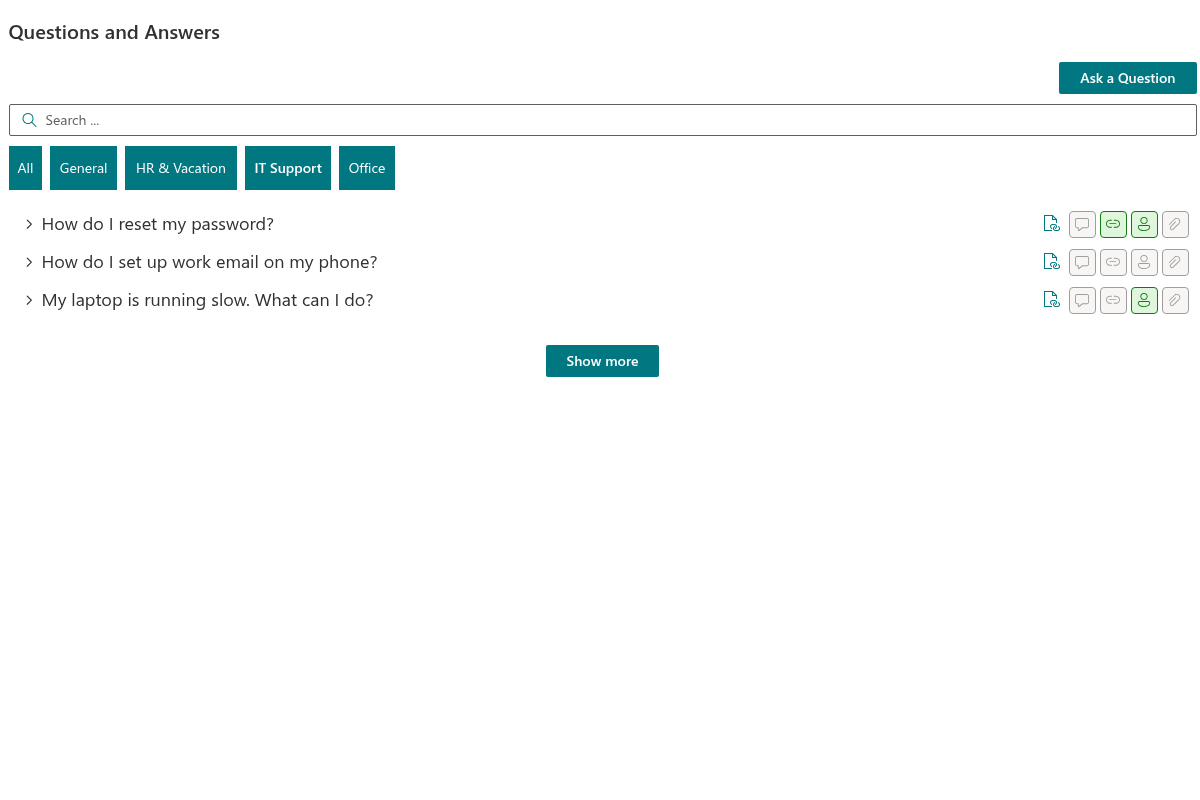
Chaque question peut recevoir une catégorie — « Général », « Congés et arrêts maladie », « Support informatique » ou toute autre que vous créez. Le composant sait regrouper la liste par catégories avec des en-têtes de section explicites.
Pour les grandes bases, activez la barre de filtre : une rangée d'onglets apparaît au-dessus de la liste — All plus un onglet par catégorie. Un clic, et seules les questions du thème choisi restent à l'écran. Le filtre fonctionne de pair avec le regroupement, le tri et la recherche.
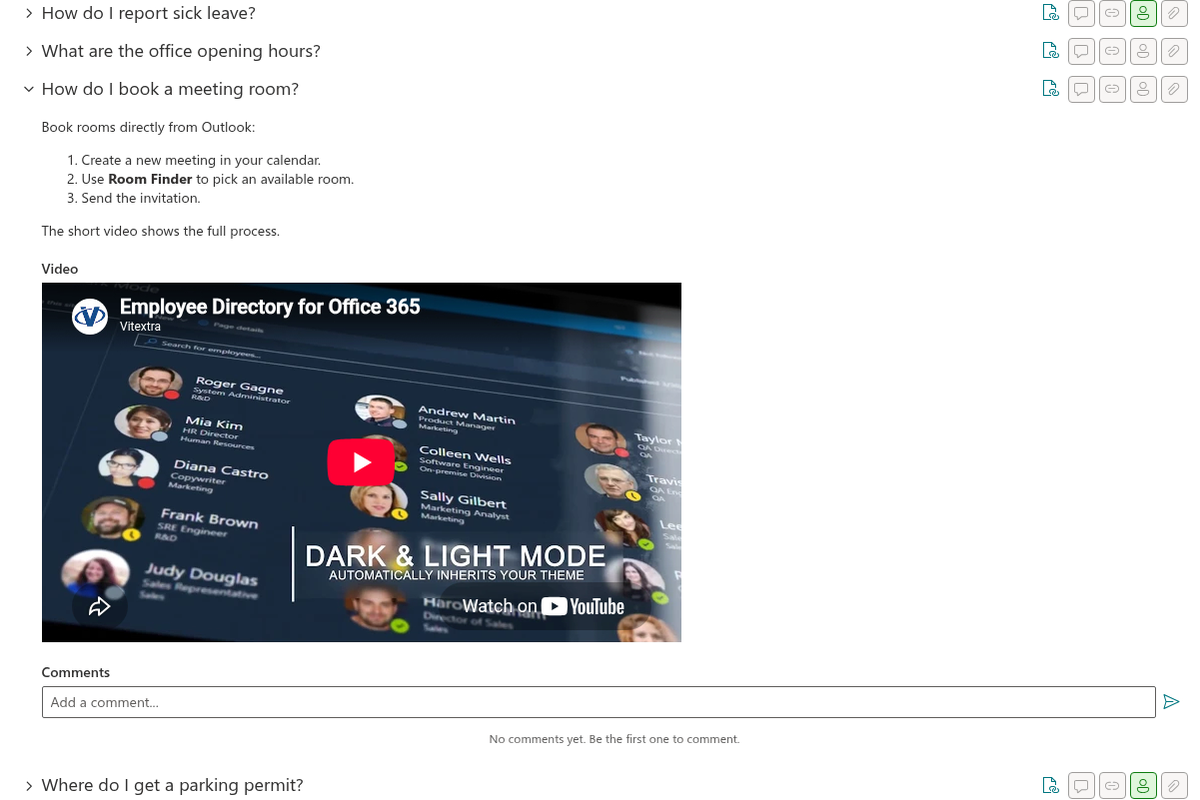
Réponses vidéo
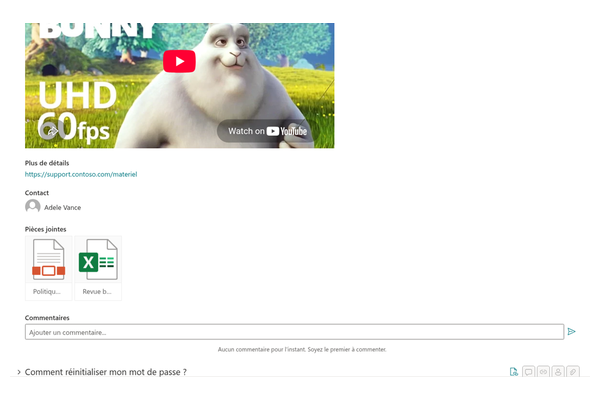
Parfois, une courte vidéo explique mieux qu'un long texte. Ajoutez un lien vidéo à une question et la vidéo apparaît directement dans la réponse : les vidéos YouTube et Vimeo se lisent dans un lecteur intégré, les fichiers vidéo (MP4, WebM, OGG) dans un lecteur HTML5 intégré, et les liens vers d'autres sources s'affichent comme des hyperliens classiques.
L'affichage des vidéos s'active et se désactive d'un simple commutateur dans les paramètres du composant.
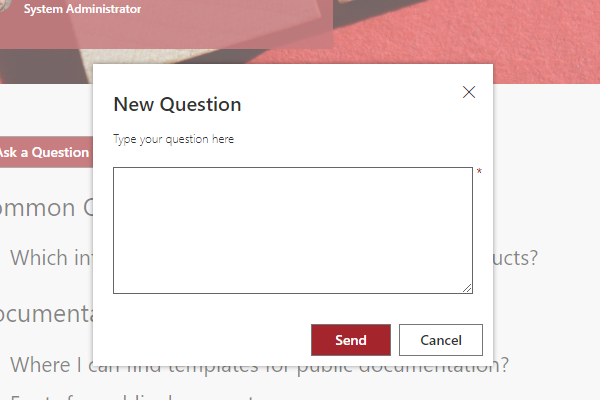
Les collaborateurs posent leurs propres questions
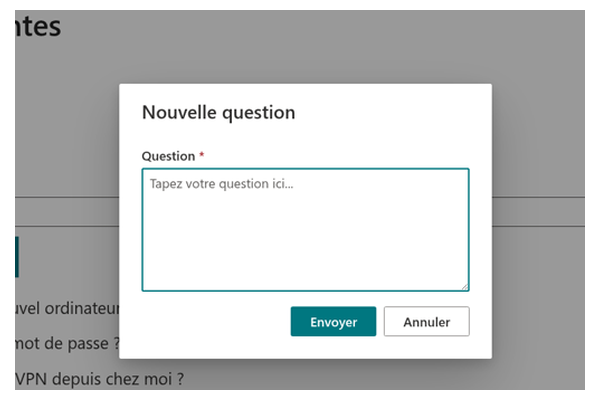
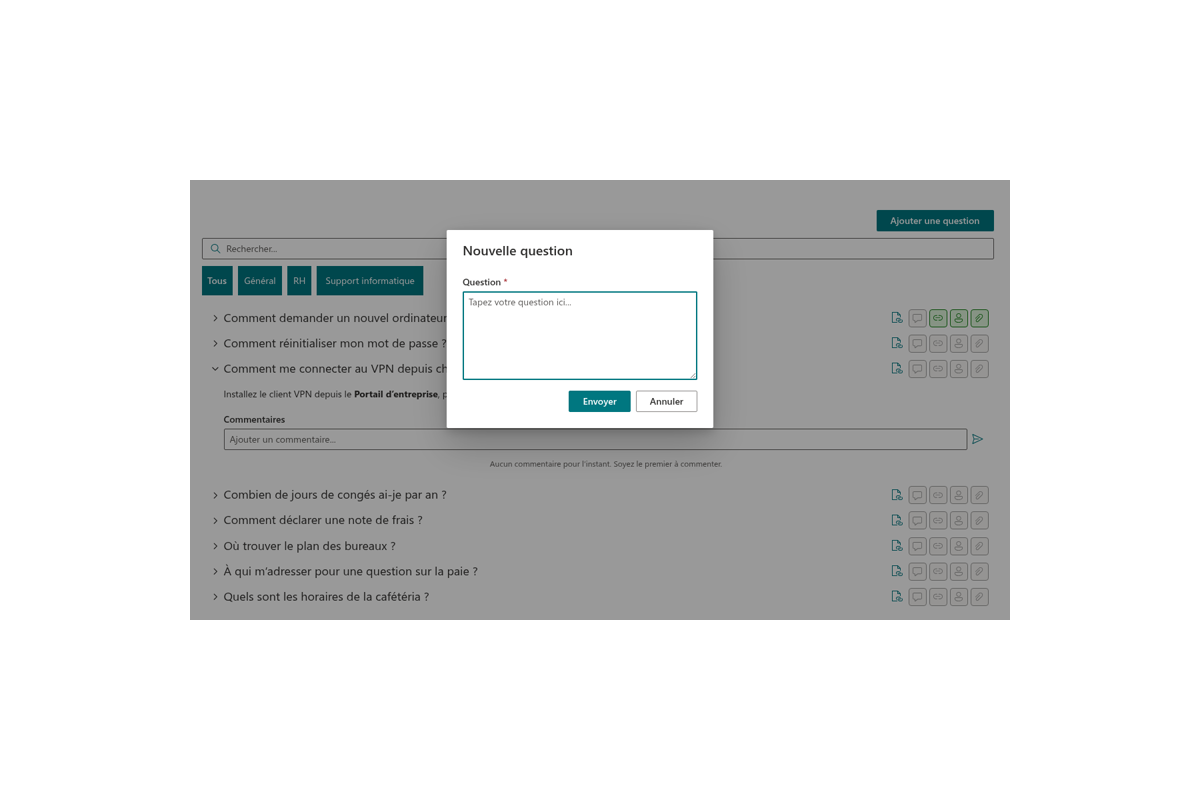
Le bouton Ask a question ouvre un formulaire simple : le collaborateur décrit son problème, et la demande arrive dans la liste comme élément non publié. Un expert prépare la réponse et publie la question — la base de connaissances grandit d'elle-même, à l'image des besoins réels des équipes.
Le bouton n'est affiché qu'aux personnes autorisées à ajouter des éléments à la liste : le composant vérifie les autorisations SharePoint effectives, pas un simple paramètre.
Discussions avec mentions de collègues
Chaque question peut recevoir des commentaires : préciser des détails, partager une expérience, compléter la réponse. Les mentions de @collègues sont prises en charge, avec une carte de profil Microsoft 365 dynamique au survol. Le composant utilise les commentaires standard des listes SharePoint, si bien que les personnes mentionnées reçoivent leurs notifications habituelles.
Les longues discussions se replient automatiquement : les derniers commentaires sont affichés, les autres s'ouvrent via le lien Show more.

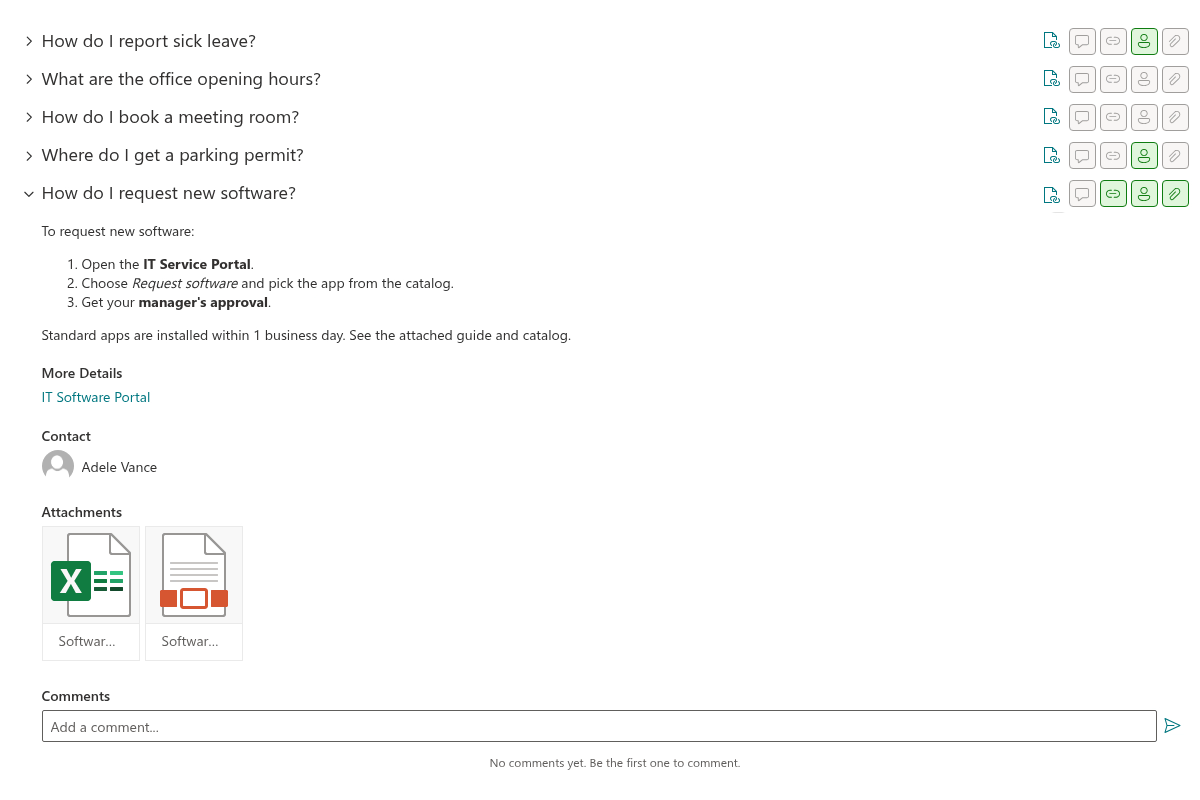
Pièces jointes, liens utiles et expert du sujet
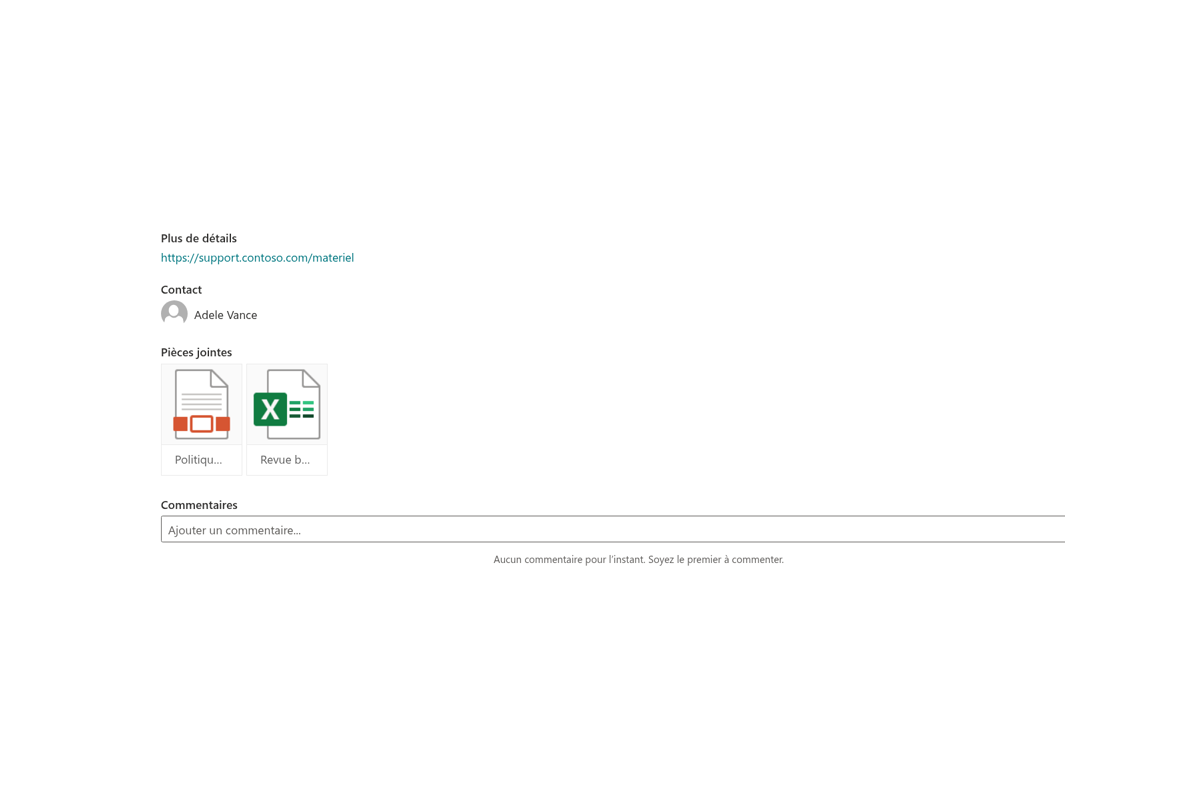
Des fichiers peuvent être joints à une question — guides, formulaires, règlements : ils s'affichent sous forme de cartes avec des icônes de type de fichier reconnaissables. Le champ Link renvoie vers un contenu détaillé — page de politique interne, article, ressource externe. Et le champ Contact présente l'expert du sujet avec une carte de profil dynamique : on voit immédiatement à qui s'adresser si la réponse ne suffit pas.
Chacun de ces blocs s'active ou se désactive séparément dans les paramètres du composant.
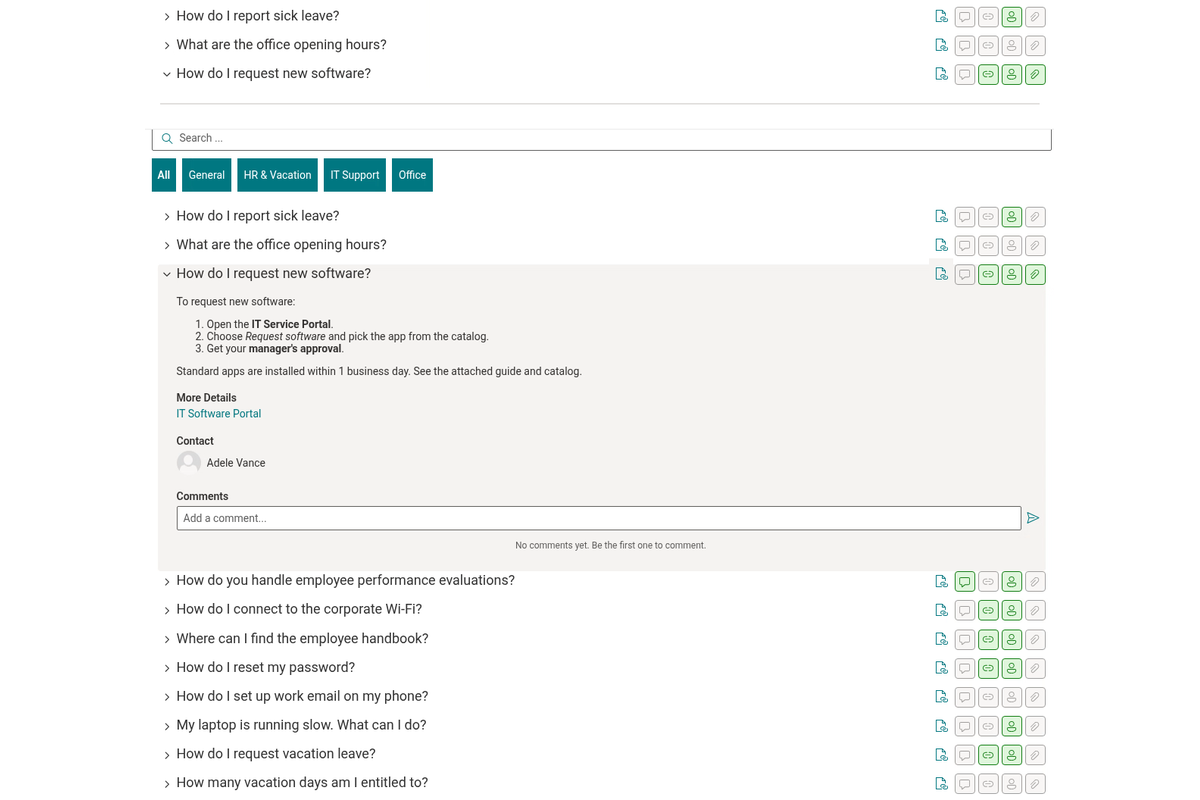
Un lien vers la question exacte
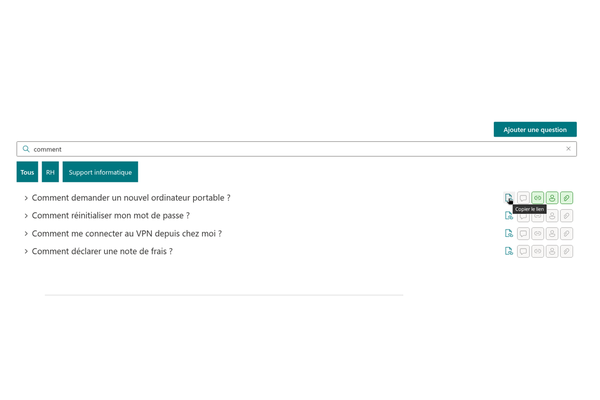
Chaque question possède son propre lien. Un bouton dans l'en-tête le copie dans le presse-papiers — envoyez le lien à un collègue par messagerie, et la page s'ouvre avec la question déjà développée et mise en évidence, l'écran défilant automatiquement jusqu'à elle.
C'est très pratique pour le support : au lieu de réécrire une réponse, envoyez le lien vers la question toute prête de la base de connaissances.
Rapide même sur les grandes bases de connaissances
Pour les bases comptant des centaines de questions, activez le chargement par pages : le composant charge et affiche les questions par lots de 10, 20, 50 ou 100, et le bouton Show more charge la page suivante. Le tri s'effectue côté serveur, l'ordre des questions est donc toujours correct.
La page reste légère et réactive quelle que soit la taille de la base — sur ordinateur comme sur appareils mobiles.
Fonctionne directement dans Microsoft Teams
Ajoutez Questions and Answers comme onglet dans Microsoft Teams : la base de connaissances se trouve là où vos collaborateurs passent leur journée de travail. Aucun changement d'application : question, réponse, discussion — tout dans une seule fenêtre.
Le composant est entièrement responsive et aussi confortable sur ordinateur de bureau que sur tablette ou smartphone.

Parle la langue de vos collaborateurs
L'interface du composant est localisée en 48 langues — de l'anglais, l'allemand et le français à l'arabe, l'hébreu, le japonais et le chinois. Chaque collaborateur voit les boutons, libellés et messages dans la langue de son profil Microsoft 365, et les dates relatives (« il y a 3 jours ») s'affichent dans le format naturel de sa langue.

S'adapte à votre thème
Questions and Answers adopte automatiquement le thème du site et vos couleurs de marque — y compris le mode sombre et les variantes de thème des sections de page. Les polices sont héritées des paramètres du site : la base de connaissances a l'air d'une partie naturelle de votre portail, pas d'un widget tiers.
Le titre du composant se modifie directement sur la page, comme pour les composants WebPart SharePoint standard.
La sécurité par conception
Toutes les données — questions, réponses, pièces jointes, commentaires, évaluations — sont stockées dans une liste SharePoint de votre site et ne quittent jamais votre client Microsoft 365. L'accès est régi par les autorisations SharePoint standard : qui peut lire, qui peut poser des questions, qui peut publier des réponses. Le composant respecte ces autorisations automatiquement, sans aucune configuration supplémentaire.
Questions des clients
Quelques questions fréquentes sur Questions & Answers
Qu'est-ce que Questions & Answers ?
Questions & Answers est un composant WebPart pour SharePoint Online et Microsoft Teams qui permet de créer une FAQ interne ou une base de connaissances de type questions-réponses. Les utilisateurs posent leurs questions directement depuis le composant WebPart, les collègues et les experts métier y répondent, et la communauté vote pour les réponses les plus utiles. Les questions peuvent être regroupées par catégorie et enrichies d'un lien vers une ressource, d'une personne à contacter et de pièces jointes. Consultez la page du produit.
Où les données sont-elles stockées ?
Toutes les questions et réponses sont stockées dans une liste Microsoft sur votre site SharePoint. Vous pouvez ainsi gérer les autorisations à l'aide des autorisations de liste standard, créer des affichages et des colonnes personnalisés et automatiser des processus avec Power Automate — et vos données ne quittent jamais le tenant. La configuration est décrite dans le guide de démarrage rapide pour l'administrateur.
Les utilisateurs peuvent-ils effectuer une recherche avant de poser une question ?
Oui. Le composant WebPart comprend une recherche par mots-clés et par expression dans toute la base de connaissances, ce qui permet d'éviter les questions en double. Les utilisateurs peuvent également aimer des questions, commenter des éléments et voter pour les réponses afin que la meilleure réponse remonte en tête.
Prend-il en charge la mise en forme des questions et des réponses ?
Oui. Les questions et les réponses prennent en charge la syntaxe Markdown, de sorte que les auteurs peuvent ajouter des titres, des listes, des blocs de code et des liens. L'apparence du composant WebPart est personnalisable, hérite du thème du site SharePoint et prend en charge le Brand Center de SharePoint.
Quelles plateformes et langues sont prises en charge ?
Questions & Answers prend en charge SharePoint Online et Microsoft Teams (en tant qu'onglet de canal) et est localisé dans environ 40 langues d'interface, dont l'anglais, l'allemand, le français, le japonais, le letton et le russe. SharePoint Server en local (on-premises) n'est pas pris en charge. Les étapes d'installation figurent dans Installer un produit cloud.
Évaluations
Pas encore d’avis
Langues prises en charge
Langues prises en charge
Plateformes
Plateformes prises en charge
Modifications récentes
- v26.10.6 #
🚀 Nouvelles fonctionnalités
- Réponses vidéo — la colonne VideoUrl s'affiche désormais directement dans la réponse : les liens YouTube et Vimeo sont lus dans un lecteur intégré, les fichiers vidéo directs (MP4, WebM, OGG) dans le lecteur HTML5 natif, et tout autre lien apparaît sous forme de lien hypertexte classique. Le comportement est contrôlé par la nouvelle option Vidéo.
- Liens vers les questions (liens profonds) — chaque question peut désormais être adressée par URL (
?questionId=N) : la page s'ouvre avec la question développée, défile jusqu'à elle et la met brièvement en surbrillance. Un nouveau bouton dans l'en-tête de la question copie le lien dans le presse-papiers. - Filtre par catégorie — une barre de filtre facultative au-dessus de la liste, avec « Toutes » et l'ensemble des catégories présentes dans les questions ; elle fonctionne conjointement avec le regroupement, le tri et la recherche.
- Chargement par pages — les questions peuvent désormais être chargées par lots avec un bouton « Afficher plus ». Le nouveau paramètre Questions par page propose Toutes / 10 / 20 / 50 / 100 ; le tri est effectué côté serveur, de sorte que l'ordre reste correct d'une page à l'autre. Les instances existantes du composant WebPart conservent le comportement précédent (« Toutes »).
Rechercher d'autres applications
Applications suggérées
Partager
Envoyer des commentaires
Nous aimerions avoir de vos nouvelles ! Parlez-nous de votre expérience.