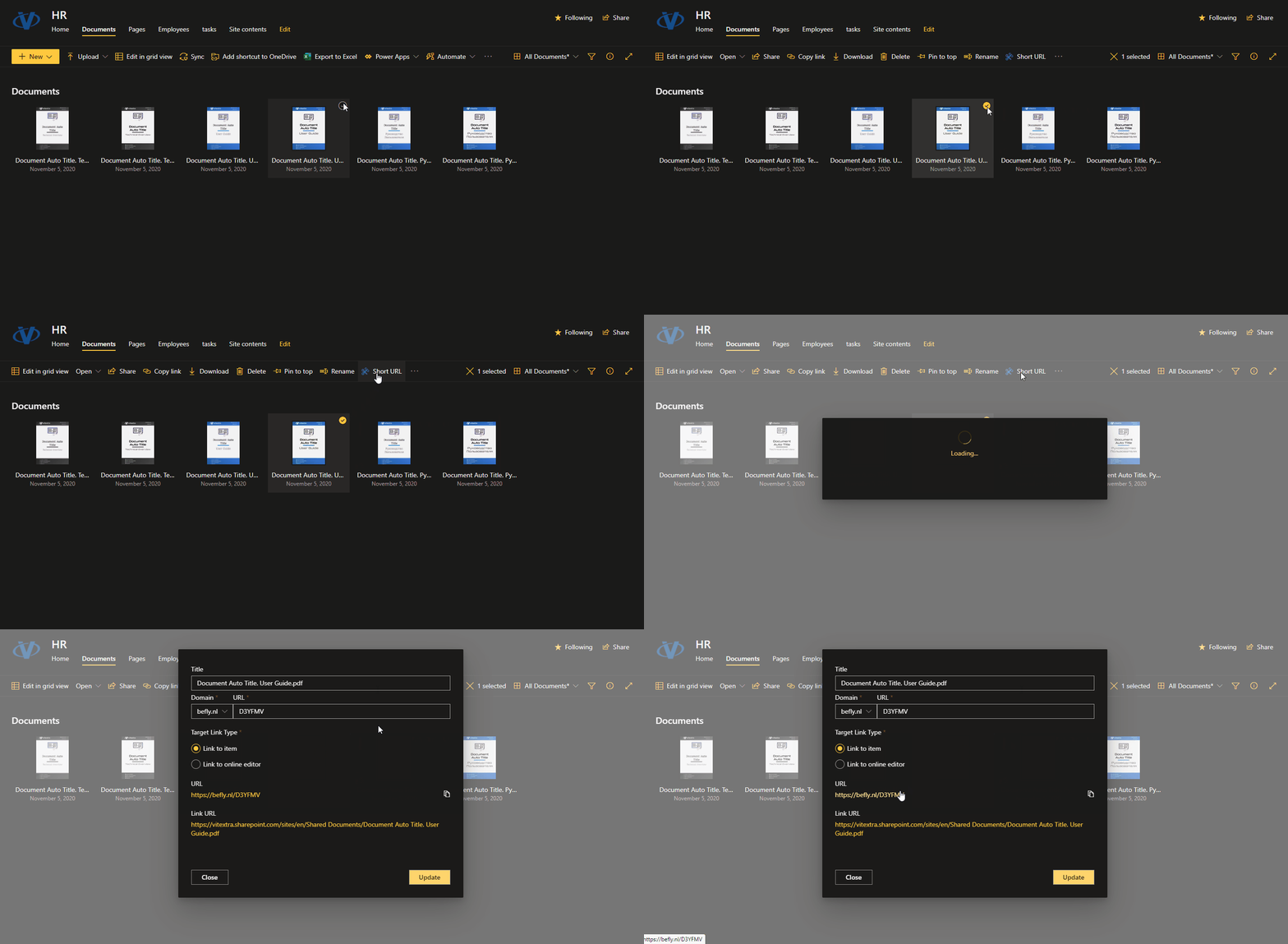
Short URL Online
 This article describes how to deploy and set up Vitextra Short URL Online in a Microsoft 365 tenant.
Installation Package
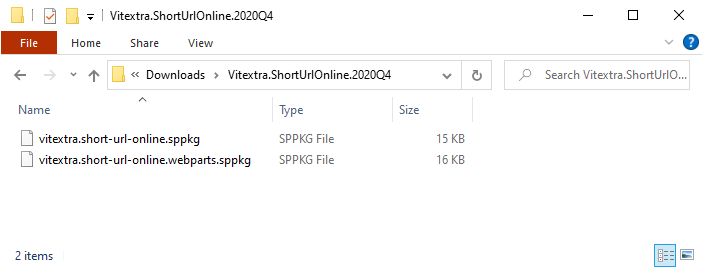
The Short URL Online installation package contains two .sppkg files:
- vitextra.short-url-online.sppkg
- vitextra.short-url-online.webparts.sppkg
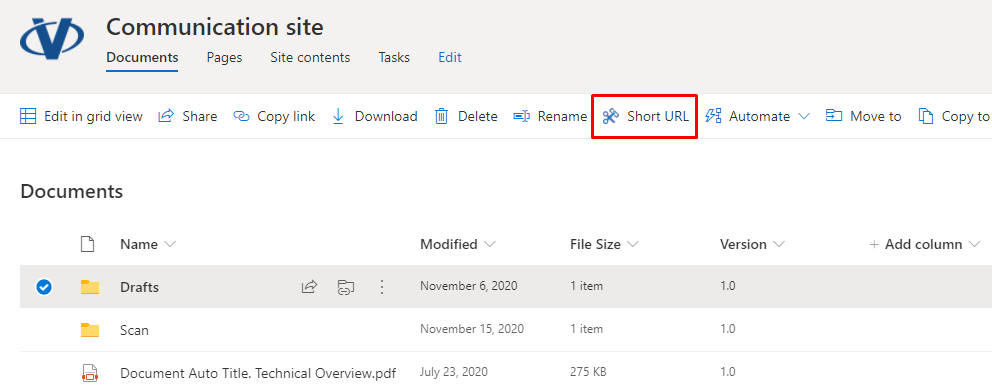
The vitextra.short-url-online.sppkg package contains a command bar extension for shortening the URL of a document or folder.
📝 Note
The command bar extension can't be deployed globally. You must add the app to each SharePoint site where you want to enable the command bar extension.
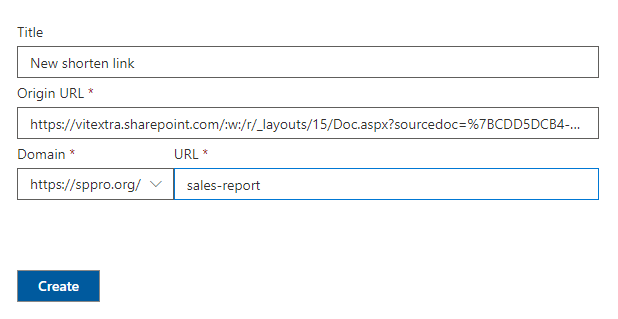
The vitextra.short-url-online.webparts.sppkg package contains a web part for creating a shortened link to any content.
📝 Note
The Short URL web part is available immediately once the package is deployed to the SharePoint App Catalog.
Deploy
Open the SharePoint App Catalog and upload the .sppkg files from the installation package.
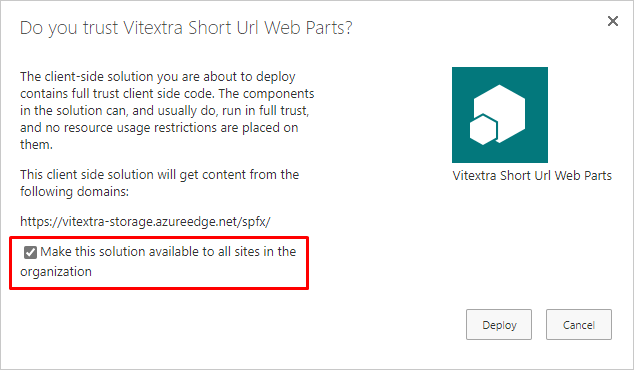
When a file is uploaded, SharePoint displays a confirmation dialog. Click Deploy to confirm the operation. When deploying the Short URL Online web part, select the Make this solution available to all sites in the organization checkbox to allow global deployment.
💡 Tip
If you need only the web part or only the command bar extension, you can deploy the appropriate package and ignore the other one.
Command Bar Extension
The Short URL command bar extension lets users create shortened links to any document or folder with a single click. You must activate this feature on each site where you want to use the Short URL command bar extension.
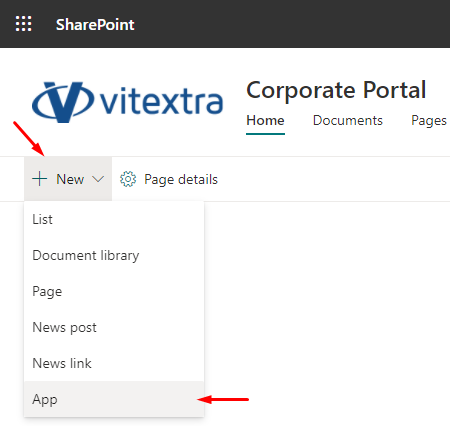
Select New > App on the site command bar.
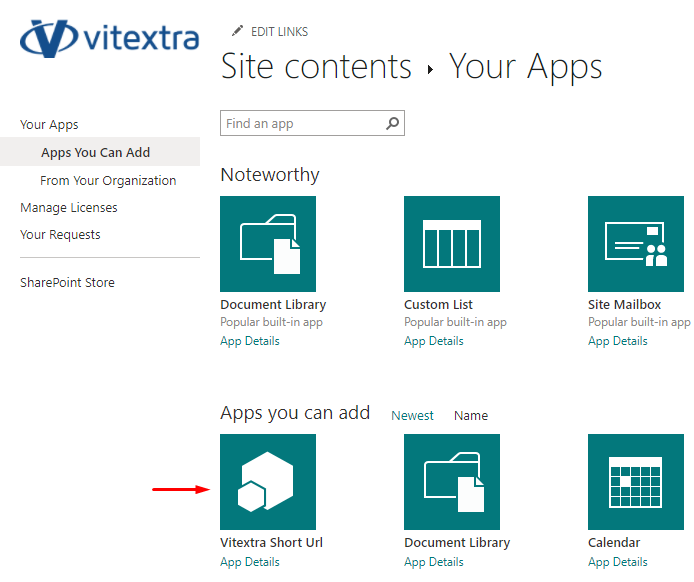
Under the Apps you can add heading, select Vitextra Short URL.
It takes a couple of minutes to activate the feature on the site.
Once the app is installed, users can use the extension in all document libraries on the site.