このコンテンツはお使いの言語では利用できません。

This article describes how to uninstall Vitextra products from an on-premise environment.

Preconditions

SharePoint Services

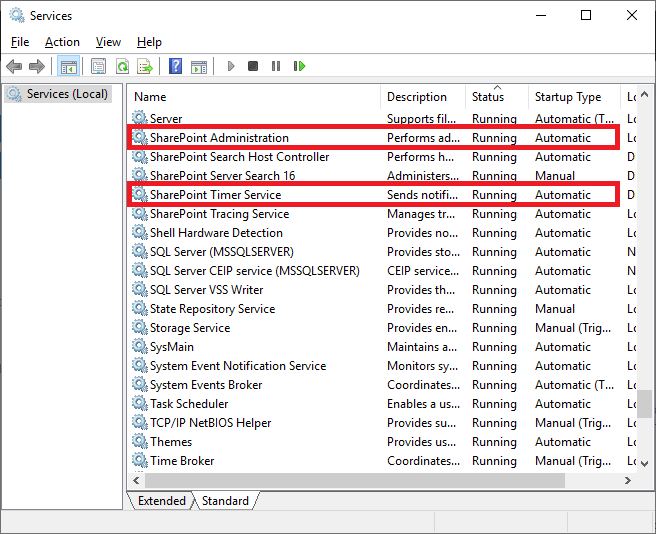
Before the uninstalling process, please make sure these services are running on the SharePoint Server:

  • SharePoint Administration
  • SharePoint Timer Service

Services running on the server

Services running on the server

Required Permissions

To perform the uninstalling procedure, you must have the following permissions and rights:

  • Member of the local server Administrators group
  • Member of the Farm Administrators group

Installation package

Download the zip file (*.zip) of the product from the downloads page and unpack it to the SharePoint Front-End server where the uninstalling process will be performed.
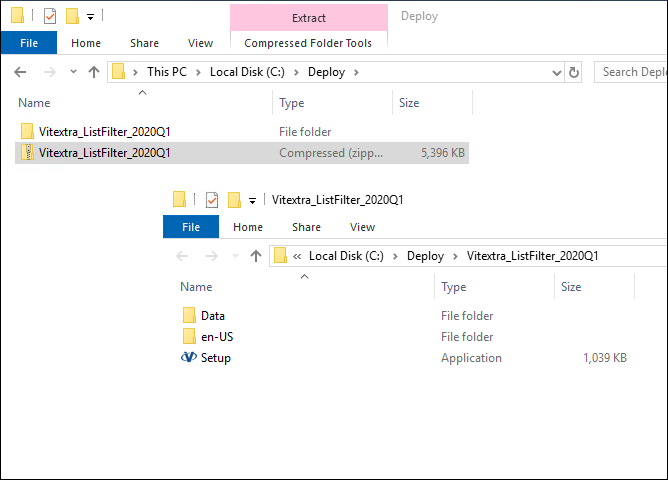
Extracted installation package

Extracted installation package

Uninstalling

To uninstall Vitextra product, run the product installer and select Uninstall:
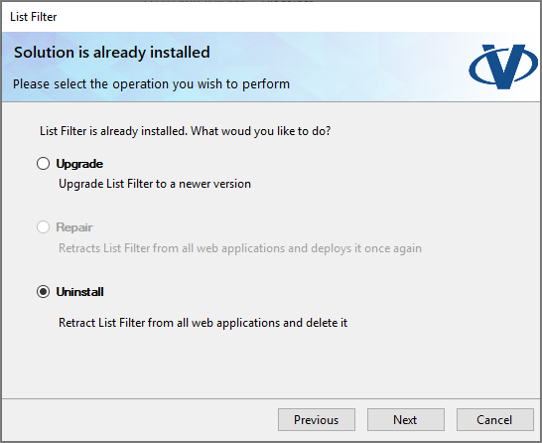
Vitextra product installer

Vitextra product installer

Click Next and wait until the uninstallation process is completed.
注目の記事

Employee Details: プロフィールの完成度と 100% にする方法

Vitextra Employee Details の「プロファイルの完成度」カードが何をカウントするのか、同じ重みの 7 つの基準 (写真、説明、3 つ以上のスキル、言語、ソーシャル アカウント、電話番号、オフィスの所在地)、割合の計算方法、カードを表示できるユーザー、不足している項目の入力方法を説明します。

1 2026/10/18
My Tasks Web パーツを追加して構成する方法

Vitextra My Tasks Web パーツを SharePoint Online のページに追加して構成する手順を説明します。データ ソース、並べ替え、行の制限、表示、除外ステータス、自動更新、列、ライセンス情報の設定方法がわかります。

1 2026/10/17
Azure DevOps Query Viewer: クイック アクション (状態の変更、割り当て、期限の設定、コメントの追加)

SharePoint を離れずに Azure DevOps の作業項目を更新する方法です。Vitextra My Tasks (Azure DevOps Query Viewer) でクイック アクションを有効にし、行のメニューから状態の変更、割り当て、期限の設定、コメントの追加を行います。必要なアクセス許可、ダイアログ、エラー時の対処も説明します。

1 2026/10/18

共有