Šis saturs nav pieejams jūsu valodā.

Set the starting folder

Use a starting folder to show a department or project branch immediately, instead of opening the whole library.

  1. Edit the page and open Settings → Source.
  2. Select the site and Document library first.
  3. In Starting folder (server-relative path), enter the existing server-relative path, for example /sites/hr/Shared Documents/Policies.
  4. Enter spaces, % and # literally. Do not paste a full URL or pre-encode the path.
  5. Save or republish the page and verify that the intended folder opens.

Choose the navigation boundary

Enable Restrict navigation to the starting folder to make the starting folder the top of the visible branch. The tree, breadcrumbs and folder links cannot navigate above it inside this web part. When this setting is off, the starting folder still opens first, but the library root is available for navigation. An empty starting-folder setting uses the library root.

❗ Important
The navigation boundary is not a security boundary. Users retain their SharePoint permissions. Open in library opens the full library interface; disable that action if you do not want to offer this route from the web part.

Check an invalid location

The starting folder must belong to the selected library. If the folder has been renamed, deleted or made inaccessible, correct its path or permissions. A deep link outside the allowed branch does not override the configured navigation root.

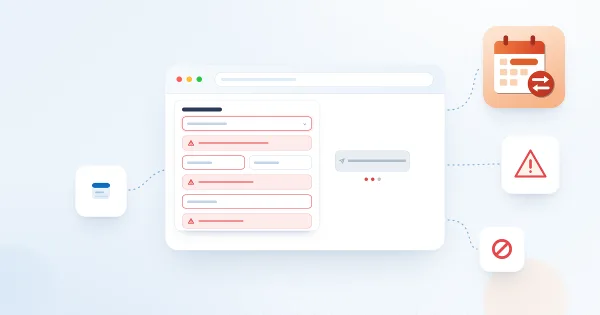
A starting folder used as the navigation root

A starting folder used as the navigation root

Jautājumi un atbildes

Uzdodiet jautājumu par šo rakstu un saņemiet oficiālu atbildi no mūsu komandas.

Vēl nav jautājumu. Uzdodiet pirmo jautājumu.

Izvēlētie raksti

Kāpēc nevar iesniegt prombūtnes pieprasījumu: ziņojumi un risinājumi

Problēmu novēršanas ceļvedis Vitextra Absence & Coverage tīmekļa daļai My Absences: visi ziņojumi, kas liedz iesniegt prombūtnes pieprasījumu - nav prombūtnes veidu, nav norādīti datumi, nav darba dienu, pieprasījumi pārklājas, nepietiekams atlikums, nav atrasts apstiprinātājs, saraksti nav atrasti - ar cēloni un risinājumu darbiniekam un administratoram.

68 6 min
API atļaujas un administratora piekrišana Discussions

Uzziņa SharePoint administratoriem un drošības pārbaudītājiem: Vitextra Discussions pakotne nepieprasa Microsoft Graph vai citas API atļaujas, tai nav nepieciešama administratora piekrišana vai Microsoft Entra lietotnes reģistrācija, un tā darbojas tikai ar SharePoint vietņu SharePoint API (REST un CSOM) starpniecību pierakstījušā lietotāja kontekstā. Kas parādās lietotņu katalogā un lapā API piekļuve, ko deklarē Teams lietotne, kas tiek sūtīts Vitextra un kur atrodas neobligātās Power Automate plūsmas e-pasta atļauja.

65 5 min
Questions and Answers: biežāk uzdotie jautājumi

Īsas atbildes uz biežākajiem jautājumiem par Vitextra Questions and Answers tīmekļa daļu pakalpojumiem SharePoint Online un Microsoft Teams: kur glabājas saturs, kā savienot esošu sarakstu, Markdown un bagātinātas atbildes, meklēšana un kategorijas, darbinieku jautājumi un moderēšana, komentāri un dziļās saites, atļaujas, Teams, valodas un dizaini, licencēšana un izmēģinājuma periods.

68 6 min

Kopīgot