Turn Microsoft 365 into a workplace people actually love
Ready-to-use apps for SharePoint and Teams - employee directory, org charts, intranet communications, and productivity tools. Install from AppSource in minutes. No consultants, no code, no per-user fees.
14-day full-featured trial · One flat price per tenant, unlimited users · Cancel anytime


Trusted by teams around the world - from credit unions to city governments















Your intranet shouldn't take six months and a consulting budget
Out of the box, SharePoint gives you the platform - not the workplace. Finding a colleague takes three clicks too many, company news gets lost, and simple things like filtering a list or polling the team turn into IT tickets.
The usual alternatives are painful: intranet-in-a-box platforms that cost tens of thousands per year, or custom development you'll be maintaining forever.
Vitextra is the third way: 23 focused, production-ready apps that snap into the SharePoint and Teams you already own. Pick what you need, install it today, and get 90% of a premium intranet at a fraction of the cost.
Custom development
More than six months of budget planning, specifications and development, followed by code you will have to maintain indefinitely.
Intranet-in-a-box
Tens of thousands per year for a portal on the side of the tools you already pay for.
Vitextra
Live today - focused apps inside your own SharePoint and Teams, at a fraction of the cost.
What do you want to fix first?
Find and understand your people
Give everyone a single place to find colleagues, see who reports to whom, and keep profiles complete and current.
Employee Directory Organizational Chart Employee Details User Insights
See people & org appsCommunicate so people actually notice
Publish announcements that don't get scrolled past, run quick polls, host Q&A, and build engaging intranet pages without a designer.
Announcements Carousel Smart Tiles Quick Poll Questions & Answers Discussion Board Video Library RSS Reader
See communication appsWork faster with your data
Filter huge lists in seconds, search across sites, track your tasks in one view, share short links, and keep team credentials safe.
List Filter Online Smart Search My Tasks Short URL Online Password Vault QR Code Generator Stock Quotes
See productivity appsStill on SharePoint Server?
We haven't forgotten on-premises. Battle-tested farm solutions for SharePoint 2013–2019 and Subscription Edition - one-time license, no subscription.
List Filter Quick Filter Document Auto Title Number Generator Short URL
See on-premises solutionsMeet Employee Directory - the fastest way to find anyone
Our best seller turns Microsoft 365 profiles into a beautiful, searchable company directory. Filter by department, office, or skills; add custom attributes that matter to your business; and give new hires the “who's who” they need on day one. Works in SharePoint and Microsoft Teams, and looks great on any device.
- Instant search and A–Z navigation across your whole organization
- Custom attributes and filters - model your company, not a template
- Profile completeness that improves over time, right where people work
Built for teams that want results, not projects
Live in minutes, not months
Every app installs straight from Microsoft AppSource and works out of the box. If you can add a web part to a page, you can deploy Vitextra.
One flat price. Unlimited users
Competitors charge per user - costs that balloon as you grow. Vitextra apps are priced per tenant, from $9/month, whether you have 50 people or 5,000.
Your data never leaves Microsoft 365
Vitextra apps run inside your tenant and work with the data already in SharePoint and Microsoft Entra. No external servers, no data extraction, nothing new to audit.
Native to SharePoint and Teams
Not an iframe, not a portal on the side - real SharePoint Framework components that respect your theme, your permissions, and your governance.
Speaks your team's language
All apps are localized into 43+ languages, so your intranet works for every office, not just headquarters.
Support by the people who build it
Documentation, a deep knowledge base, and responsive support from engineers who know SharePoint inside out - backed by years of Microsoft-certified expertise.
Certification
We are certified Microsoft professionals






From “we need this” to “it's live” in three steps
1. Pick your apps
Browse the catalog by scenario or product. Every page has live screenshots, docs, and transparent pricing - no “contact sales to see a price.”
2. Try everything free for 14 days
Full functionality, no limitations, no credit card. Install from AppSource and test with your real content.
3. Subscribe and relax
One subscription per tenant covers your whole organization, updates included. Keep, add, or cancel apps as your needs change.
23
production apps for Microsoft 365 & SharePoint
43+
interface languages
14
days of full-featured free trial
2020
building for the Microsoft ecosystem since
Learn from our knowledge base
Guides, how-tos, and answers written by the product team - the same knowledge base our support works from.
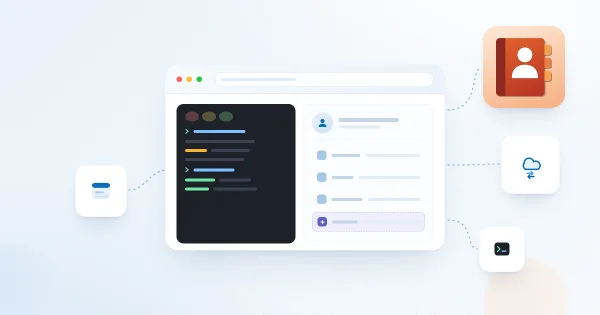
How to Display Custom Entra ID Attributes in the Employee Directory Web Part
Show custom Microsoft Entra ID user attributes - directory extensions, extensionAttribute1–15 synchronized from on-premises Active Directory and other user properties - in the Vitextra Employee Directory and Employee Directory (Entra ID) web parts on SharePoint and in Microsoft Teams.
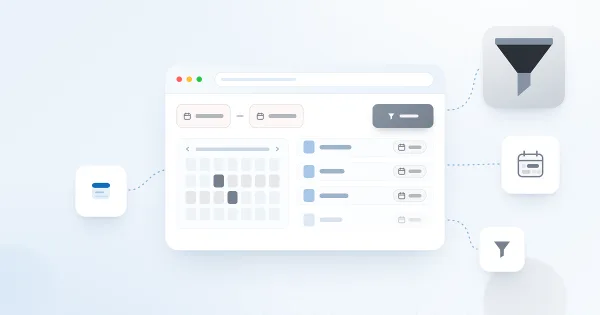
How to Filter a SharePoint List or Library by Date Range with List Filter
Learn how to filter a SharePoint list or document library by date range with the Vitextra List Filter web part: add DateTime columns to the filter panel, choose the Date range control and set begin and end dates without creating extra views.
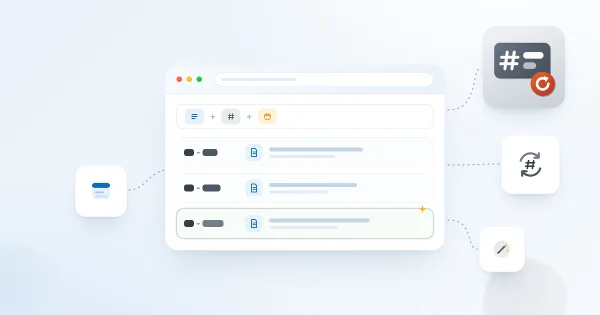
Number Generator: Numbering Schemes, Formulas and Samples
Reference for Vitextra Number Generator, which automatically generates numbers and names in SharePoint lists and libraries: activating the site collection feature, creating numbering schemes, formula syntax with columns and sequences, and five ready-to-use samples.
How to Export Employee Directory Results to Microsoft Excel
Learn how to enable and configure export of Employee Directory search results to Microsoft Excel (version 4.0.0 and higher): turn on the Export option, choose the columns, run the export from the search box area and know the limitations.
How to Deploy and Set Up Short URL Online
Learn how to deploy Vitextra Short URL Online in a Microsoft 365 tenant: the two .sppkg packages, deploying them to the SharePoint App Catalog and enabling the command bar extension on each site to shorten links to documents and folders.
Employee Directory Overview: Web Parts, SPFx and Microsoft Graph
Overview of the Vitextra Employee Directory solution for SharePoint and Microsoft Teams: the Employee Directory, Employee Directory (Entra ID) and New Employees web parts, SharePoint Framework hosting, Microsoft Graph permissions, data sources, layouts, quick filters, favorites, skills search, local time and availability, and the Entra ID filter editor.
Blog - SharePoint Tips & Microsoft 365 Insights | Vitextra
Ready to see it in your tenant?
Install any Vitextra app from Microsoft AppSource and try every feature free for 14 days. Your intranet could look different by Friday.
Questions about licensing, volume, or on-premises? Our team replies fast.
Stay In Touch
Don’t ever miss the latest news and updates; we don’t spam.