
Organizar temas mediante categorías
Cómo funcionan las categorías en Discussions: definir y modificar la lista, elegir categorías al crear o editar temas, filtrar, cambiar nombres o eliminar categorías, temas sin categoría y Mostrar categorías.
Cómo funcionan las categorías en Discussions: definir y modificar la lista, elegir categorías al crear o editar temas, filtrar, cambiar nombres o eliminar categorías, temas sin categoría y Mostrar categorías.

Referencia sobre la apariencia de Vitextra Discussions y Discussions Activity: tema de SharePoint en variables CSS, propiedades del tema para texto, enlaces, botones, separadores y etiquetas, fondos de sección y secciones de ancho completo, fuente del sitio, temas claro y oscuro de Microsoft Teams, idiomas de derecha a izquierda, idiomas de interfaz y límites de personalización.

Cómo ajustar lo que ven los lectores en Vitextra Discussions: Vista predeterminada (Reciente, Sin respuesta, Respondido, Destacado, Mis temas), Temas por página y Cargar más, búsqueda por título, categorías, contadores y título. Dónde está cada opción, qué cambia, valores predeterminados y combinaciones recomendadas para preguntas y respuestas, comunidades y equipos pequeños.

Estructure una base de conocimientos con Vitextra Questions and Answers: defina categorías, agrupe las preguntas, active el filtro de categorías, ordene por nombre, orden de pregunta o fecha de creación y contraiga las respuestas de forma predeterminada. Con recomendaciones para bases pequeñas, medianas y grandes.

Reference for the appearance options of the Vitextra RSS Reader web part: what the Compact, Newsletter and Cards layouts show and where each fits, images and how they are picked from a feed, the Items Shown limit, source tabs, category tags and the search box, the web part title, and how the web part follows the SharePoint theme, dark mode, the site font and full-width sections.

How to add a new absence type, change an existing one or switch it off in Vitextra Absence & Coverage: the AbsenceTypes list columns, the seven default types, color, approval, private types, half days, yearly allowance, category and sort order, and what each change does to existing requests.

How to add public and company holidays to Vitextra Absence & Coverage: the Holidays list, one row per day, how holidays change the working days of a request, how they are shaded in the Team Absence Calendar, the Upcoming public holidays block in My Absences and yearly maintenance.

Allow employees to submit absence requests that exceed their remaining balance in Vitextra Absence & Coverage: add the AllowNegativeBalance row to the Settings list, see how the error turns into a warning, how negative balances appear and when to use the setting.

How to set the scope of the Vitextra Team Absence Calendar web part: my team, my direct reports, my department or everyone. Includes the maximum number of people, the display defaults and the Microsoft Entra ID data each scope relies on.

Configure the FallbackApprover setting in Vitextra Absence & Coverage so that absence requests of employees without a manager in Microsoft Entra ID are still routed to an approver. Covers the Settings list row, how the approver is chosen, what employees see and what to do when no approver is found.
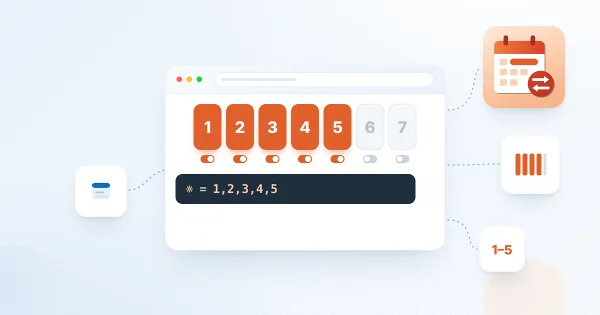
Define which days of the week count as working days in Vitextra Absence & Coverage: add the WorkDays row to the Settings list, choose the weekday numbers, see how the setting changes the working-day count of requests and the shading of the Team Absence Calendar.
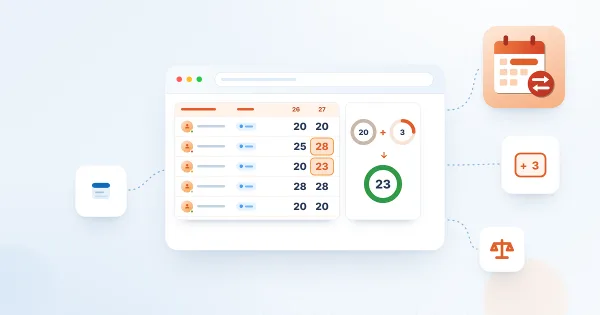
How to give each employee an individual yearly entitlement and carry-over days in Vitextra Absence & Coverage: the Balances list, how a row is matched to a person, type and year, how to find the TypeId, worked examples and what employees see on their balance cards.