Absence & Coverage - Knowledge Base

How to Check Team Conflicts Before Approving a Request
Learn how the Also away in this period line on the Approvals tab of Vitextra My Absences works: which colleagues it lists, what it leaves out, and how to combine it with the Team Absence Calendar before you approve or reject a time-off request.

How to Choose Whose Absences the Team Absence Calendar Shows
How to set the scope of the Vitextra Team Absence Calendar web part: my team, my direct reports, my department or everyone. Includes the maximum number of people, the display defaults and the Microsoft Entra ID data each scope relies on.

How to Export the Team Absence Calendar to CSV
Step-by-step guide to exporting the absences shown in the Vitextra Team Absence Calendar to a CSV file: which absences are included, the file name, UTF-8 encoding and semicolon separator, how to open the file in Excel, the exported columns and how private absence types are handled.

How to Filter the Calendar by Absence Type and Show or Hide Pending Requests
Learn how to use the legend of the Vitextra Team Absence Calendar to hide and show absence types, switch pending requests on and off, and hide weekends on the timeline - and what these view filters do and do not affect, including the CSV export.

How to Find Absences Without a Substitute
How managers use the No substitute tab of the Vitextra Substitutions web part to find approved absences of their direct reports in the next 120 days that still have no confirmed substitute, what the three status pills mean and how to close a gap with the Assign button.

How to Find Out Who Covers Whom
Find out who is covering whom in your organization with the Vitextra Substitutions web part: use the Covering me and Who covers whom tabs, search by name, filter running, planned and ended substitutions, and read every row correctly.

How to Hand Over Duties When an Employee Leaves (No End Date)
Step-by-step guide to creating a handover of duties without an end date in Vitextra Absence & Coverage: assign the substitute, describe the responsibilities, confirm the handover and end it when it is no longer needed.

How to Name a Substitute When You Request Time Off
Learn how to choose a substitute in an absence request in the Vitextra My Absences web part: when the substitution is created, why the colleague has to confirm it, what happens if the request is rejected or cancelled, and how it differs from assigning a substitute in the Substitutions web part.

How to Read the Team Absence Calendar: Colors, Hatching and Marks
A reference to every color, pattern and mark in the Vitextra Team Absence Calendar: absence type colors, hatched pending requests, grey Away entries, the half-day mark, shaded days, holidays, today, tooltips and the +N more link.
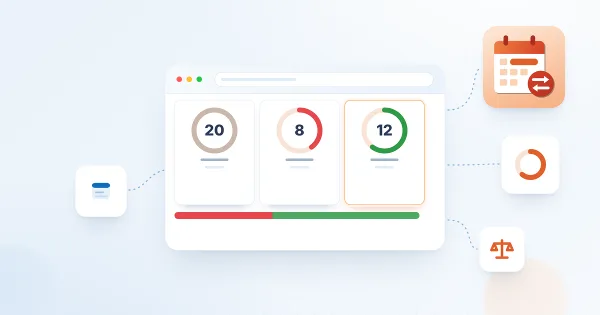
How to Read Your Absence Balances
Understand the balance cards in the Vitextra My Absences web part: how the remaining days, the used and pending days and the progress bar are calculated, where the yearly entitlement and carry-over come from, which absence types get a card, and how requests of each status affect your balance.

How to Request Half a Day Off
Learn how to request half a day or a half-day start and end of a longer absence in Vitextra My Absences: which absence types allow half days, how the two "midday" checkboxes work, how half days are counted in working days and balances, and how back-to-back half days avoid overlaps.

How to Request Time Off in My Absences
Step-by-step guide to requesting vacation, a personal day or another absence in the My Absences web part: choosing the type and dates, half days, a substitute and a comment, the checks before sending, and what happens after you submit the request.