Absence & Coverage - Knowledge Base

How to See Who Is Away Today and Who Covers Them
How to use the Away today block of the Vitextra Team Absence Calendar to see who has an absence today, until when, and who covers them: which absences are listed, how substitutes are shown, private types and the empty state.

How to Set the Fallback Approver
Configure the FallbackApprover setting in Vitextra Absence & Coverage so that absence requests of employees without a manager in Microsoft Entra ID are still routed to an approver. Covers the Settings list row, how the approver is chosen, what employees see and what to do when no approver is found.

How to Set Yearly Entitlements and Carry-Over Days
How to give each employee an individual yearly entitlement and carry-over days in Vitextra Absence & Coverage: the Balances list, how a row is matched to a person, type and year, how to find the TypeId, worked examples and what employees see on their balance cards.

How Working Days Are Calculated in Absence Requests
How Vitextra Absence & Coverage counts the working days of an absence request: the working week, public holidays, half days, worked examples with dates, periods that cannot be submitted, and why changed settings do not recalculate requests that were already sent.

Private Absence Types: What Colleagues See in the Calendar
How private absence types work in Vitextra Absence & Coverage: who sees the real type and the number of days, where the grey "Away" label replaces them in the Team Absence Calendar and in the CSV export, which types are private by default, how to change the setting and what the privacy rule does not protect.

Team Absence Calendar: Timeline and Month Views
A tour of the Vitextra Team Absence Calendar web part for SharePoint Online and Microsoft Teams: the Away today block, the toolbar, the Timeline and Month views, period navigation and what the calendar includes.

What Is a Substitution: Temporary Cover and Handover of Duties
A reference to substitutions in Vitextra Absence & Coverage: what a substitution is, the two kinds (temporary and handover of duties), the statuses and phases, who creates, accepts and cancels a substitution, how it relates to absence requests, and where substitutions are shown.

What Is Vitextra Absence & Coverage: Web Parts, Roles and Data at a Glance
Overview of Vitextra Absence & Coverage for SharePoint Online and Microsoft Teams: the three web parts (My Absences, Team Absence Calendar, Substitutions), who uses what, where the data is stored, requirements and what is not included in this version.

Who Approves Absence Requests: Manager, Fallback Approver and Self-Approval
How Vitextra My Absences chooses the approver of a time-off request: the manager from Microsoft Entra ID, the fallback approver, types that need no approval and self-approval. Includes a table of examples, what the employee sees and what happens when no approver can be found.
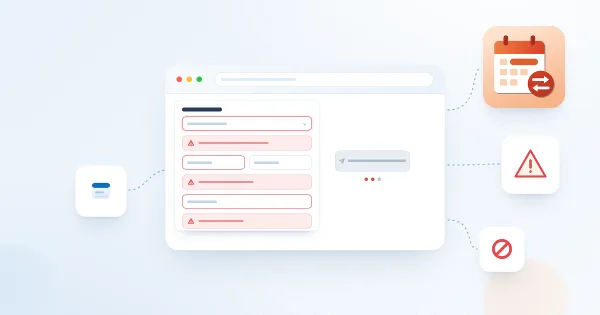
Why You Cannot Submit an Absence Request: Messages and Solutions
Troubleshooting guide for the Vitextra Absence & Coverage My Absences web part: every message that blocks a new absence request - no absence types, missing dates, no working days, overlapping requests, insufficient balance, no approver, lists not found - with the cause and the fix for the employee and for the administrator.

Why You Should Edit Absences in the Web Parts and Not in the List View
Why absence requests and substitutions in Vitextra Absence & Coverage should be changed in the web parts rather than in the SharePoint list view: how dates are stored, which lists are safe to edit directly, what to avoid and how to correct a mistaken request.