
Display Entra ID Custom Attributes in Employee Directory
How to retrieve Entra ID extension attributes with PowerShell and display them as custom columns in the Vitextra Employee Directory web part for SharePoint and Teams.
How to retrieve Entra ID extension attributes with PowerShell and display them as custom columns in the Vitextra Employee Directory web part for SharePoint and Teams.

Learn how to customize the employee details pane in the Vitextra Employee Directory: built-in and custom attributes, sections, Free/Busy status, recent documents, and settings.

Learn how to spotlight recently hired employees on a SharePoint site with the New Employees web part from Employee Directory: add it to a page, set the look-back period (last 1–6 months) and the number of employees, filter users with the filter editor, and configure card size, card fields and actions.
Step-by-step guide to installing a Vitextra SPFx product in SharePoint Online — prerequisites and permissions, uploading the .sppkg to the App Catalog, and approving API access.
Step-by-step guide to adding the Vitextra Smart Tiles web part to a SharePoint Online page: deploying the package, finding the web part in the toolbox, the sample tiles, the web part title, every setting of the Appearance group, the About group and placing the panel in a full-width section.

How to create a custom SharePoint Online search results page and configure the Vitextra Smart Search web part — data sources, appearance, filtering, sorting, and item layout.

Overview and configuration guide for the Vitextra List Filter Online web part: filter SharePoint lists and libraries with a Query Builder, columns, grouping, totals, and Excel export.

How to configure SharePoint list permissions so read-only users can participate in Quick Poll surveys — grant Contribute on the Responses list.
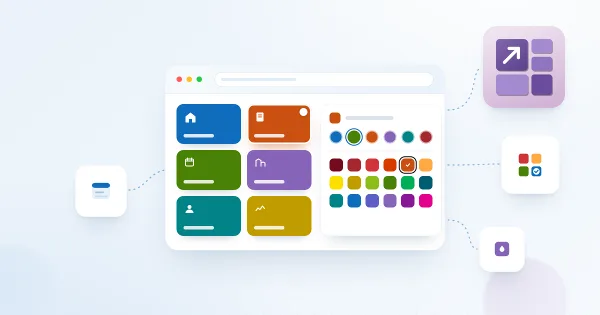
The background and font colors available for tiles in the Vitextra Smart Tiles web part: the six accent colors that follow the site theme, the palette of 31 predefined Fluent UI colors, black and white — with the exact values, how accent colors behave on sites whose theme does not define them, and advice on combining colors.
How to create a shortened link to a SharePoint page with the Vitextra Short URL add-on — set the custom URL, expiration date, and owner.
Reference for the Vitextra List Filter web part's 14 filtering controls — Text, Autocomplete, List, Date, Slider, People Picker, and more — and the SharePoint column types each supports.
How to set up numbering schemes and formulas in the Vitextra Number Generator for SharePoint — reference columns and sequences, format numbers and dates, and use system fields.