All articles

Browse all knowledge base articles and filter them by product or category.

Showing Titles and Descriptions on Tiles

How the texts of a tile work in the Vitextra Smart Tiles web part: the title and the description, the Show Titles and Show Descriptions settings, the Font Size steps, single-line display and truncation, the tooltip, icon-only tiles, the web part title, and writing texts that fit.


10/9/2026 Roger Gagne 100

Smart Search vs. Built-in SharePoint Search: What's the Difference?

A practical comparison of the Vitextra Smart Search web part and the built-in Microsoft Search experience in SharePoint Online: where search appears, who configures it, tabs, filters, result layout, actions and analytics - and when to use each, or both together.

10/9/2026 Lidija Reising 101

Smart Search. Solution Overview

Vitextra Smart Search is a configurable search web part for SharePoint Online and Microsoft Teams. Learn how it works: search source tabs, a refinement panel with date filters, a customizable result layout with view analytics, document preview and video playback, and shareable search links.

10/9/2026 Roger Gagne 108

Smart Tiles: Solution Overview

What the Vitextra Smart Tiles web part is and what it offers: tile-based navigation for SharePoint Online pages with six icon sources, theme and predefined colors, background images, descriptions, hover effects, audience targeting, import and export of tiles, and support for 44 languages.

10/9/2026 Vitālijs Kalniņš 97

Tile Sizes and Layout in Smart Tiles

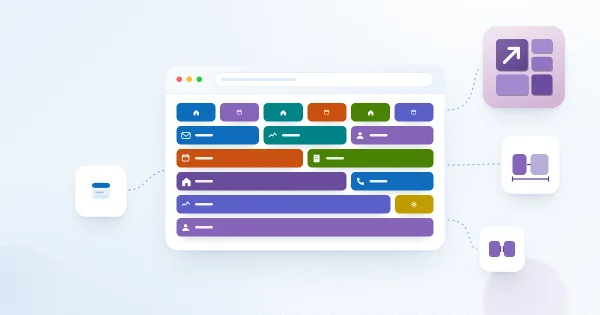
How tiles are arranged in the Vitextra Smart Tiles web part: the six tile sizes from Extra Small to Full Width and the share of the row each takes, how tiles wrap and stretch to fill rows, the Internal, Icon and External Indent settings, tile height, and layout recipes for sections, columns and full-width panels.

10/9/2026 Lidija Reising 94

Using a Custom Image as a Tile Icon

How to replace the icon of a tile in the Vitextra Smart Tiles web part with your own image: the Custom image option, entering an image URL or picking a picture from a document library of the site, image requirements, sizing, and removing the image to return to an icon.

10/9/2026 Lidija Reising 101

Why Is Someone Missing from the Organizational Chart?

A troubleshooting checklist for employees who do not appear in the Vitextra Organizational Chart: default exclusions for unlicensed accounts and blank job titles, disabled accounts, guest users, a missing manager in Microsoft Entra ID, filtered-out managers, collapsed levels and the 12-hour data cache.

10/9/2026 Roger Gagne 105

Quick Poll: Overview of the SharePoint Poll Web Part

Overview of Vitextra Quick Poll, a web part for SharePoint Online and Microsoft Teams: creating polls, voting, real-time chart results, scheduling, managing polls, Excel export, data privacy, localization and system requirements.

9/9/2026 Lidija Reising 144