
All Articles

Browse all knowledge base articles and filter them by product or category.

QR Code Generator: Solution Overview

What the Vitextra QR Code Generator web part is and what it offers: nine QR code data types (URL, text, vCard, Wi-Fi, email, SMS, phone, location, event), design options with shapes, colors, gradient and a logo, download as PNG, JPEG, SVG or WebP, copy to clipboard and a configuration saved with the SharePoint page.

10/14/2026 Lidija Reising 2

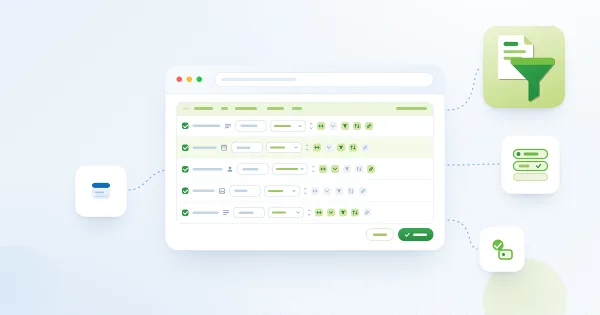
Cascading Filters: Narrowing Drop-Down Options by Other Selected Filters

How the Cascading filters option of the Vitextra List Filter Online web part limits the options of drop-down filter controls to values that exist in the items matching the other selected filters: enabling the option, an example scenario, behaviour details, performance considerations and limitations.

10/12/2026 Lidija Reising 8

Filter Pane Controls and Supported Column Types in List Filter Online

Reference for the filter pane of the Vitextra List Filter Online web part: how to pick the columns and filter controls in the configurator, how each control (Text, Text with options, Dropdown, Date picker, Date Range, Relative Date, Person or Group, Term, Numeric range, Yes/No) behaves and which CAML comparison it produces, and a matrix of SharePoint column types and the controls available for them.

10/12/2026 Lidija Reising 1

Filtering Large Lists: Indexed Columns and the 5,000-Item Threshold

Why filtering a SharePoint Online list with more than 5,000 items can fail, how the Vitextra List Filter Online web part warns about non-indexed filter columns and creates the index in place, how to add an index in list settings, and how to design filters, sorting and grouping so that large lists keep working.

10/12/2026 Lidija Reising 4

Grouping, Sorting and Totals in List Filter Online

Reference for the Sort, Group By and Totals settings of the Vitextra List Filter Online web part: two-level sorting, user sorting from the column header, grouping by up to two columns, the Count, Average, Maximum, Minimum, Sum, Standard Deviation and Variance functions, where totals appear and how they are exported to Excel.

10/12/2026 Lidija Reising 2

How to Install List Filter Online and Add It to a Page

Step-by-step: upload the Vitextra List Filter Online package to the SharePoint app catalog, add the List Filter web part to a modern page, complete the minimal configuration (site, list or library, columns), publish the page and update the web part to a new version.

10/12/2026 Lidija Reising 2

List Filter Online: A Quick Guide for End Users

How to work with the Vitextra List Filter Online web part on a SharePoint Online page: filter with the filter pane and column headers, clear filter chips, browse folders, open, preview, download and manage items from the context menu, select items, page through results, save filters and export to Excel.

10/12/2026 Lidija Reising 1

List Filter Online: Solution Overview

What the Vitextra List Filter Online web part is and what it offers: a filterable view of any SharePoint Online list or library with a configurable filter pane, administrator's Query Builder, column formats, grouping and totals, folders, saved filters and filter links, cascading filters, export to Excel and the Open in List Filter command.

10/12/2026 Lidija Reising 1

Opening Selected Items in List Filter Online from a Native SharePoint List

How to enable and use the Open in List Filter command that the Vitextra List Filter Online package adds to native SharePoint lists and libraries: configure the Tenant Wide Extensions entry, set the target page, scope the command, and open selected items in a page with the List Filter Online web part.

10/12/2026 Lidija Reising 2

Saving Filters and Sharing a Link to a Filtered View in List Filter Online

How to save a filter preset in the Vitextra List Filter Online web part, apply and delete presets, copy a link that opens the page with the filter applied, and how the "Remember the user's last filter" option restores your filter on the next visit. Explains where presets are stored and the limits of browser storage.

10/12/2026 Lidija Reising 1

Using SharePoint Column Formatting JSON in List Filter Online

How List Filter Online applies the column formatting JSON defined on SharePoint list columns: enabling the option, the supported elements, styles, attributes, field tokens and expressions, what is not supported and how the web part falls back, with ready-to-use examples.

10/12/2026 Lidija Reising 2